
Withdraw
Withdrawing lets you send your balance out of the platform. To withdraw, your account must have a verified identity (see Identity verification).
1. Choose the asset
On the Home (Quick access) or in your Wallet, click Withdraw crypto. The window lists the assets with a balance available for withdrawal:
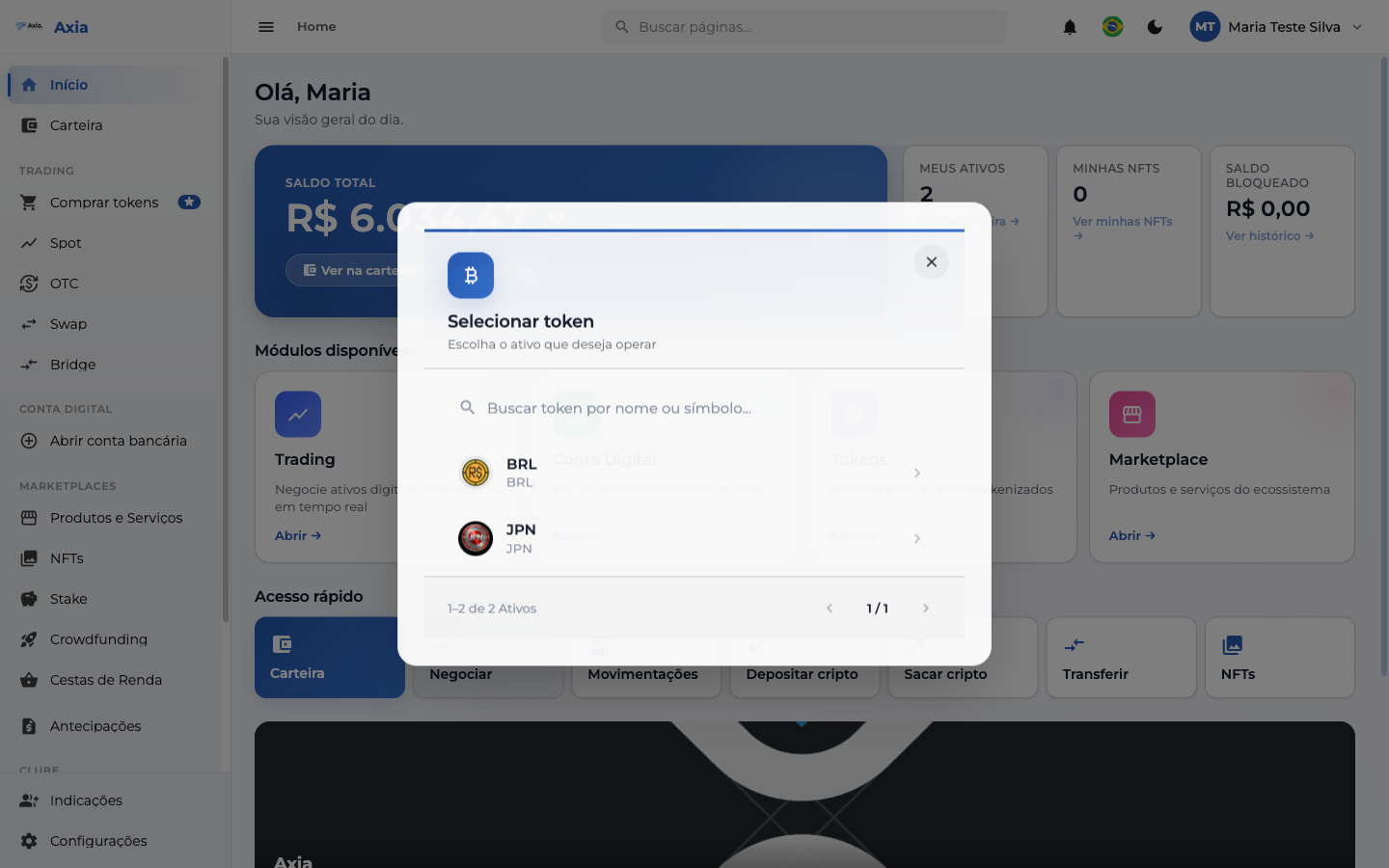
Select the asset you want (e.g., BRL).
Unverified account
If your identity has not been approved yet, when you try to withdraw the platform opens the document submission screen. Complete the identity verification and try again.
2. Request the withdrawal
The Withdrawals screen shows the balance available for withdrawal and two options:
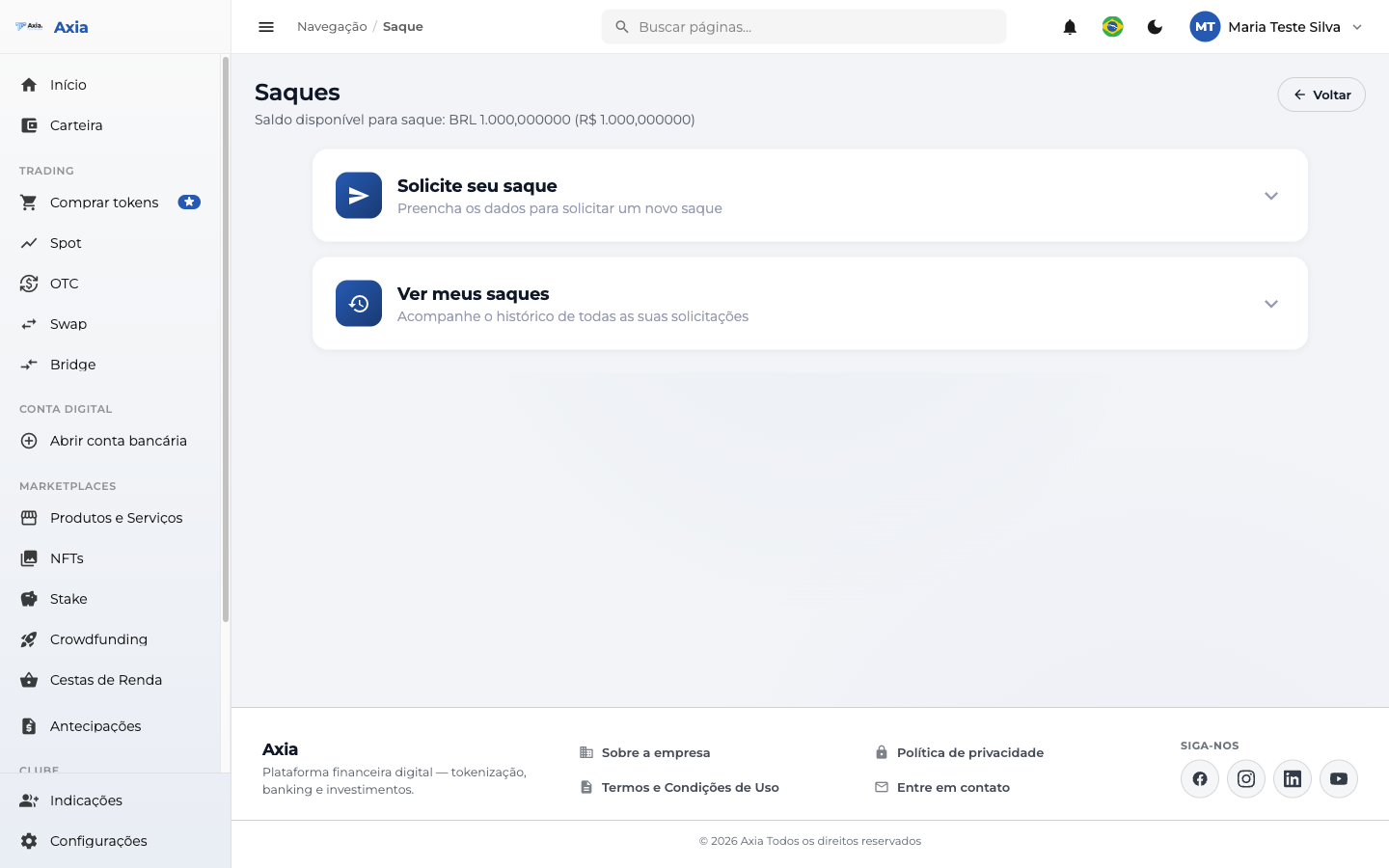
- Request your withdrawal — fills in the details of a new withdrawal.
- View my withdrawals — track the history of your requests.
3. Fill in the details
When you open Request your withdrawal, provide:
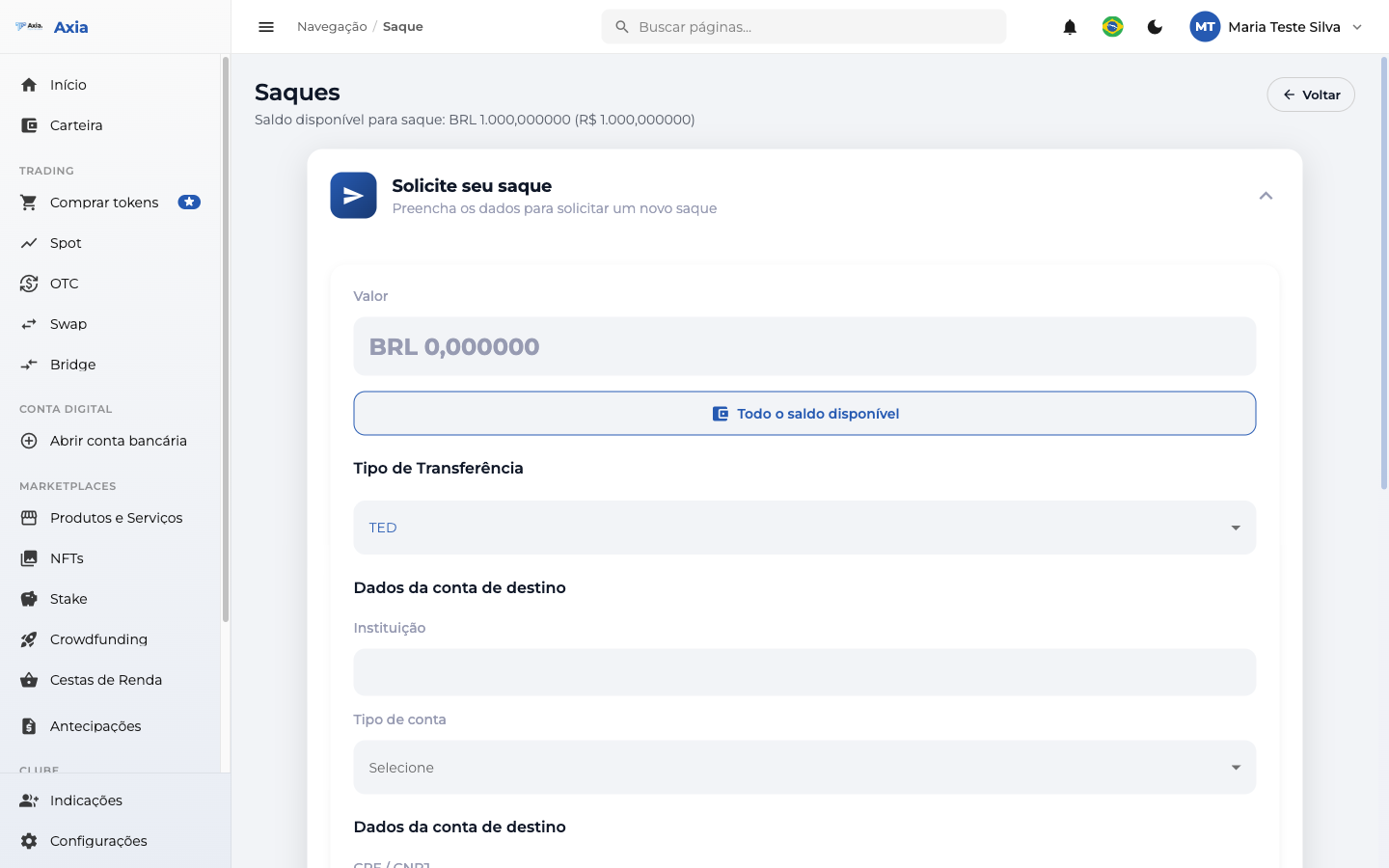
| Field | Description |
|---|---|
| Amount | How much to withdraw (use All available balance for the full amount) |
| Transfer Type | E.g., TED |
| Institution | Destination bank |
| Account type | Checking, savings, etc. |
| CPF / CNPJ and Full name | Holder of the destination account |
Click Continue transfer to review and confirm the request.
TIP
Track the progress under View my withdrawals at any time.