
Notifications
In Notifications you choose which alerts you want to receive from the platform.
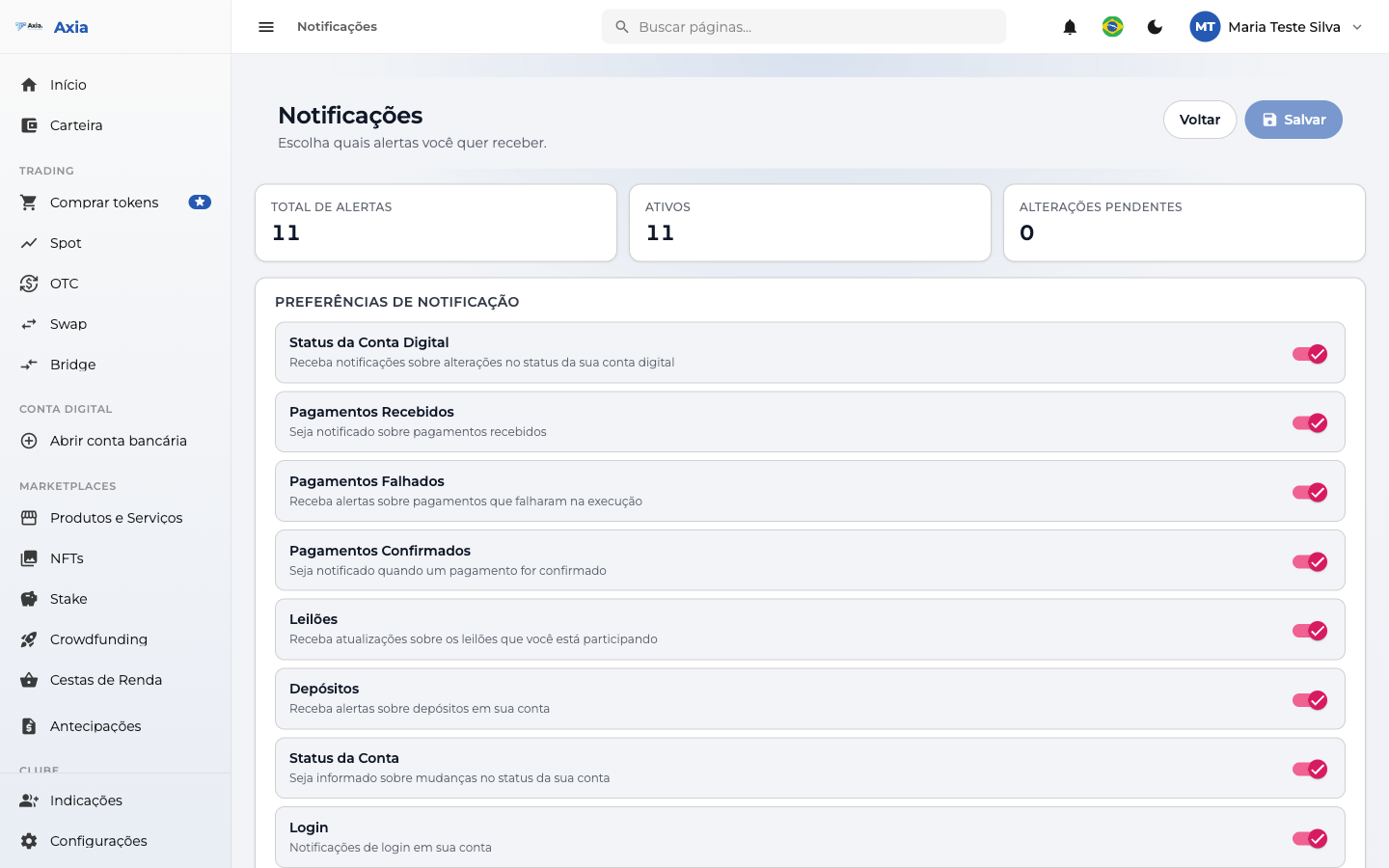
At the top, a summary shows the total number of alerts, how many are active, and whether there are any pending changes.
Notification preferences
Each alert type has a toggle (on/off). Among those available:
- Digital Account Status — changes to your digital account status.
- Received / Failed / Confirmed Payments — notices about your payments.
- Auctions — updates on auctions you take part in.
- Deposits — alerts for account deposits.
- Account Status and Login — security and access.
Adjust the toggles to your preference and click Save.
TIP
We recommend keeping the Login and Account Status alerts active — they help you quickly notice any unusual activity.