
International deposit
The international deposit lets you buy crypto with a foreign card (credit or debit) in USD, EUR, or other currencies, without needing PIX or TED. The purchase is processed by our partner Transak, and the balance lands directly in your wallet.
You'll find this option under Wallet → Overview, in the International Deposit button.
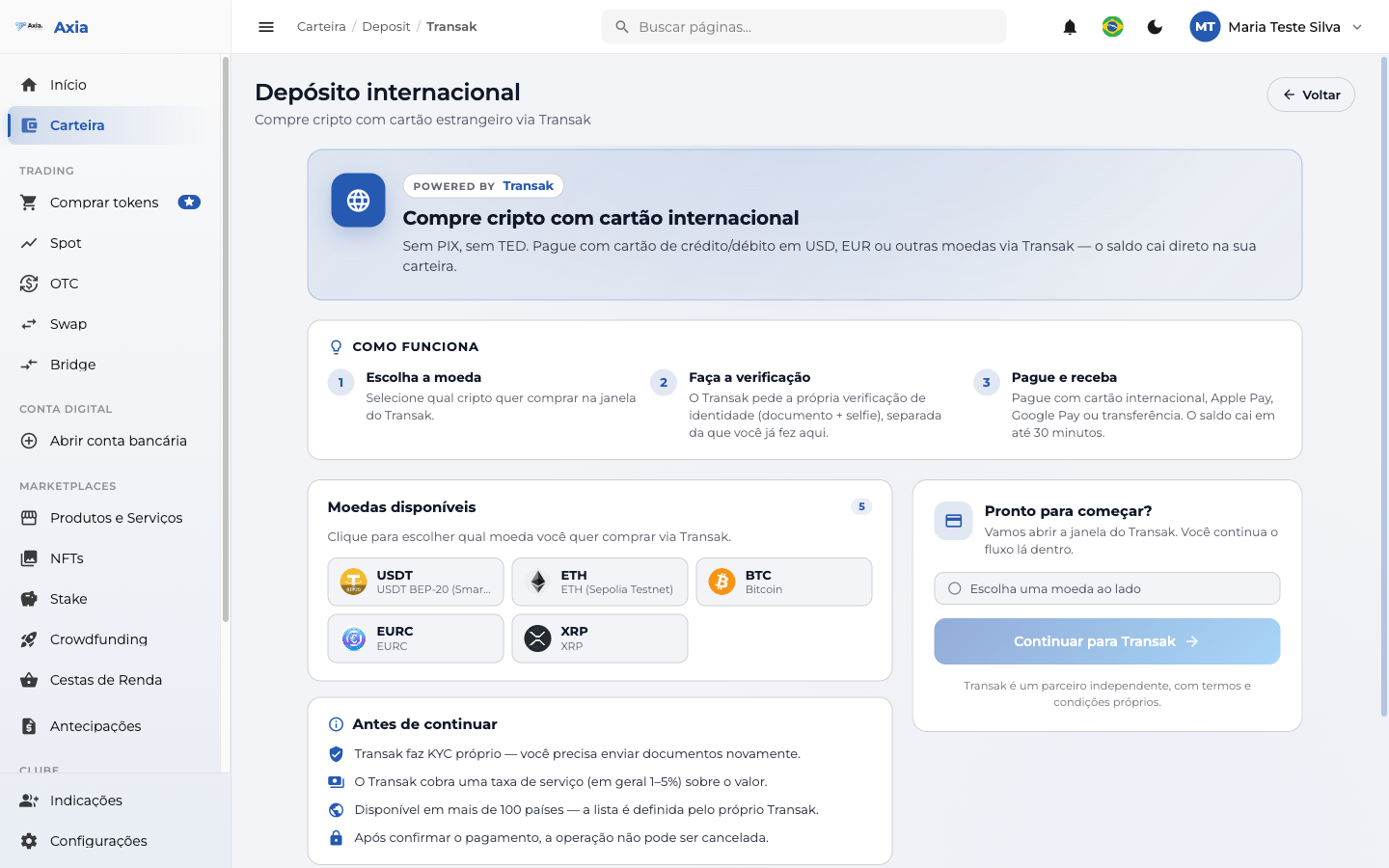
How it works
- Choose the currency — select which crypto you want to receive (e.g., USDT, ETH, BTC, EURC, XRP).
- Complete verification — Transak may request an identity verification on your first purchase.
- Pay and receive — pay with your international card and the amount is credited to your wallet.
Select the currency
Choose the crypto under Available currencies. When you select one, the platform shows the corresponding receiving address and enables the continue button:
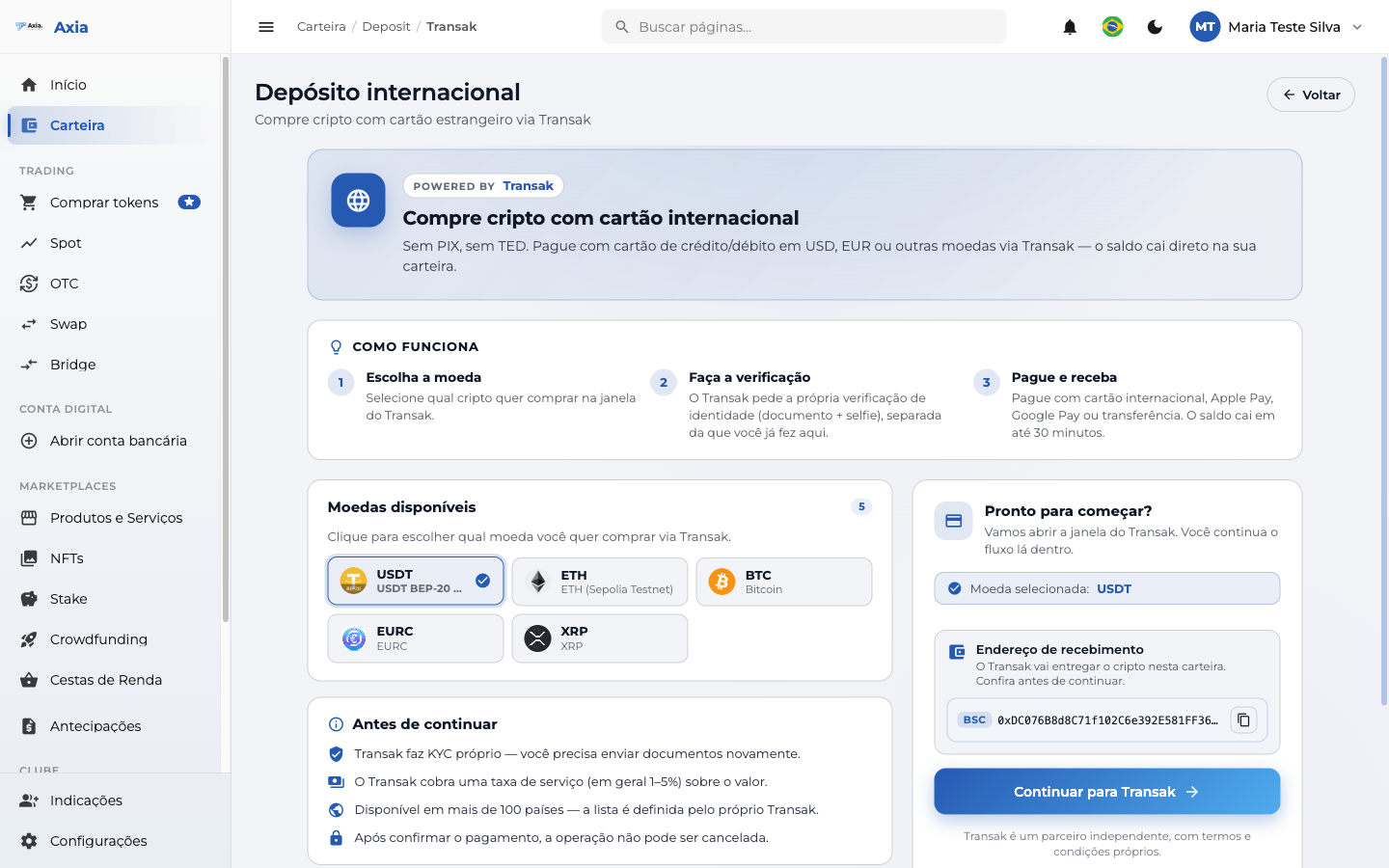
Continue to Transak
Click Continue to Transak. The Transak widget opens (external partner), where you enter your international card details, complete the verification (if requested), and finalize the purchase.
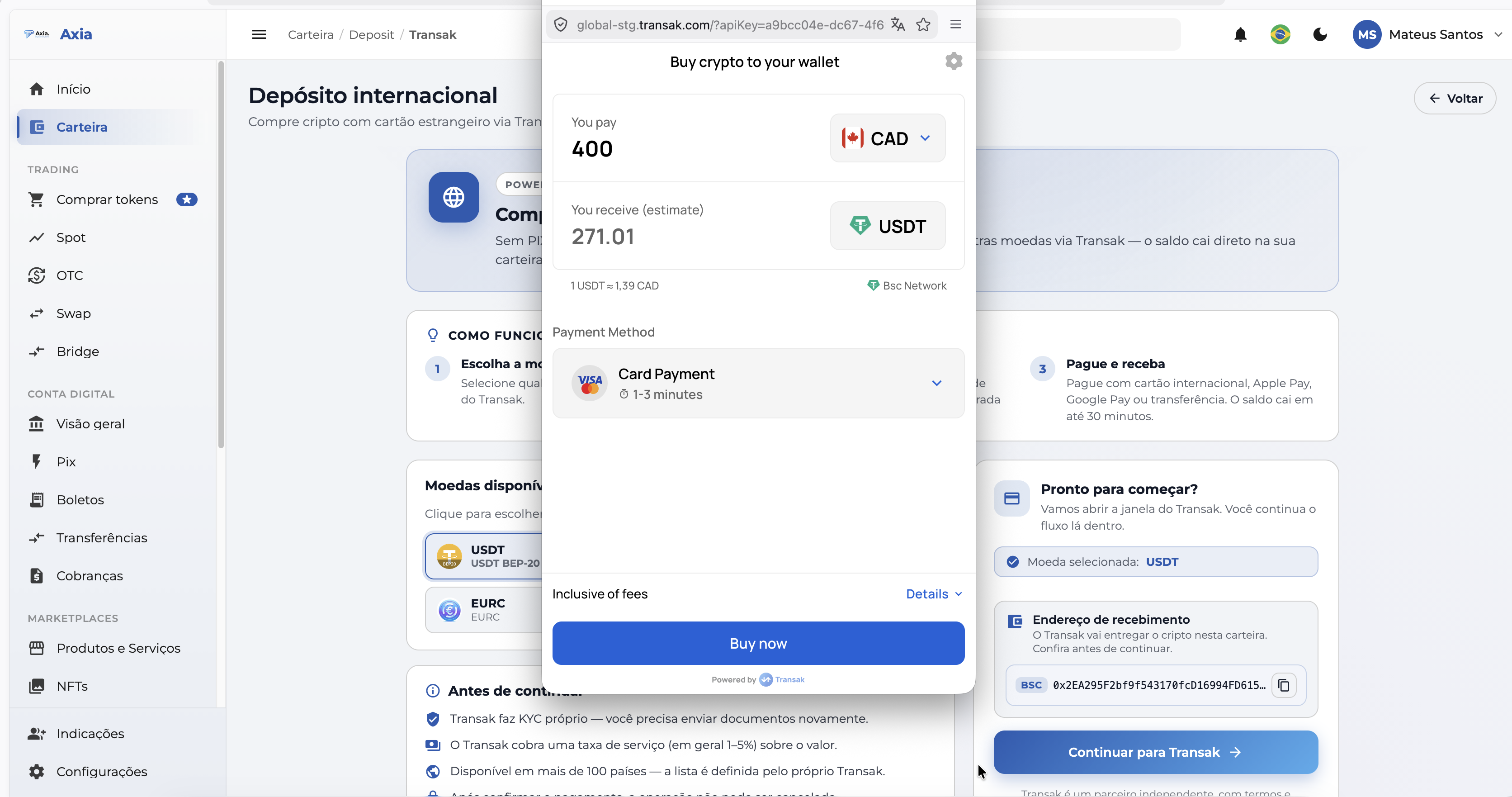
Transak accepts more than 30 currencies from different countries, paid with an international card (credit or debit). Once completed, the amount is credited directly to your wallet within the platform — with no extra steps.
When to use
Ideal for those who are outside Brazil or don't have PIX/TED. Keep in mind that Transak charges its own fees and may require verification before releasing your first purchase.