
Buy tokens
Direct purchase is the simplest way to acquire a token: you choose the asset in the catalog and pay with your preferred method, without setting up an order in the order book.
1. Choose the token
The Buy Tokens screen lists the assets available for direct purchase, with price and the Details and Buy buttons:
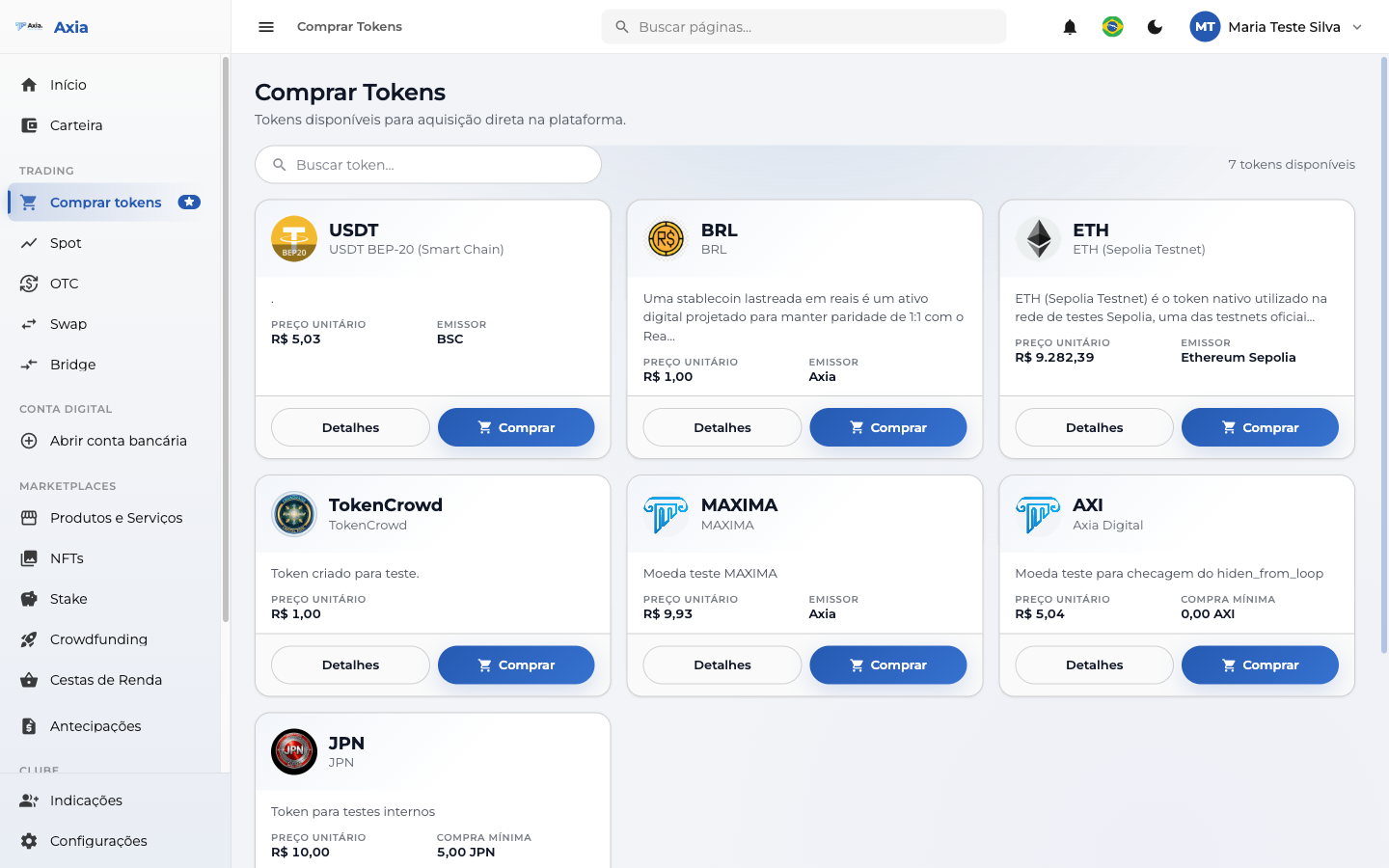
- Use Search token to filter by name or symbol.
- The counter shows how many available tokens there are at the moment.
- Click Buy on the desired token.
2. Checkout
You go to the Token purchase screen, where you set the amount and the payment method:
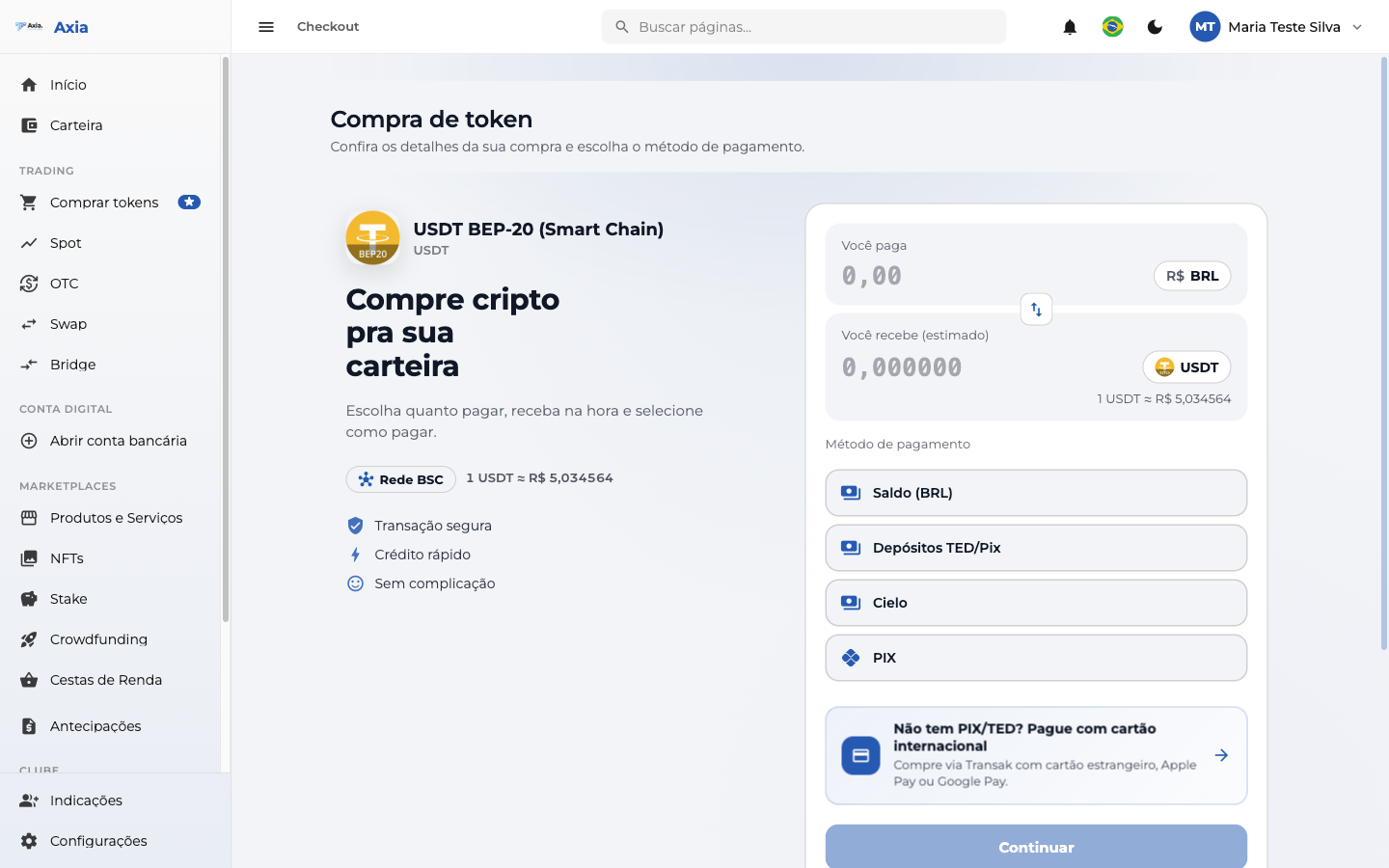
- Enter how much you want to pay (in BRL) or how much you want to receive (in the token).
- Choose the payment method:
| Method | Description |
|---|---|
| Balance (BRL) | Pay with the balance already available in your account |
| TED/PIX Deposit | Generates a deposit via TED or PIX for the purchase |
| Cielo | Payment via Cielo |
| PIX | Instant payment via PIX |
| International card | For those without PIX/TED — pay with an international card (international purchase) |
Click Continue to proceed to payment.
International purchase
No PIX or TED? Use the international card option at checkout — ideal for users outside Brazil (see International deposit).
3. Purchase summary
Before confirming, the platform shows the Purchase summary with the token, the quantity, the payment method, and the total:
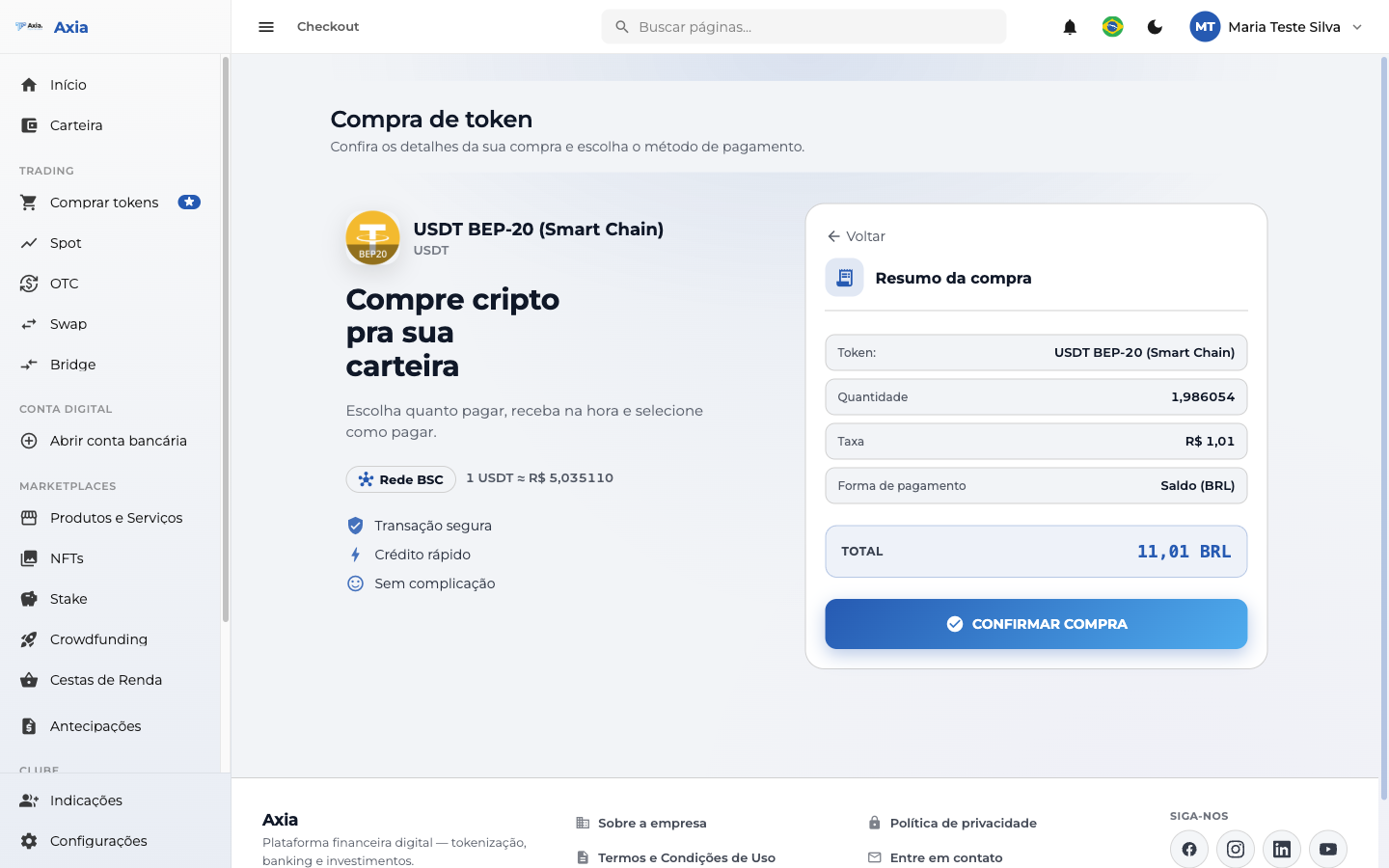
Check the values and click Confirm purchase.
4. Contract acceptance (regulated tokens)
Tokens with a linked contract
Some tokens are regulated assets and have a linked legal contract. In these cases, before completing the purchase you need to read and accept the legal documentation of the contract for that token. Tokens without a linked contract skip this step.
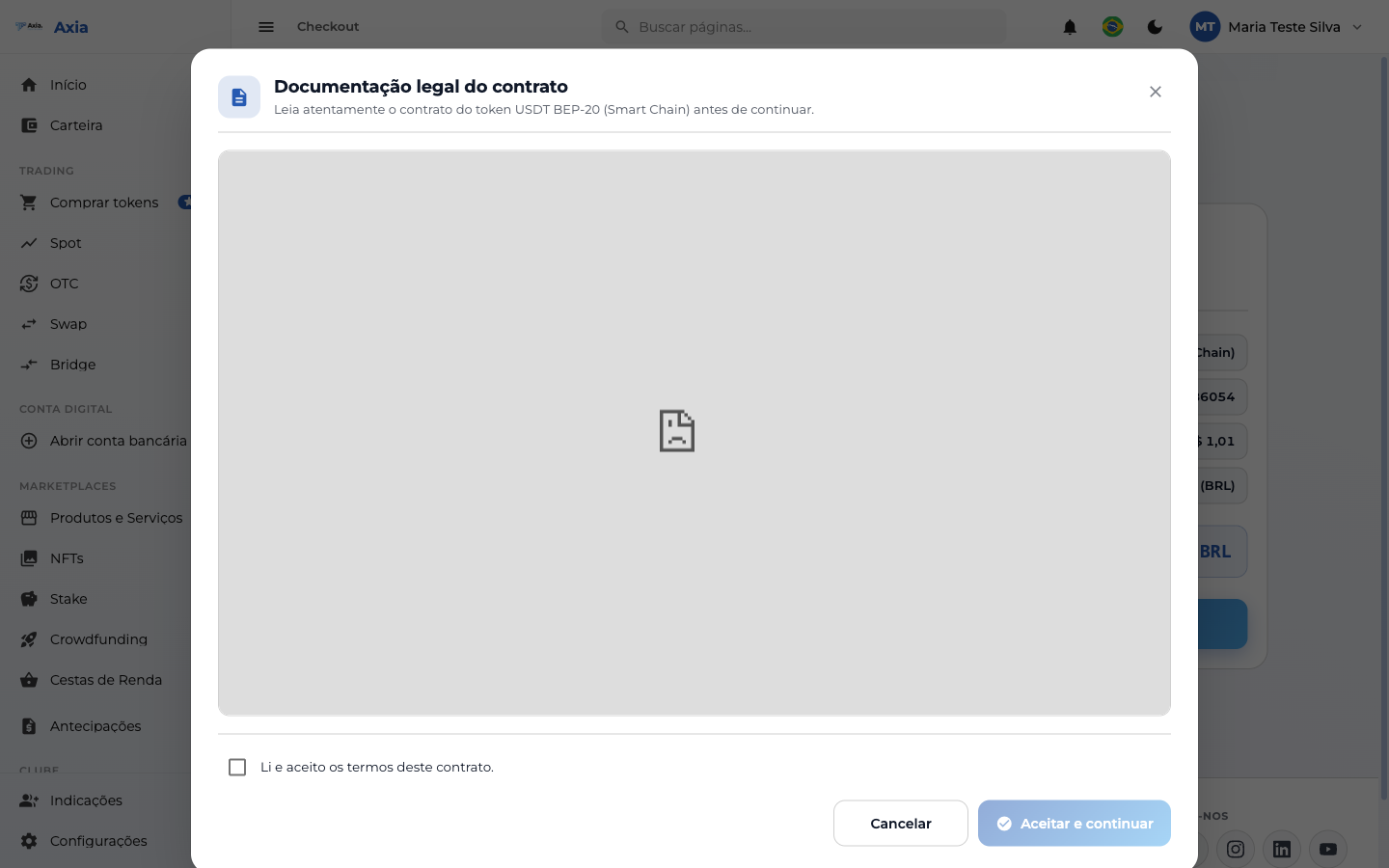
- Read the token contract presented.
- Check "I have read and accept the terms of this contract".
- Click Accept and continue to finalize.
5. Completion
Once the payment (and the acceptance, when applicable) is done, the purchase is processed and the token is credited to your wallet. You can track the operation in the transaction history.
Payment methods
In addition to Balance (BRL), the checkout offers other methods:
PIX (QR Code)
Select PIX and confirm. The platform generates a QR Code and the PIX Copy and Paste code:
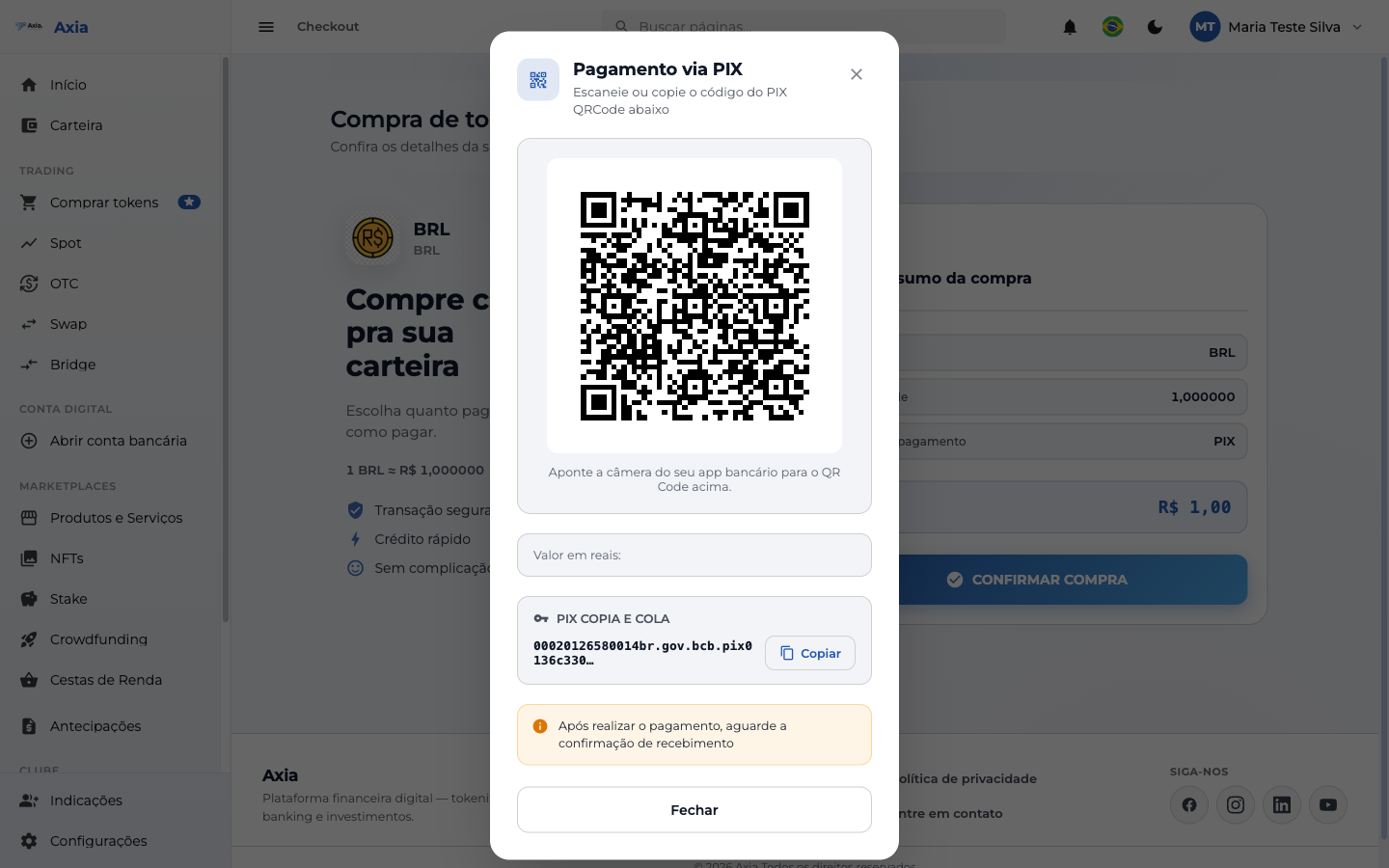
- Scan the QR Code in your bank's app, or use Copy on the Copy and Paste code.
- After paying, wait for the receipt confirmation.
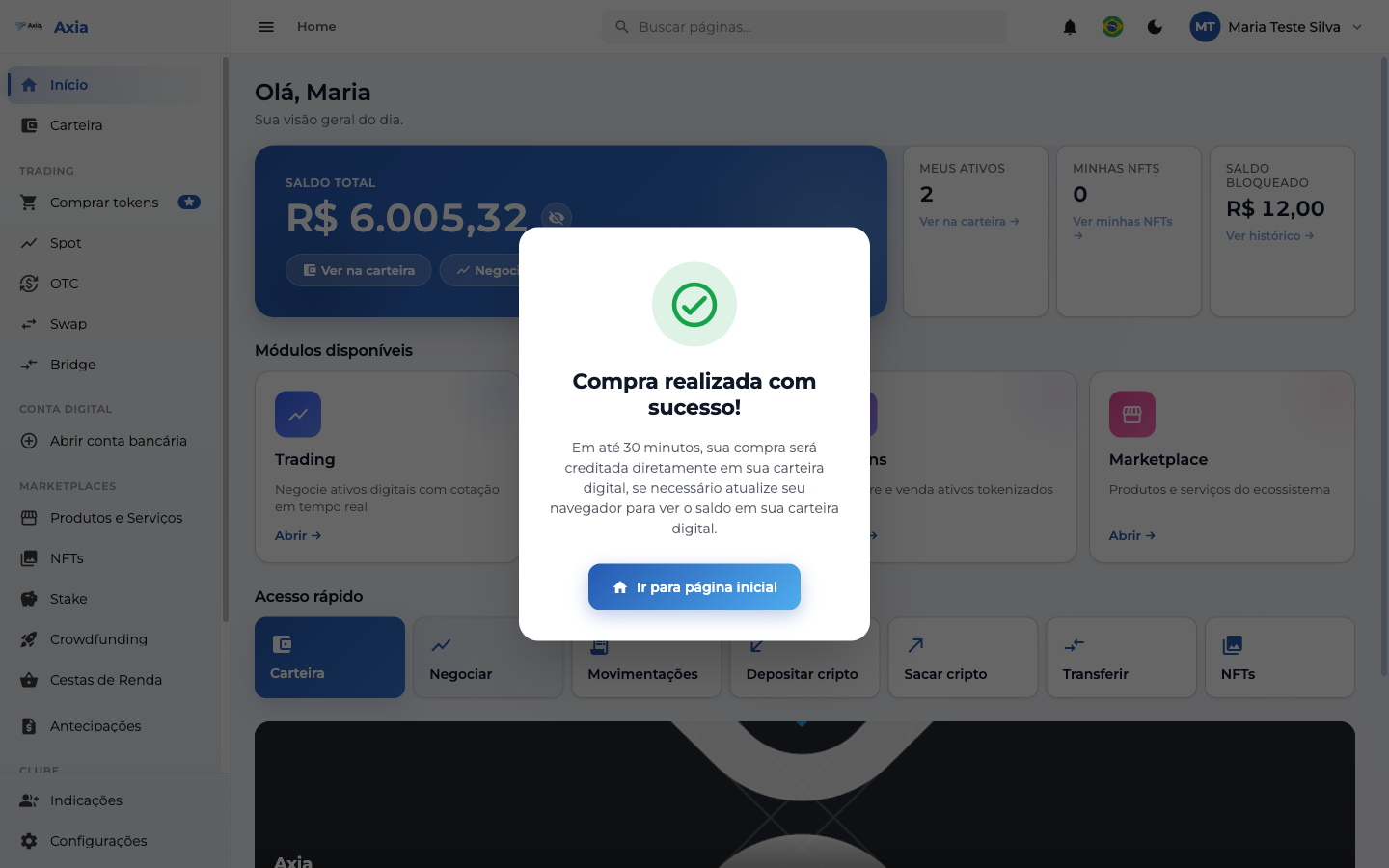
Once the payment is confirmed, the success screen appears:
TIP
The purchase may take up to 30 minutes to be credited to the wallet. If needed, refresh your browser to see the balance.
TED/PIX Deposits
The TED/Pix Deposits option shows the bank details (PIX key or TED details) for you to transfer manually and then confirm:
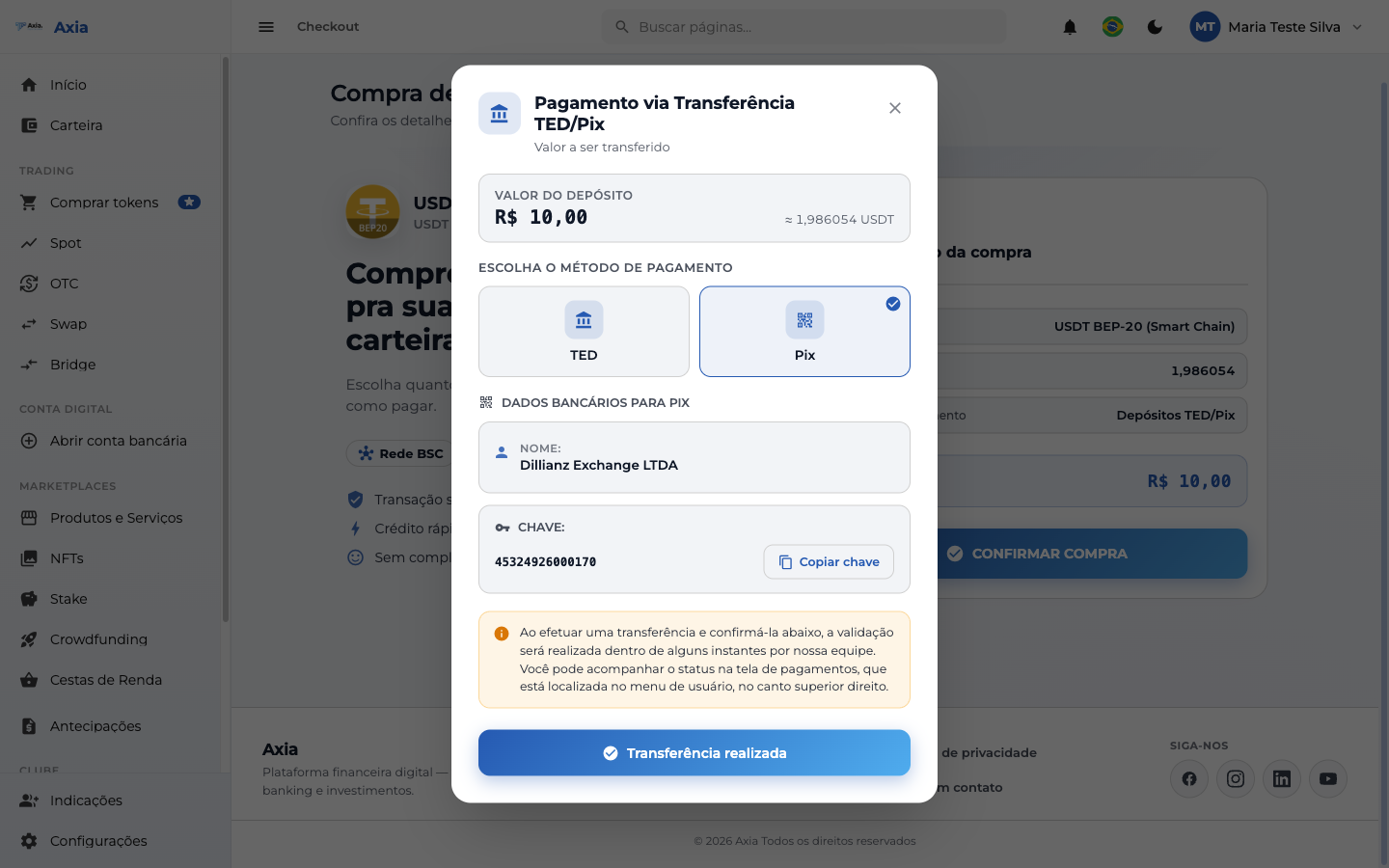
Choose TED or Pix, make the transfer, and click Transfer completed — the validation is done by the team.
Pay with crypto
For eligible tokens, the checkout also accepts paying with another crypto from your balance (e.g., USDT, JPN). Just choose the crypto from the Payment method list:
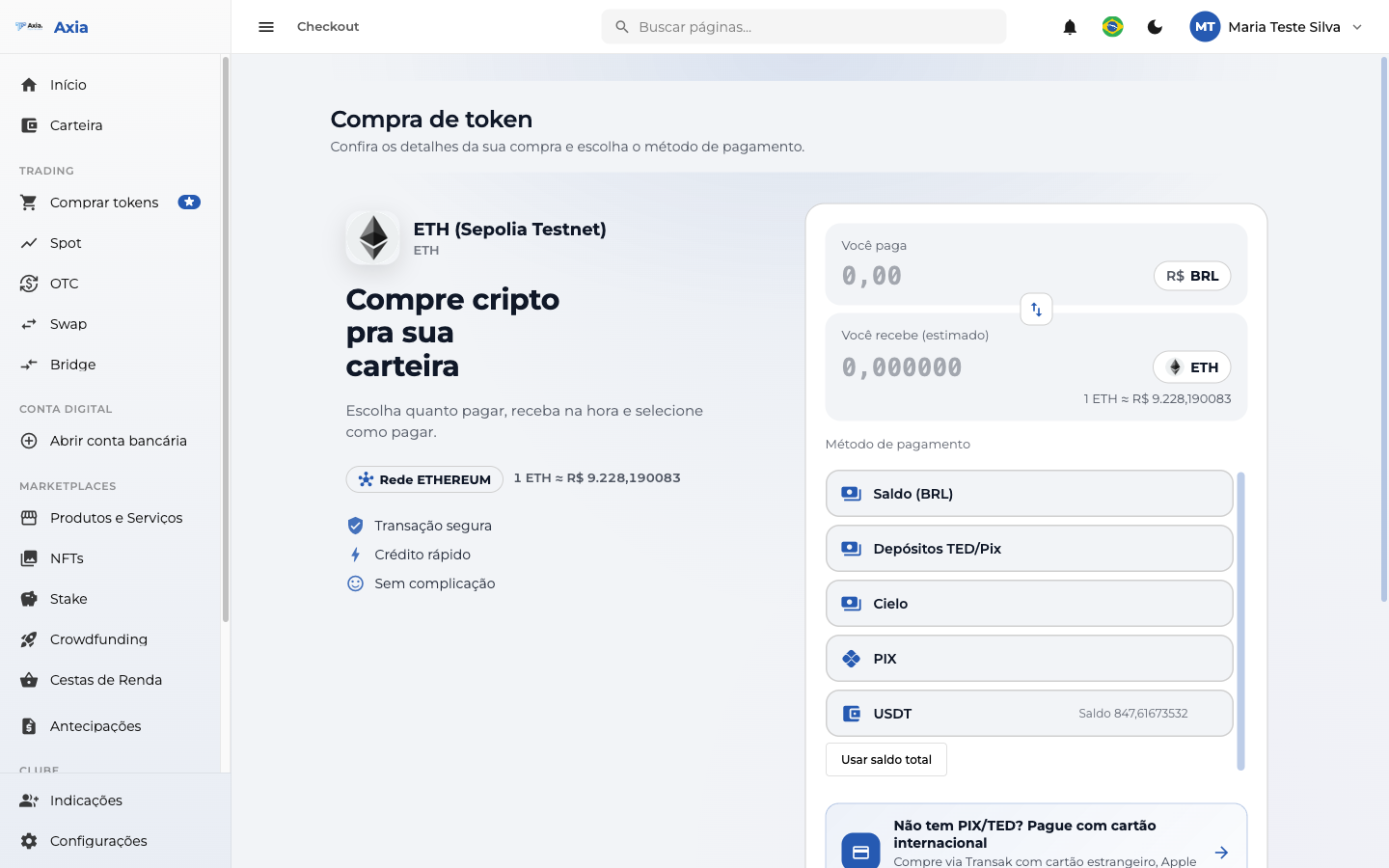
The amount is debited from the balance of the chosen crypto and the purchased token is credited to the wallet.
Other methods
- Cielo — payment via card gateway.
- International card — via Transak (see International deposit).