
Home
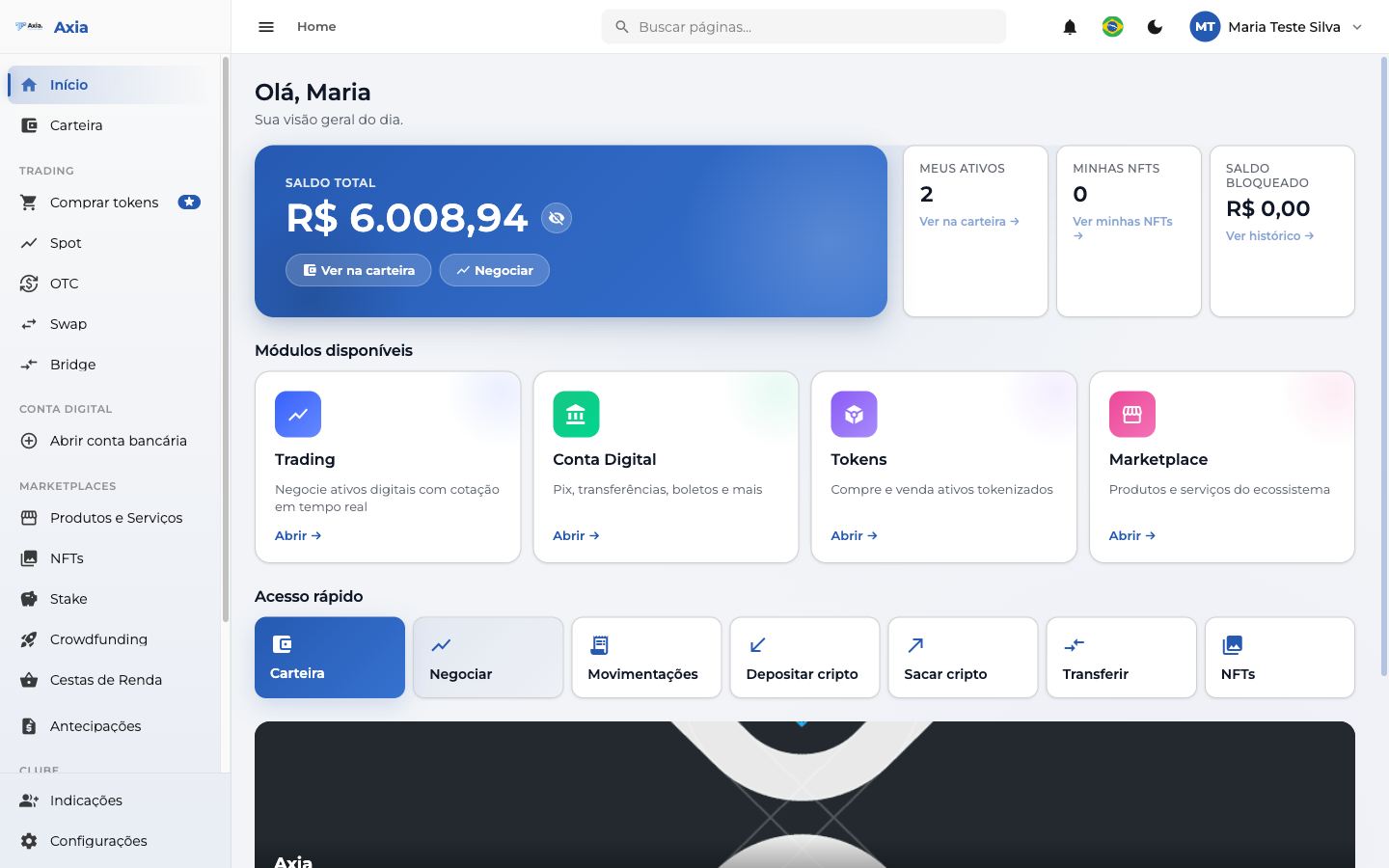
The Home screen is your daily overview. It's the first thing you see when you sign in, bringing together your balance, your assets, and shortcuts to the main actions all in one place.
Balance and summary
At the top, a highlighted card shows your Total balance, with two direct shortcuts:
- View in wallet — opens your full wallet.
- Trade — takes you to the trading area.
Beside it, three cards summarize your account:
| Card | What it shows |
|---|---|
| My assets | How many assets you own — with a link to the wallet |
| My NFTs | Number of NFTs — with a link to view them |
| Blocked balance | Amount temporarily unavailable — with a link to the history |
TIP
The values appear as soon as they load. If something is unavailable at the moment, the platform lets you know instead of showing zero — just try again in a few moments.
Available modules
Just below, the platform's main modules, each with an Open button:
- Trading — trade digital assets with real-time pricing.
- Digital Account — PIX, transfers, payment slips, and more.
- Tokens — buy and sell tokenized assets.
- Marketplace — products and services from the ecosystem.
Quick access
The Quick access bar provides a one-click path to the most-used actions:
Wallet · Trade · Transactions · Deposit crypto · Withdraw crypto · Transfer · NFTs
Complete your registration
On your first visit, the platform may display a prompt to complete your registration. You can:
- Complete now — proceed to finalize your details and unlock all features.
- Do it later — closes the prompt; you can complete it whenever you want, from your profile.
TIP
Completing your registration unlocks features such as your bank account and higher limits. It's worth doing as soon as possible.