
Transfer
A transfer sends your assets to another person or to an external wallet. You start by choosing the asset (the same Select token window as the deposit) and then the transfer type.
Choose the type
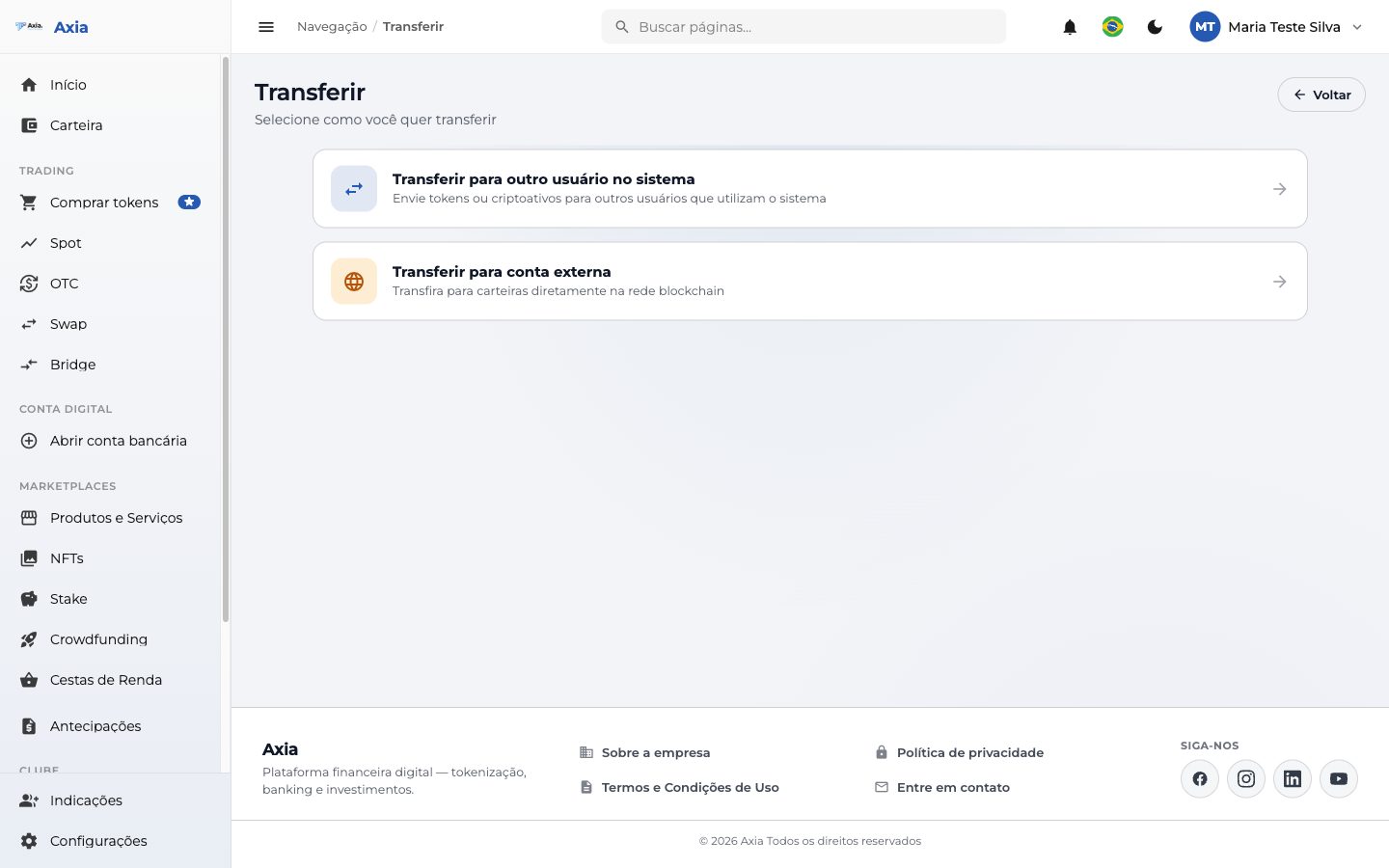
- Transfer to another user in the system — send tokens/crypto assets to anyone who also uses the platform.
- Transfer to an external account — send to a wallet directly on the blockchain network.
Both paths follow three steps: Destination → Amount → Verification.
To another user
1. Destination — enter the recipient's email or username (or choose a favorite) and click Continue.
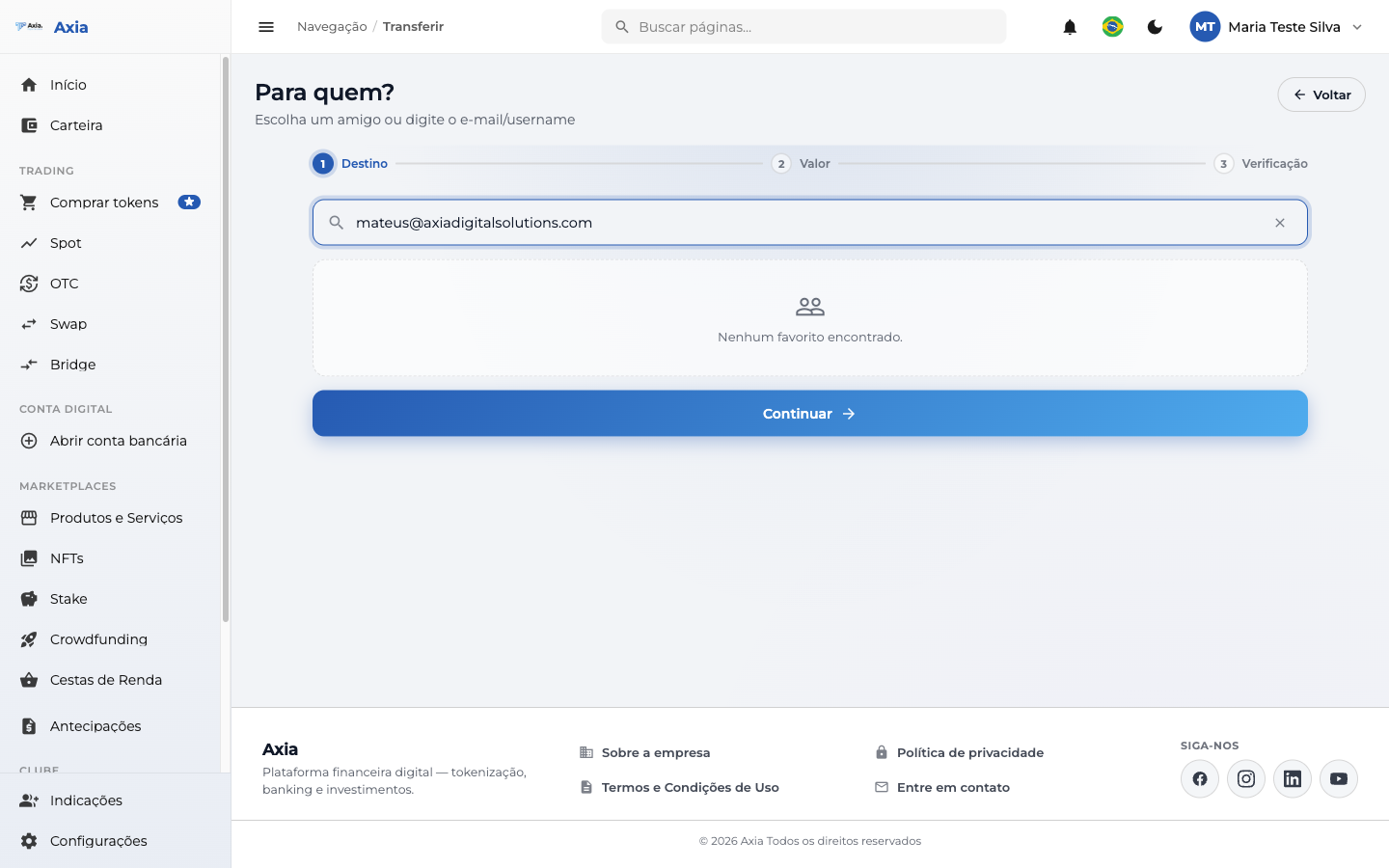
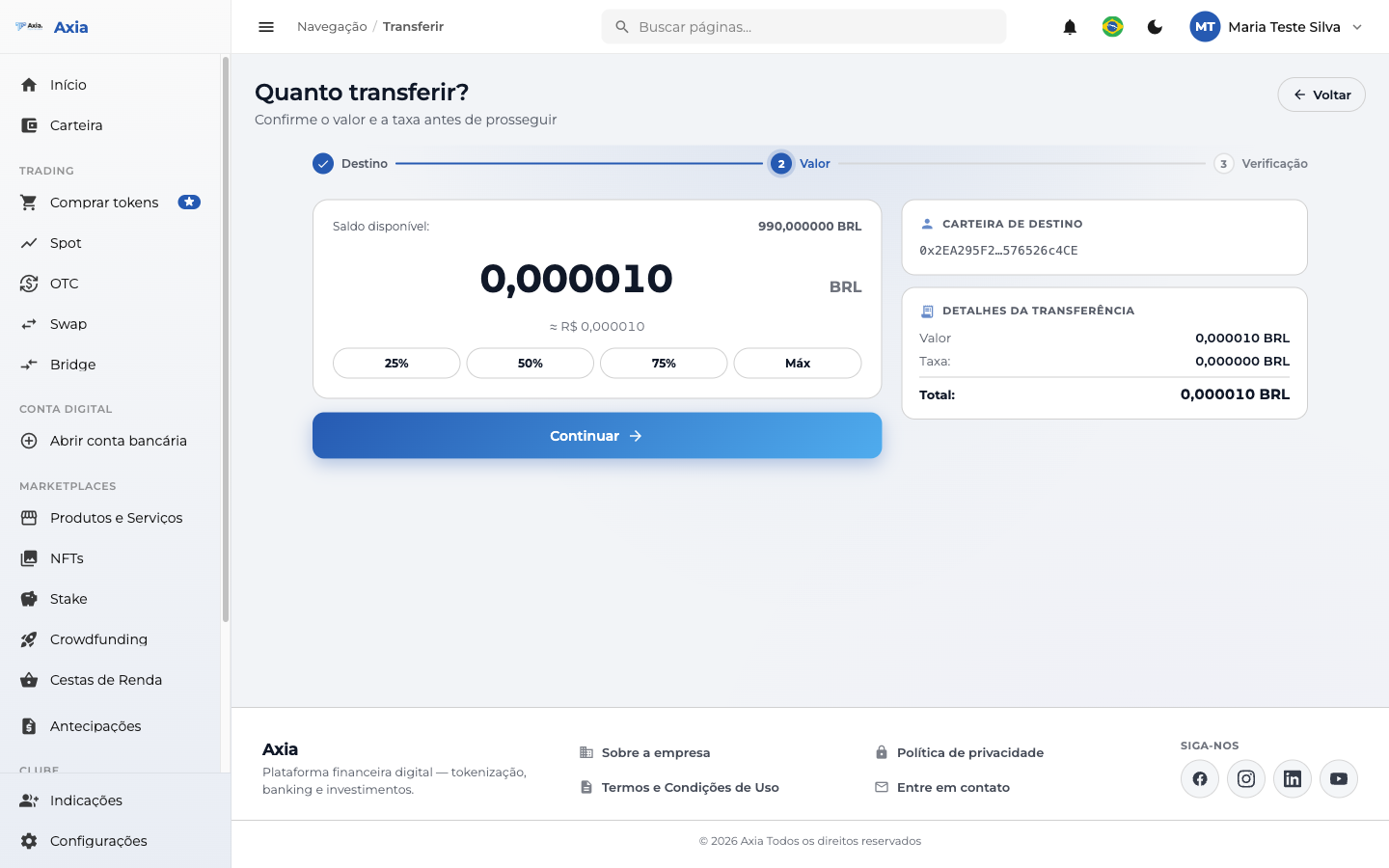
2. Amount — enter how much to transfer. Use the 25% / 50% / 75% / Max shortcuts to fill it in quickly.
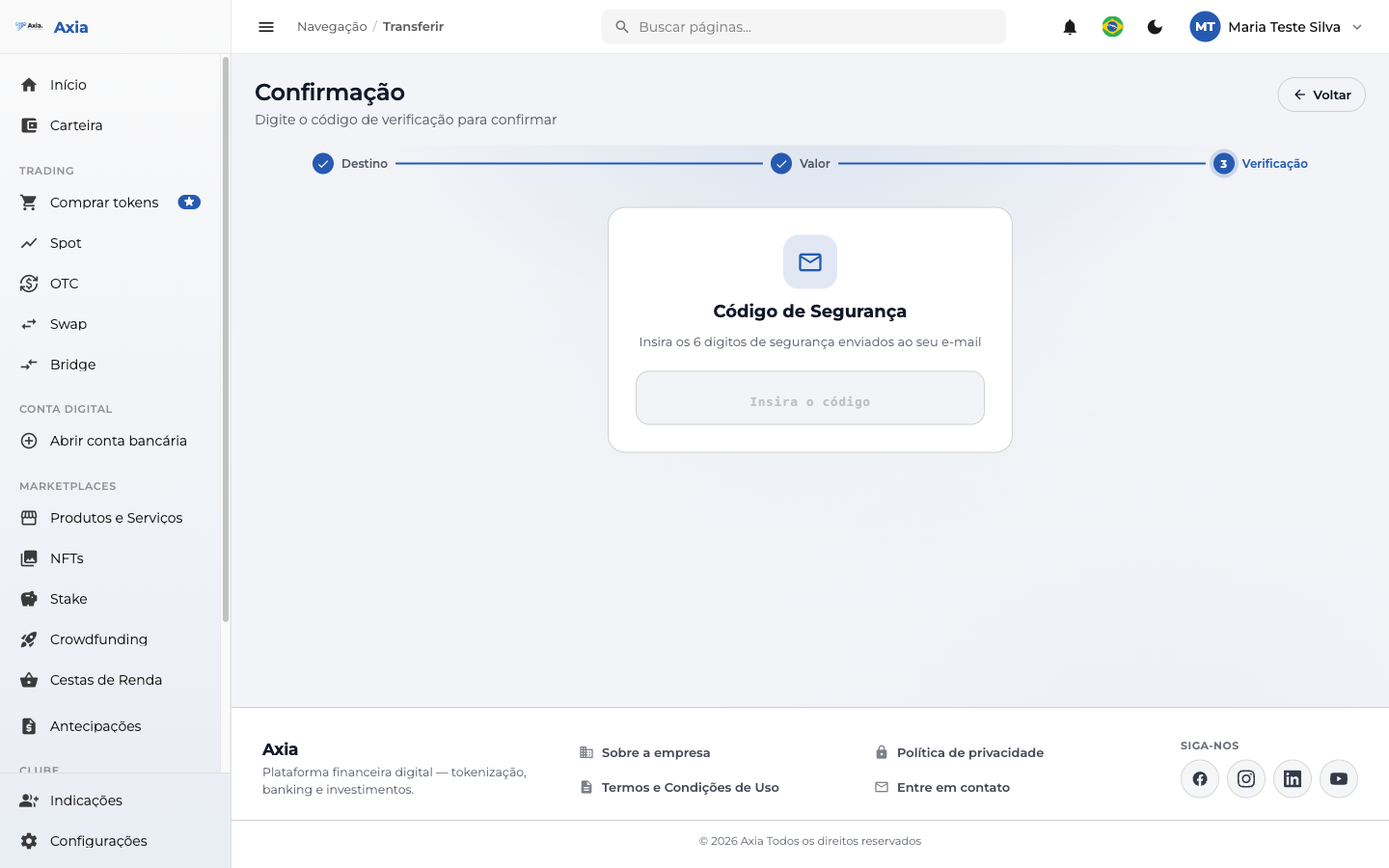
3. Verification — for security, the platform sends a 6-digit code to your email. Enter it to confirm the transfer.
TIP
The security code arrives at the email registered to your account. It confirms that you are the one authorizing the transfer.
To an external account
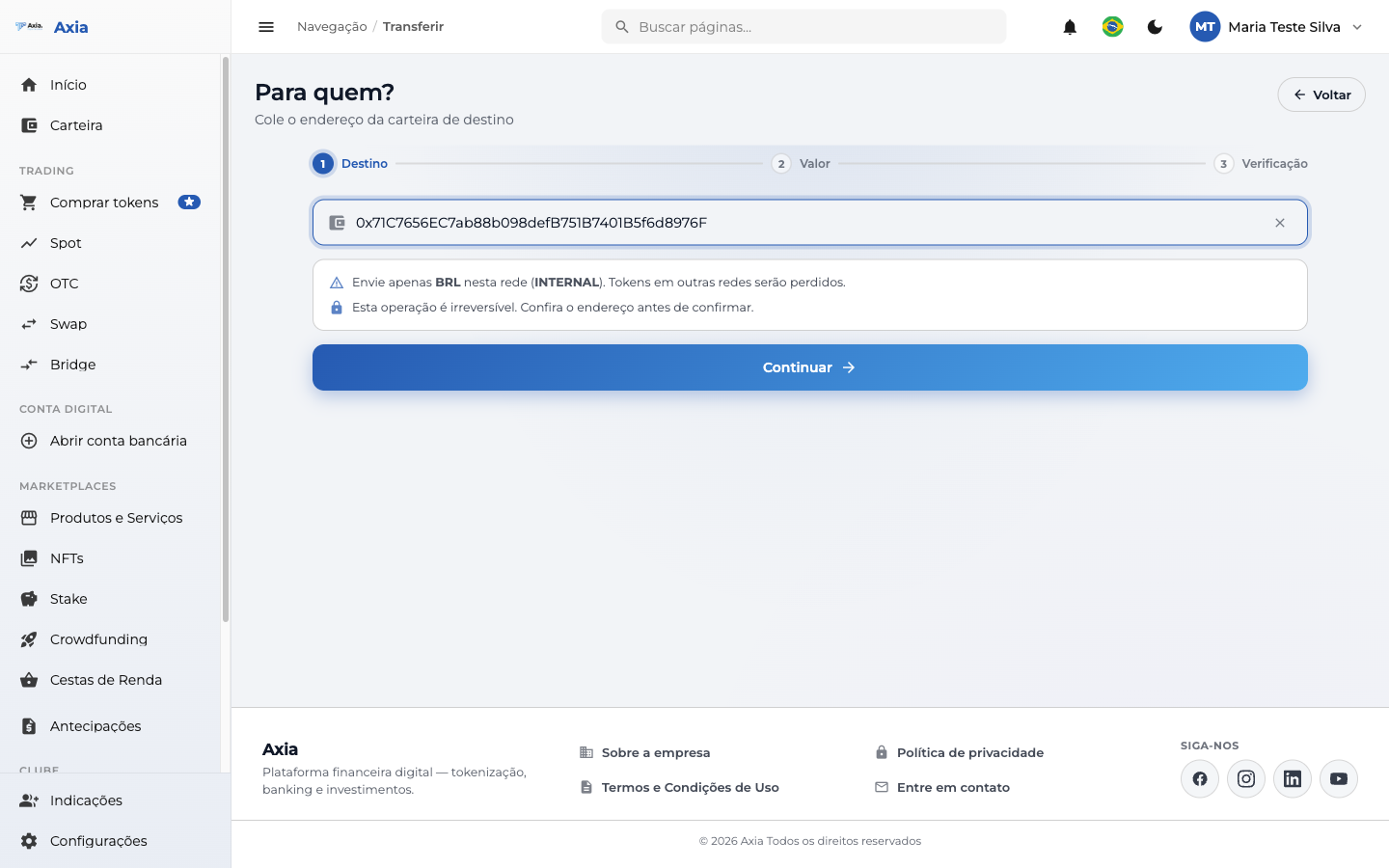
1. Destination — paste the destination wallet address and check the indicated network.
2. Amount — enter the amount; the screen shows the available balance, fee, and total. Before proceeding, a confirmation notice appears:
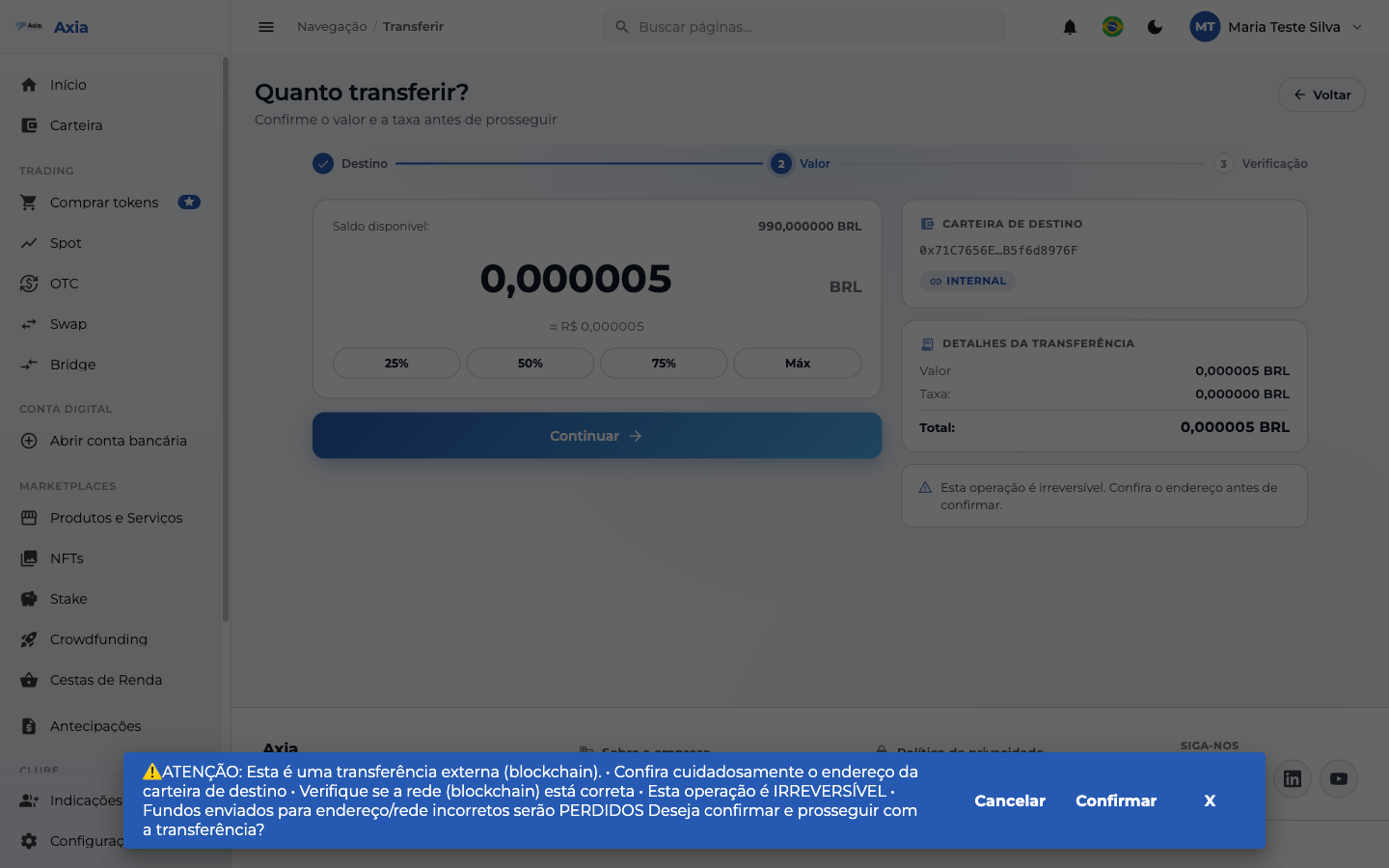
3. Verification — confirm with the security code sent by email, just like in the internal transfer.
Irreversible operation
Transfers to external accounts cannot be undone. Funds sent to the wrong address or network will be lost. Double-check everything before confirming.