
Products and Services
The Marketplace is the products and services store of the ecosystem. You browse by category, open a product, and complete the purchase by paying with your tokens.
The store
The home screen shows featured categories and the list of products, with search and sorting.
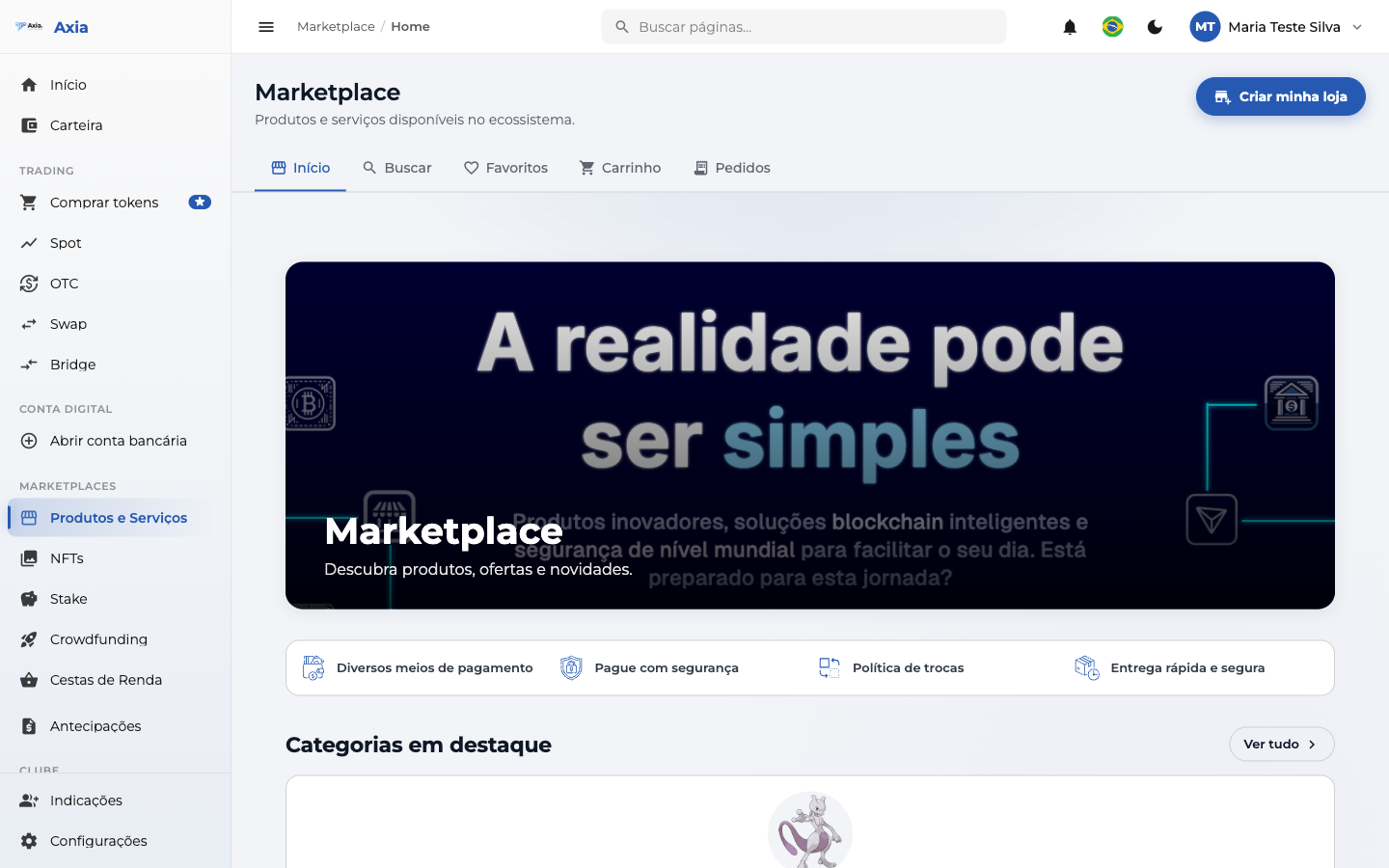
Tabs: Home, Search, Favorites, Cart, and Orders. If you want to sell, you can use Create my store.
Product detail
Click a product to view the detail page, with image, price, reviews, shipping, and description:
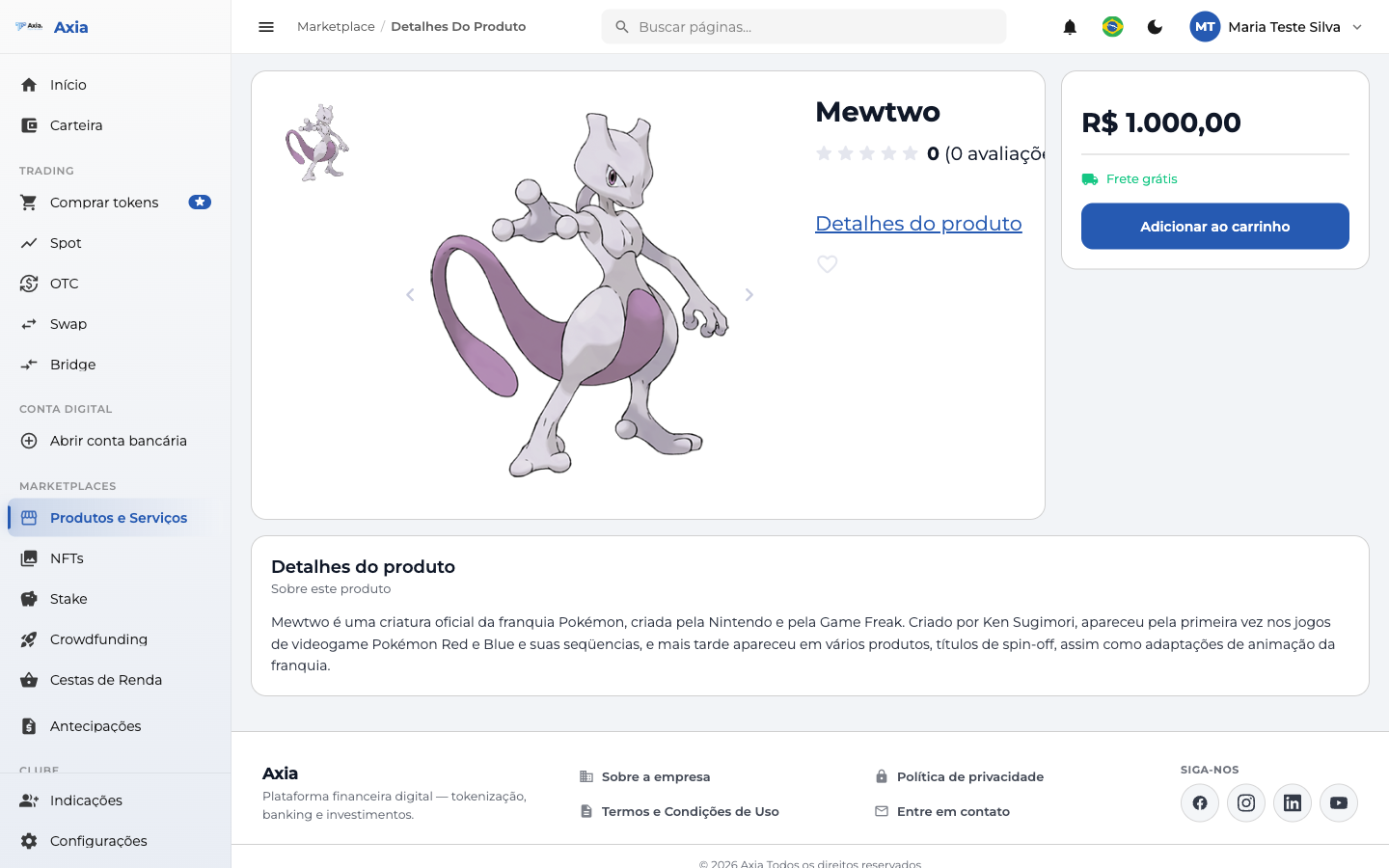
Click Add to cart (or mark it as a favorite with ♥).
Cart and payment
In the cart, review the items and check out:
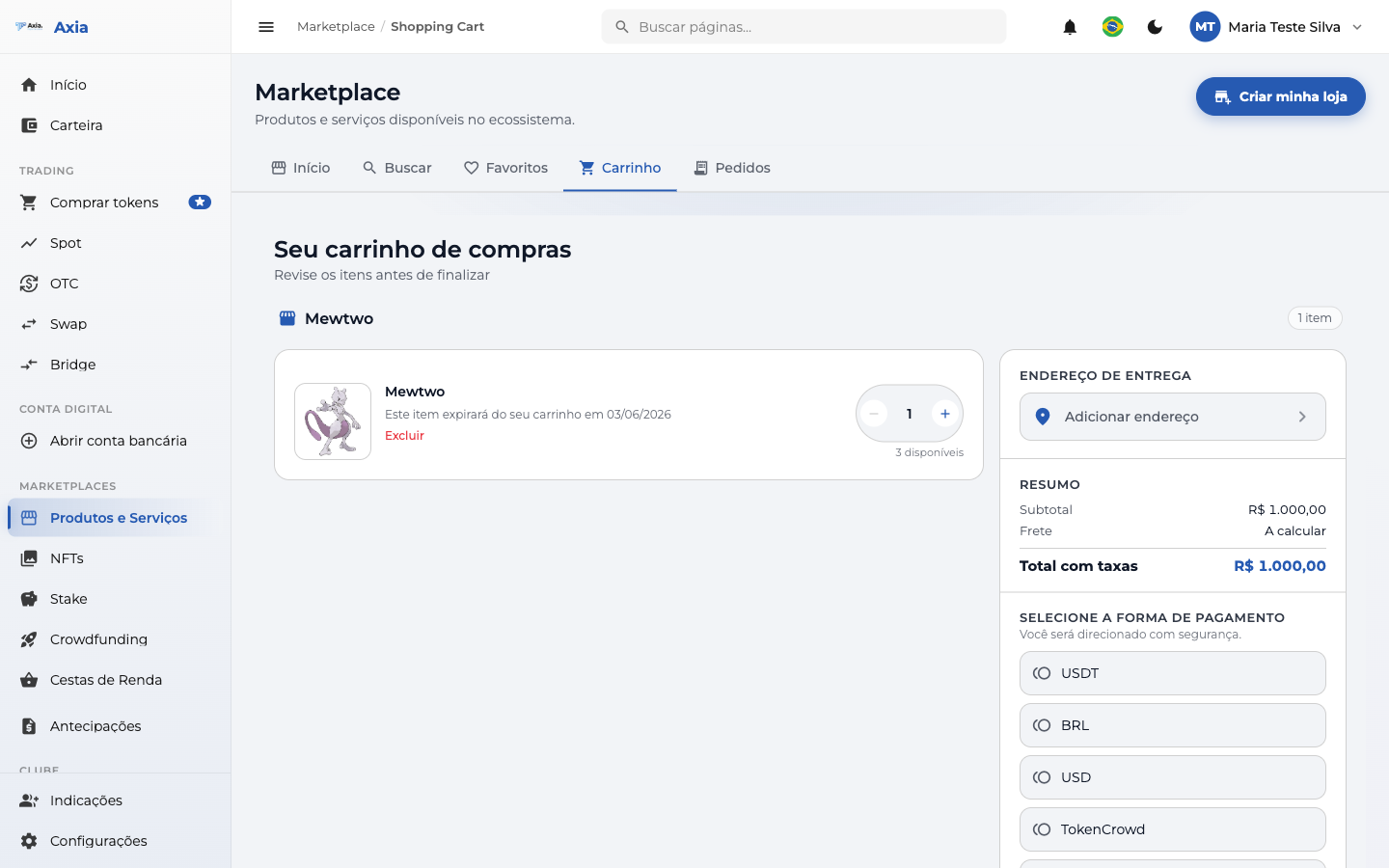
| Block | What to do |
|---|---|
| Items | Adjust the quantity or remove items |
| Delivery address | Add the address (for physical products) |
| Summary | Check the subtotal, shipping, and total with fees |
| Payment method | Choose which token to pay with (USDT, BRL, etc.) |
Delivery address
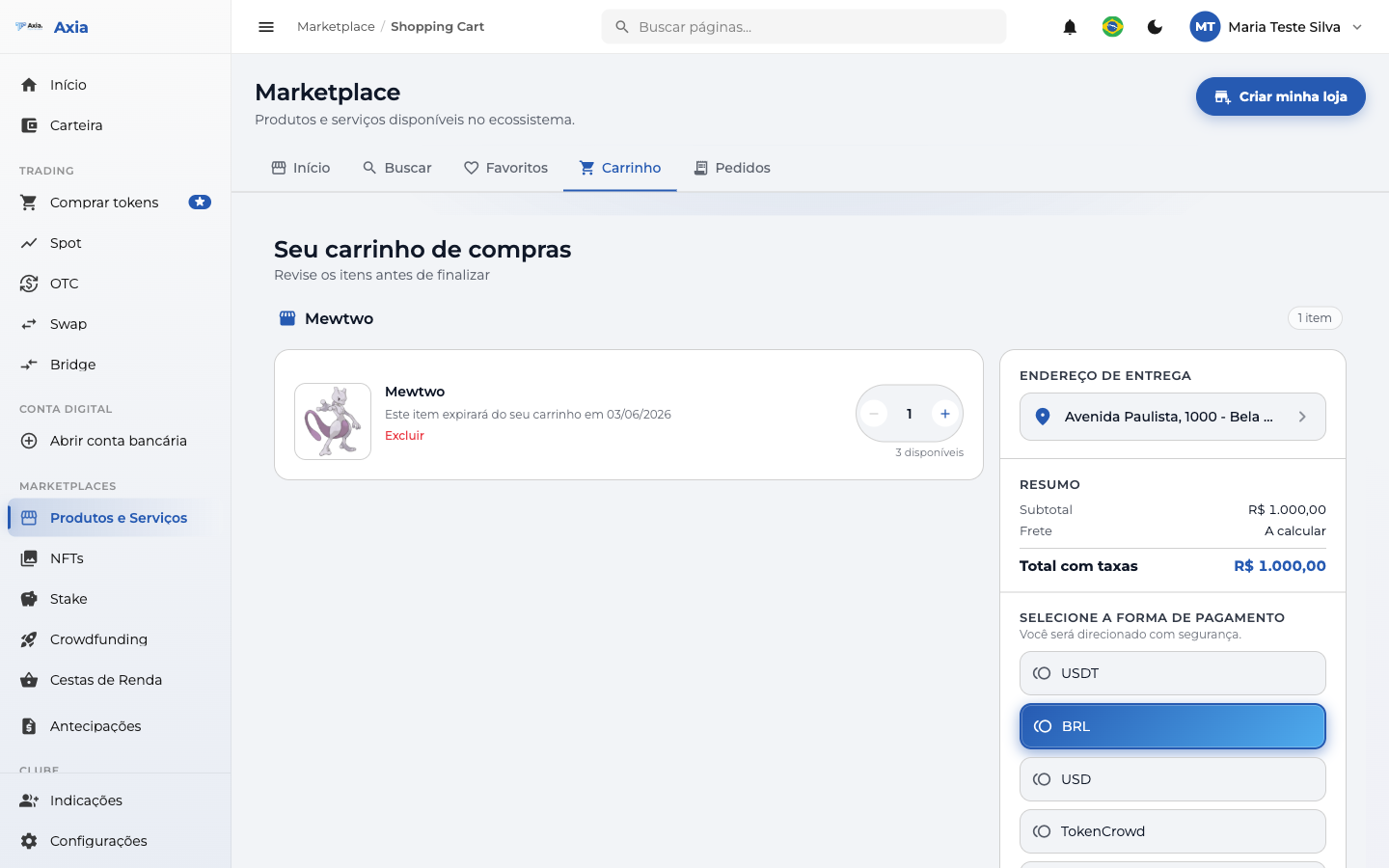
For physical products, click Add address and fill in the ZIP code, state, city, neighborhood, street, and number (the ZIP code can fill in the rest automatically). Then, select the delivery address:
Review and confirmation
Click Continue purchase to go to the review: check the items, delivery, payment method, and the total with fees. Your balance in the chosen token appears at the top.
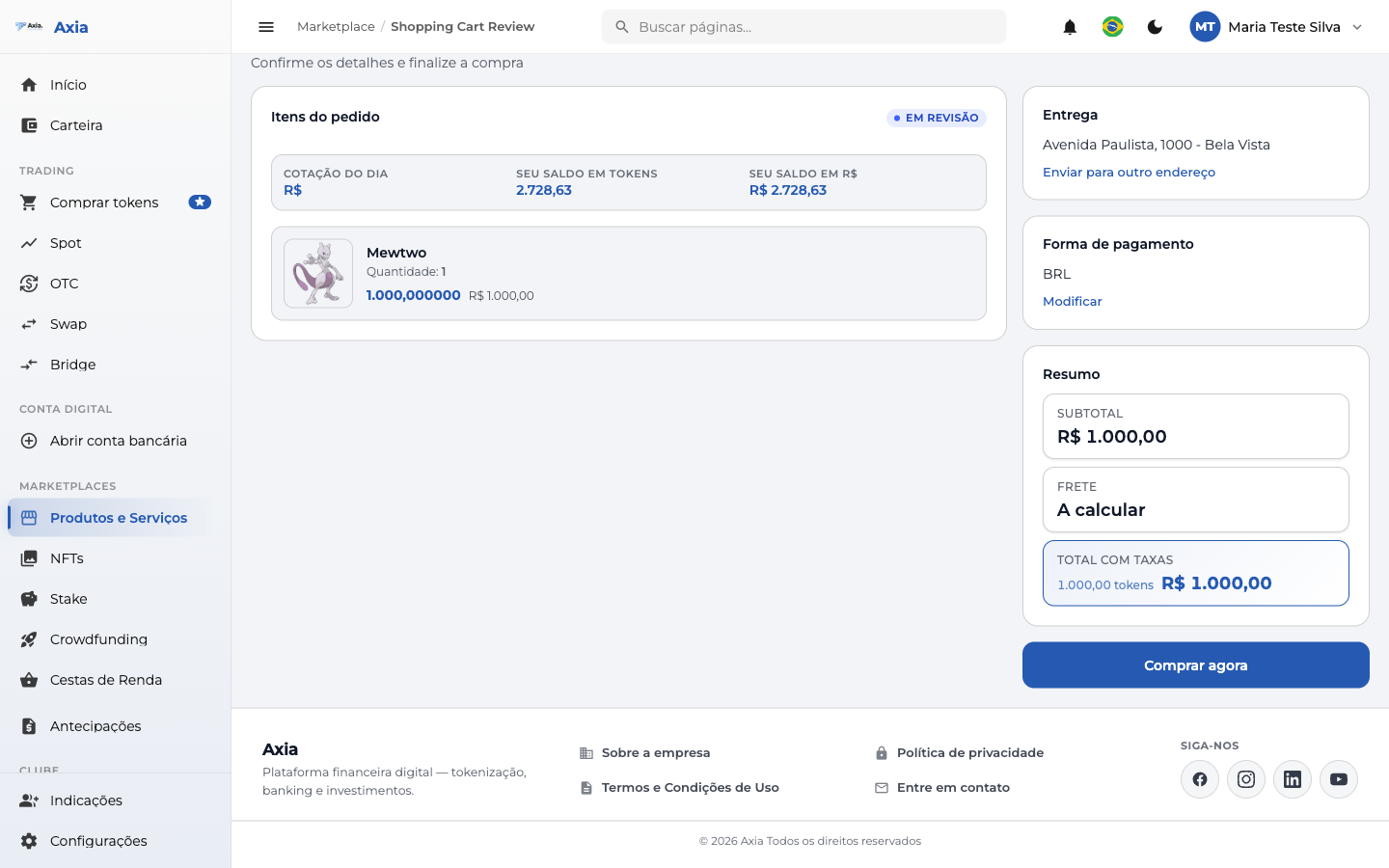
Click Buy now to finish. The payment is debited from the chosen token.
Orders and status
Track your purchases in the Orders tab (Order History), with filters by status:
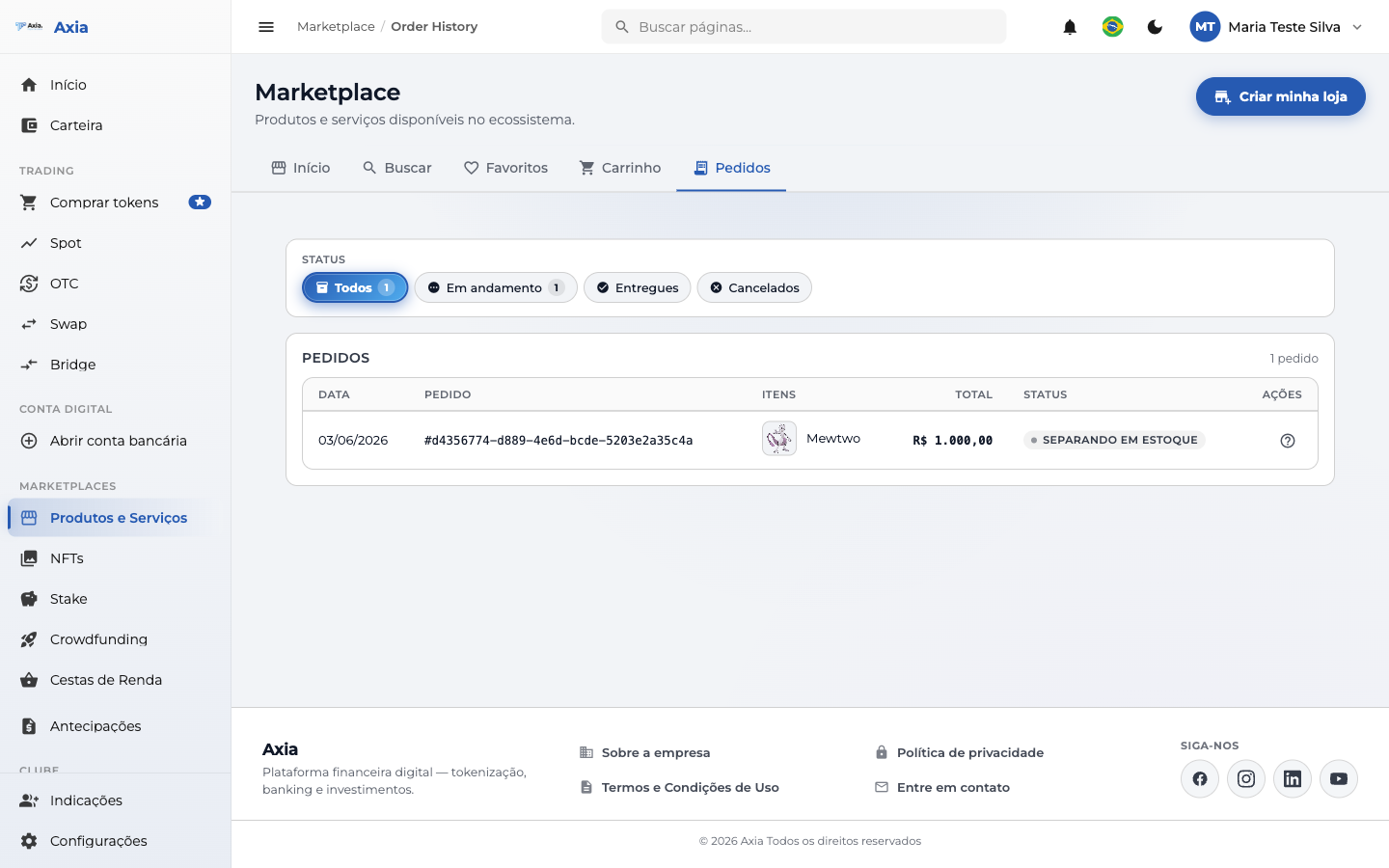
| Column | Description |
|---|---|
| Date / Order | Date and order number |
| Items | Products purchased |
| Total | Amount paid |
| Status | E.g.: Picked from stock, In progress, Delivered, Canceled |
TIP
Payment is made with tokens from your balance — choose a token with enough balance for the total. For physical products, provide a delivery address before checking out.