
Identity verification (KYC)
To unlock features such as withdrawals, token purchases, and transfers, the platform needs to confirm who you are. This process is called KYC (Know Your Customer) and is done only once, in a few guided steps.
The journey takes place on the KYC verification screen, a single panel (the hub) that gathers everything still missing to unlock your full access.
When this appears
If you try an action that requires verification (for example, a purchase or a transfer) before you are approved, the platform takes you straight to the verification hub. You can also return to it at any time from Settings (profile).
1. Open the verification hub
Go to KYC verification. The top shows the message "Finish your KYC to unlock your full access." and a progress bar with how many steps you have already completed (for example, 2 of 4 steps completed).
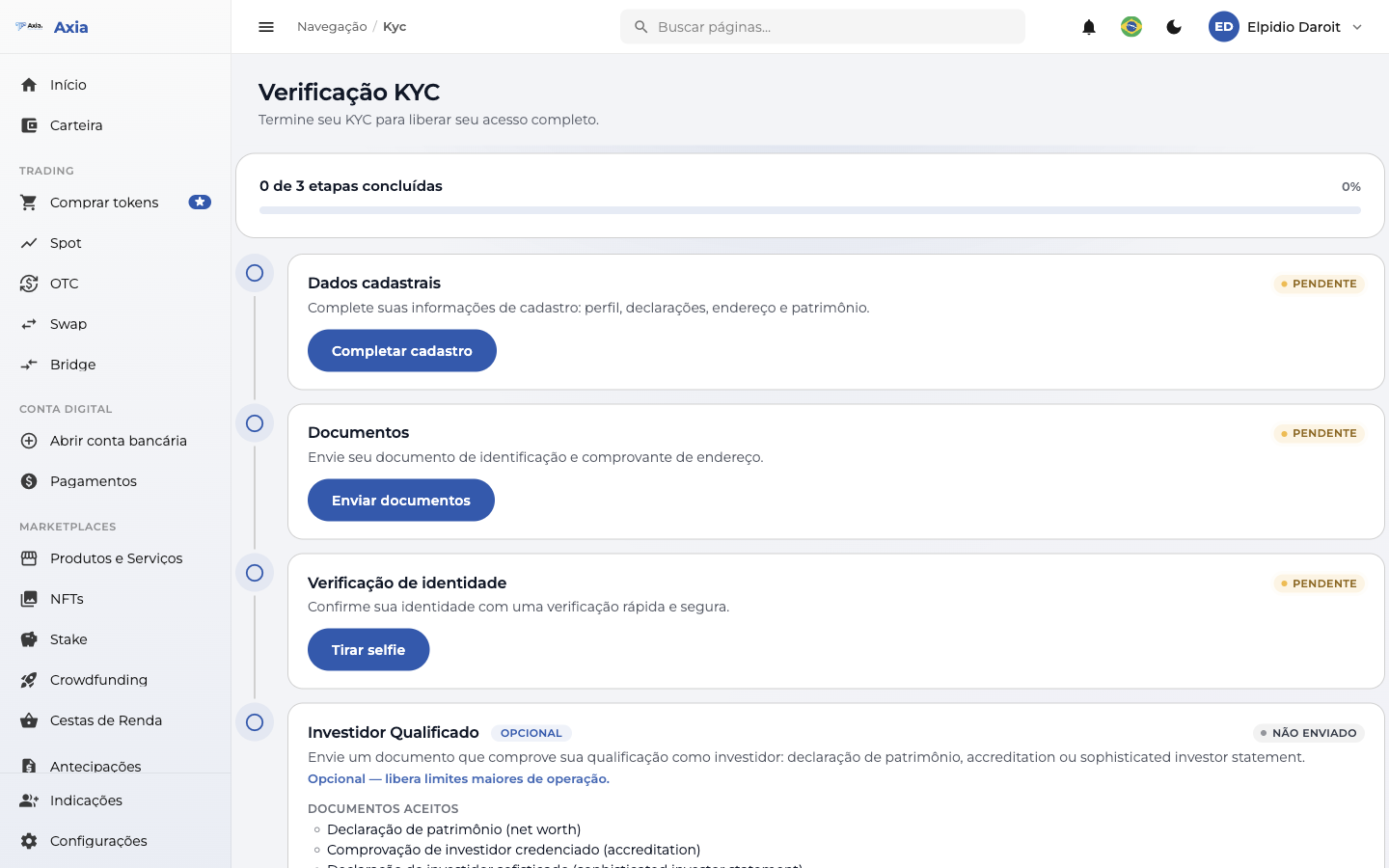
Below the progress bar is the list of steps. Each step shows a status badge:
| Status | What it means |
|---|---|
| Pending | You still need to complete this step |
| In review | You submitted it; our team is evaluating |
| Completed | Step approved |
| Rejected | Something needs to be fixed and resubmitted |
Progress
The progress bar only counts the required steps. The Qualified Investor step is optional and does not count toward it.
2. Registration data
The first step is Registration data. Click Complete registration to fill in your information: profile, declarations, address, and net worth.
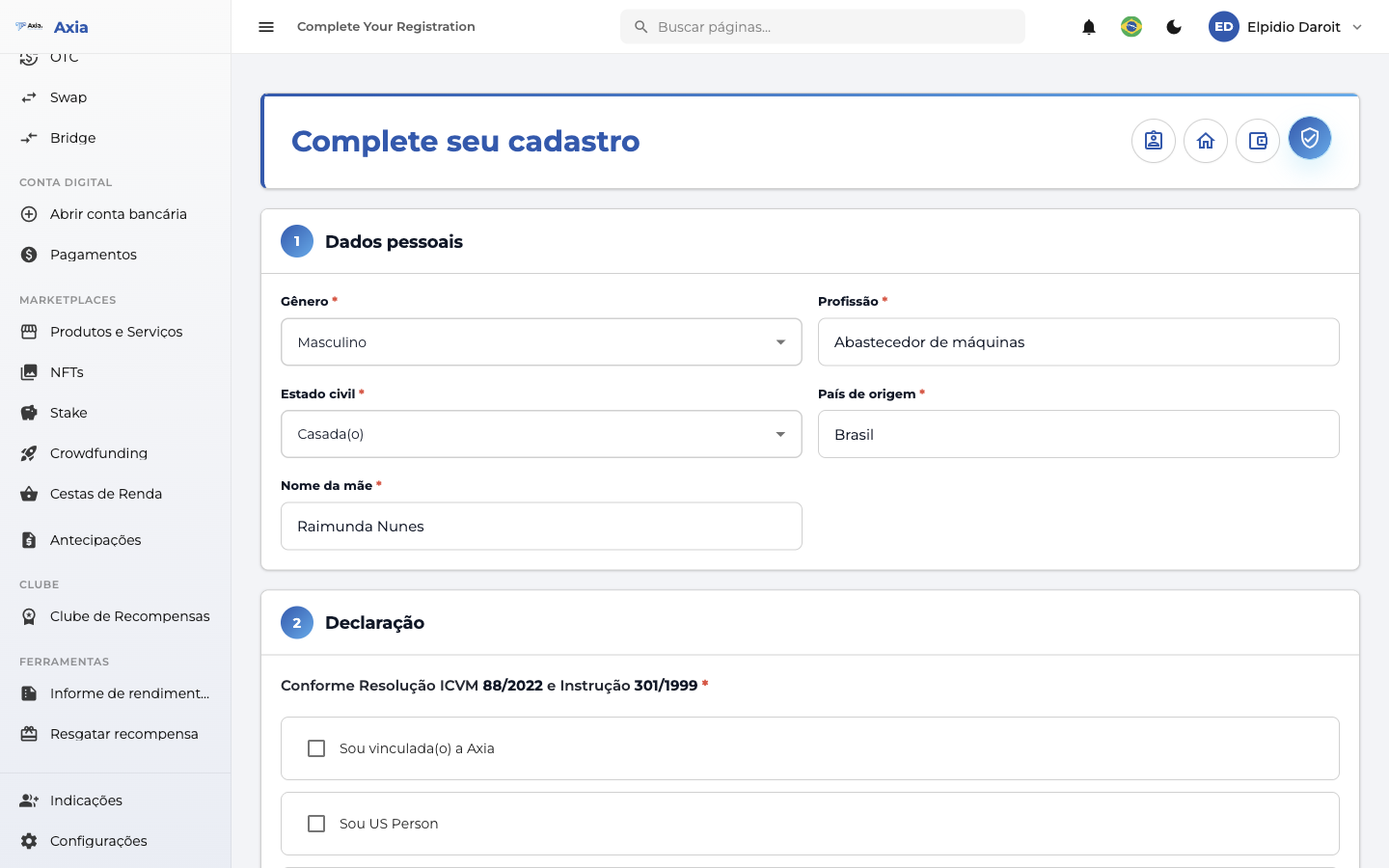
Depending on your account type, some extra fields are requested:
- Individual: your mother's name, required for verification.
- Company: the Ownership structure — the company's partners (name and document for each one).
Once completed, the step turns to Completed and the hub moves on to the next one.
3. Documents
On the Documents step, click Submit documents to attach your files.
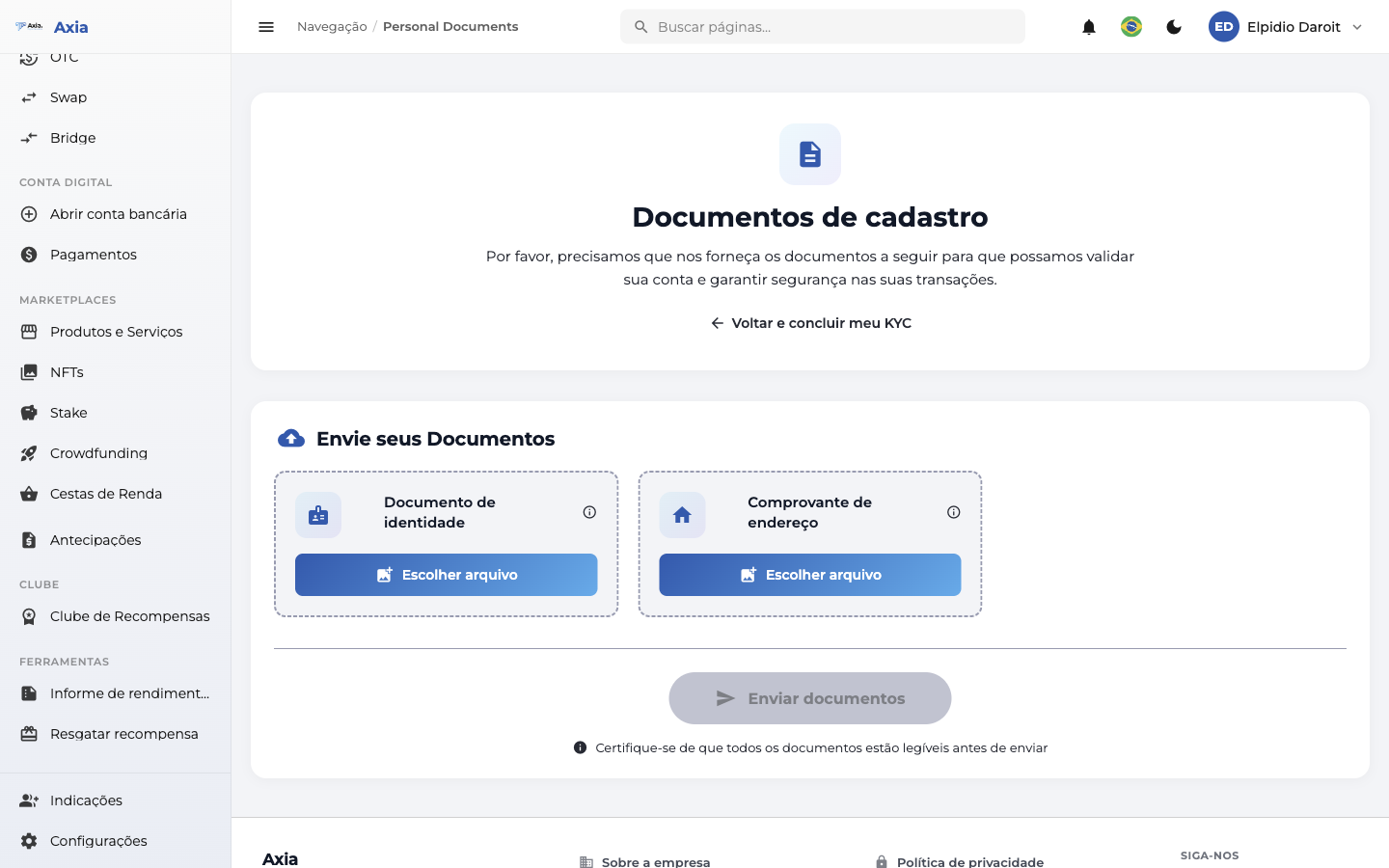
| Document | What to submit |
|---|---|
| ID document | RG or driver's license |
| Proof of address | A recent utility bill, for example |
What about the selfie?
When your account uses the identity verification step (next), your face is captured there — so this step does not ask for a selfie. If your account does not have automatic identity verification, a selfie holding the document is requested here as well, and the face check is done manually by our team.
After submitting, the documents go into review. The documents screen shows the submission date and the status of each file:
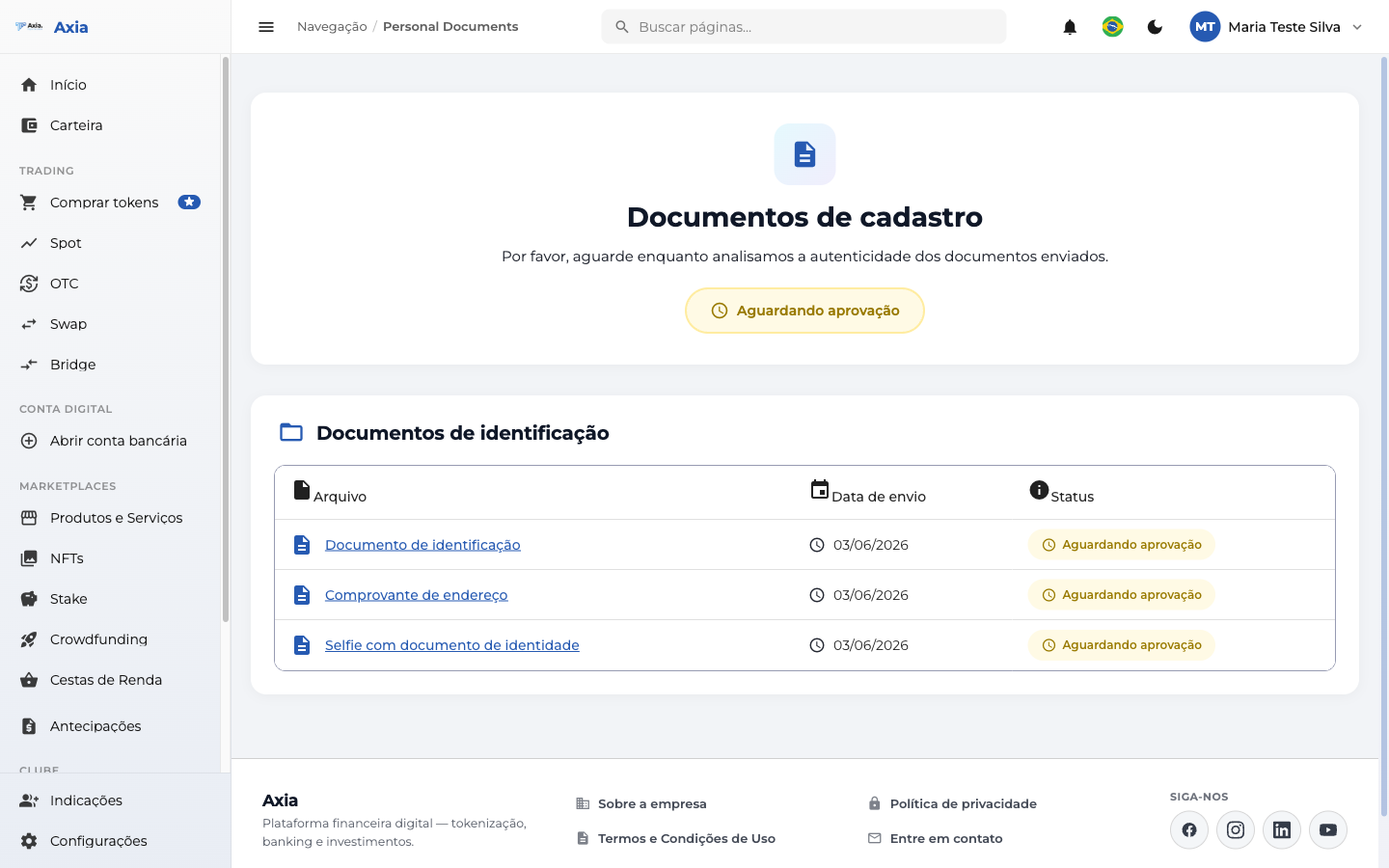
Go back and finish the KYC
On the documents screen, the "Back and finish my KYC" link (with the left arrow) takes you back to the hub to continue with the remaining steps.
4. Identity verification
In this step you confirm that it is really you. The mode varies according to your account — the button and instructions adjust automatically.
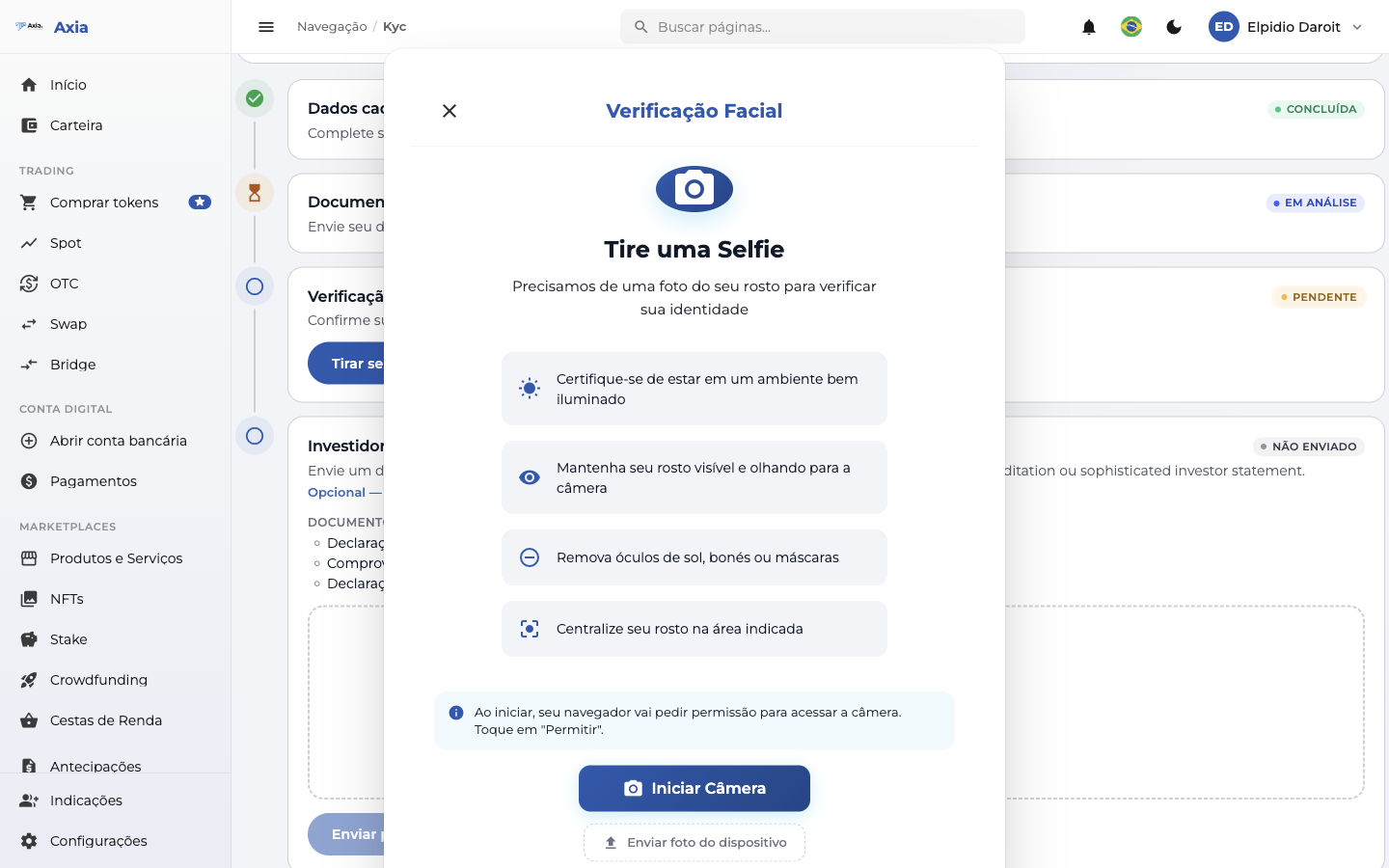
Identity verification (didit): click Verify identity. An assistant opens and guides you through capturing your face and document in a few seconds.
Selfie (Axia): click Take selfie. The camera opens inside the platform itself; center your face and confirm. The selfie is sent to our team for review.
Document check (external verification): the description reads "Verify your ID document quickly and securely." Clicking Verify document opens a new tab (a secure external page) where you capture your face and document. When done, close the tab and return to the hub. If the verification is still in progress, the button changes to Continue verification and reopens the same page.
No automatic verification
In some cases there is no automatic identity verification. In that scenario, the step only shows a note that "your identity will be verified by our Compliance team based on the data and documents submitted" — the liveness proof is the selfie submitted in the Documents step.
5. Qualified Investor (optional)
This step is optional and is marked with the Optional badge. Completing it is not required to approve your account — it serves to unlock higher operating limits.
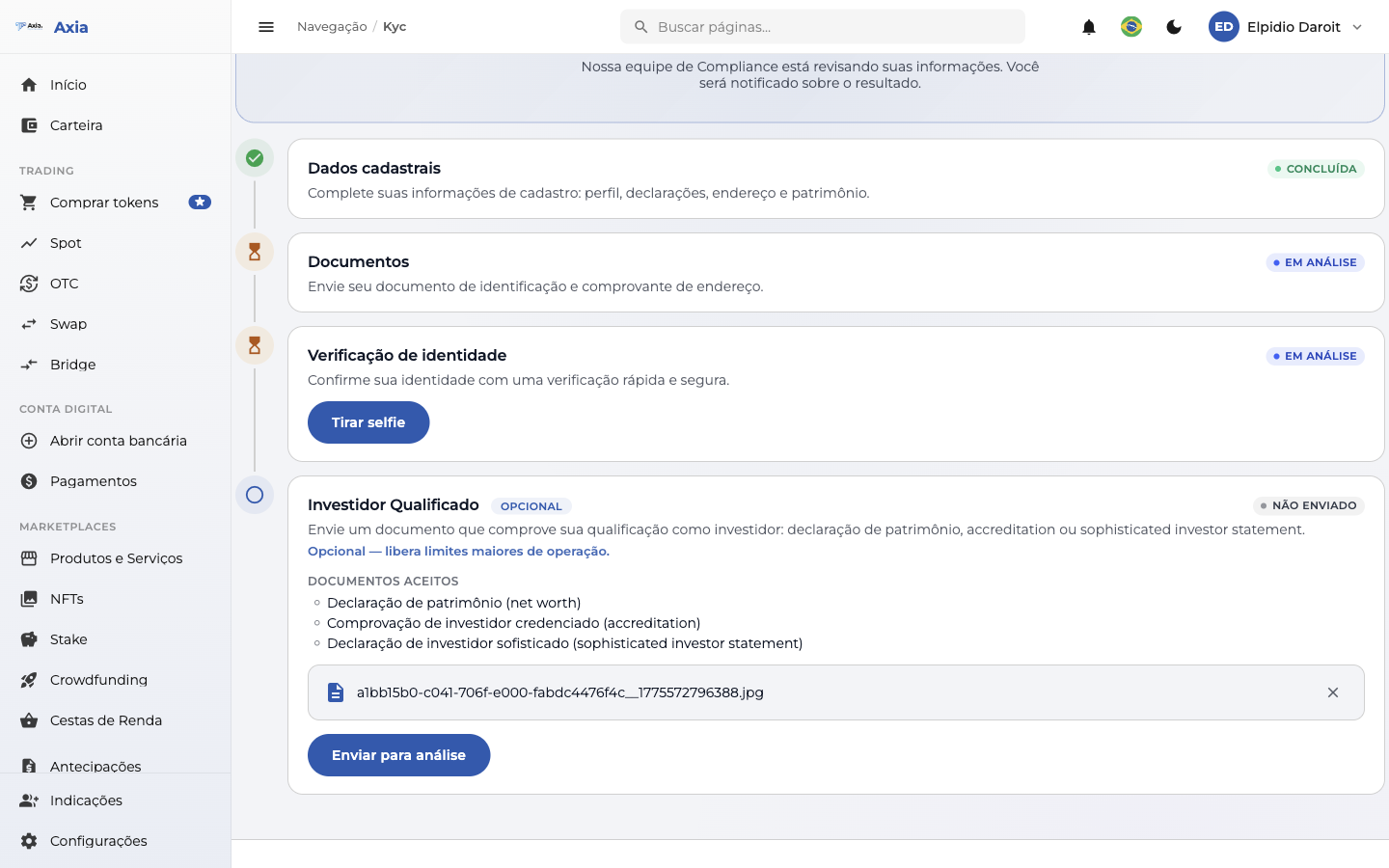
Submit a document proving your qualification as an investor. Accepted documents are:
- Net worth statement
- Accreditation (accredited investor proof)
- Sophisticated investor statement
Drag the file into the upload area or click Choose file (PDF, JPG, or PNG, up to 10 MB) and click Submit for review. The document goes into review by our team. If you need to change it later, the button becomes Resubmit for review.
It does not block your account
If the Qualified Investor document is rejected, the reason appears on this step, but your account remains approved — only the higher limits are not unlocked. You can resubmit whenever you want.
6. Result
As your steps are evaluated, the top of the hub shows the result.
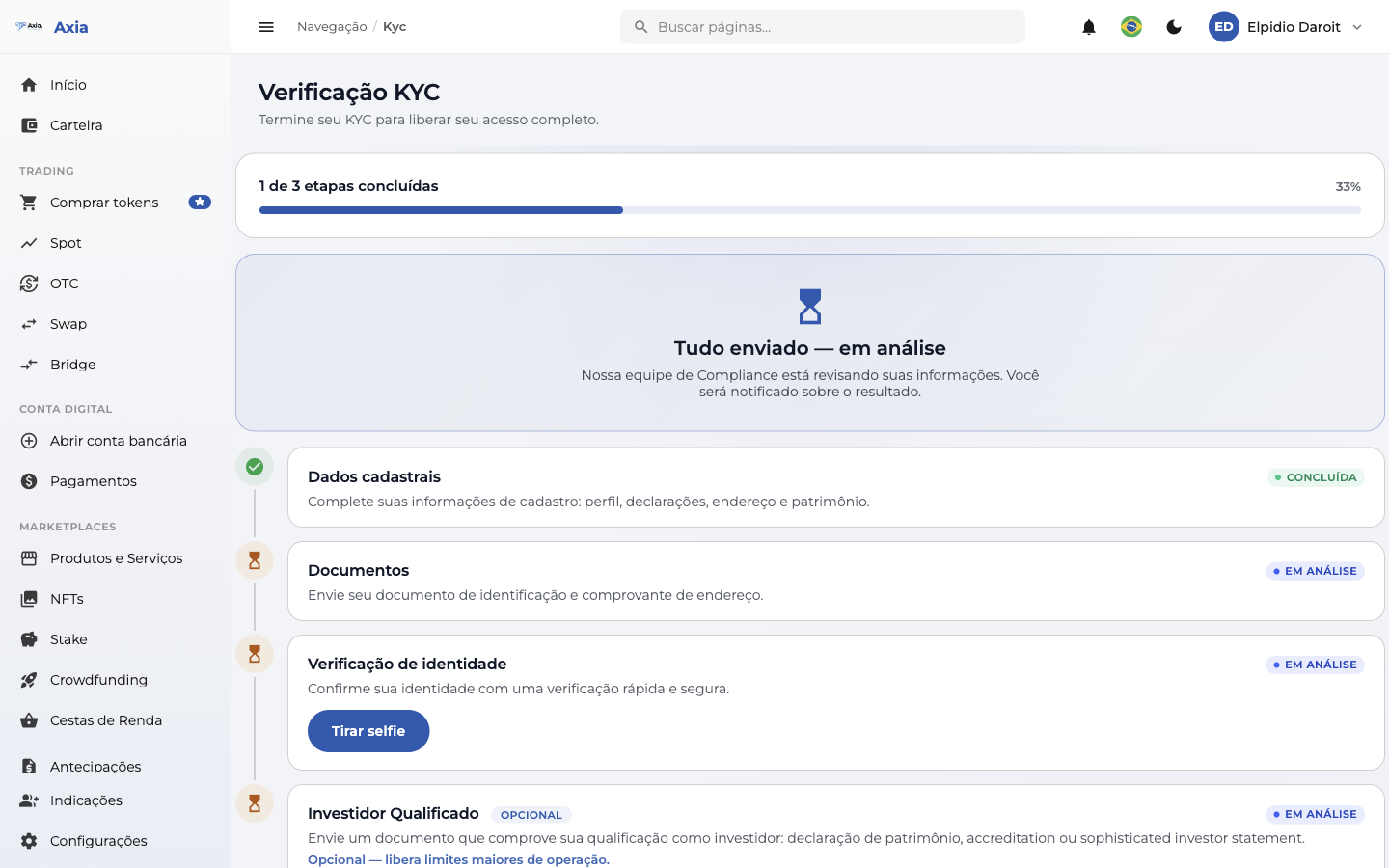
In review — when you have submitted everything and the team is still reviewing: "All submitted — in review. Our Compliance team is reviewing your information. You will be notified about the result."
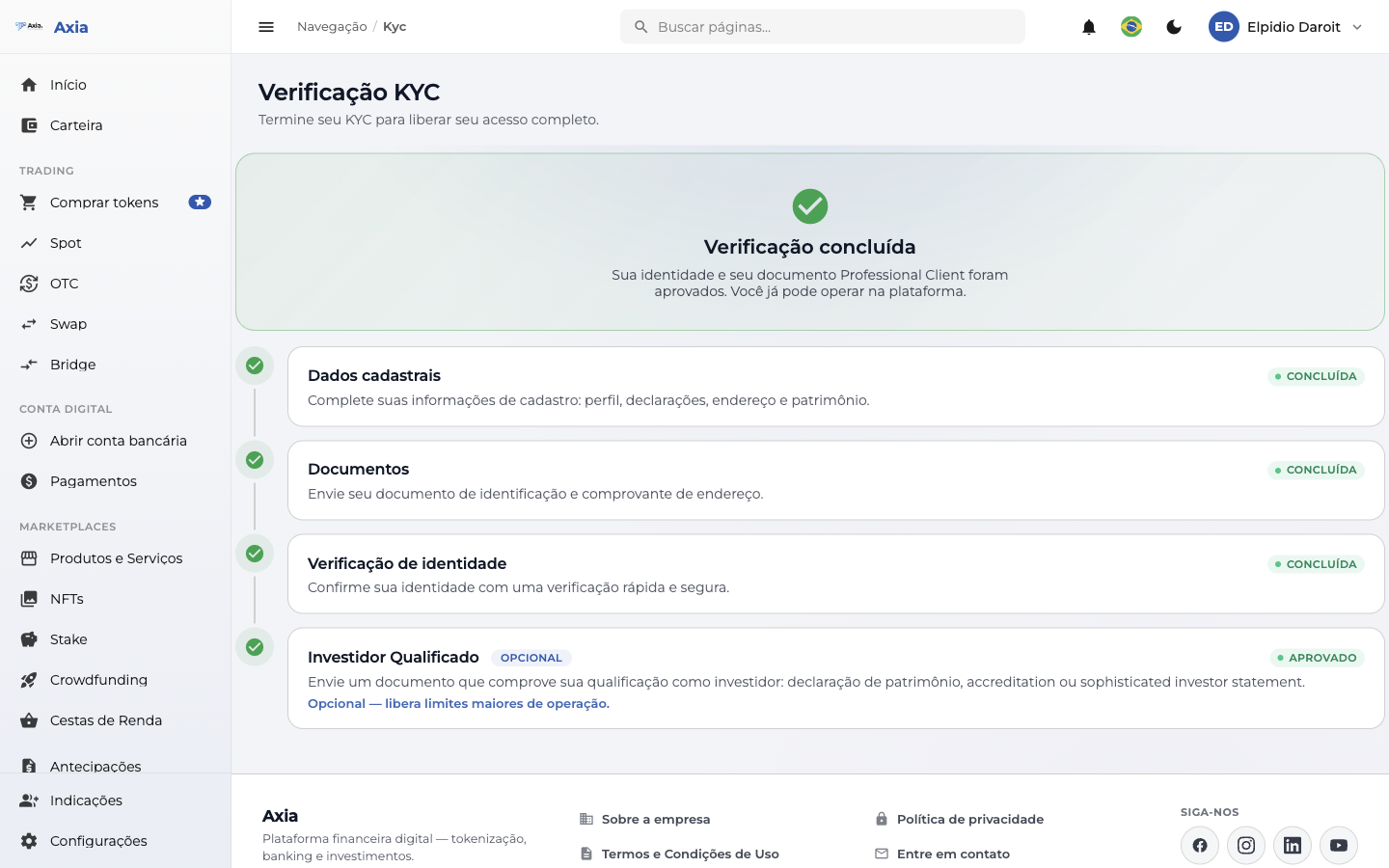
Approved — when verification is completed successfully: "Your identity and your document have been approved. You can now operate on the platform." If you have not yet submitted the Qualified Investor document, a reminder appears: "Want higher limits? Submit your Qualified Investor document in the step below."
Needs attention (rejected) — when something does not pass review: "Your verification needs attention." The message includes the reason and the guidance "Fix the step indicated below and resubmit for a new review." Adjust the step marked as Rejected and resubmit.
7. Pending banner
While the KYC is not complete, a banner appears on the dashboard and on the documents screen with the text "Finish your KYC to unlock your full access", the progress "X of Y steps completed", and a shortcut button (Continue verification or Resolve pending item) that opens the hub.
After approval
You may need to sign out and sign back in for the release to take effect across the entire platform. From then on, withdrawals, token purchases, and transfers become available.