
Token detail
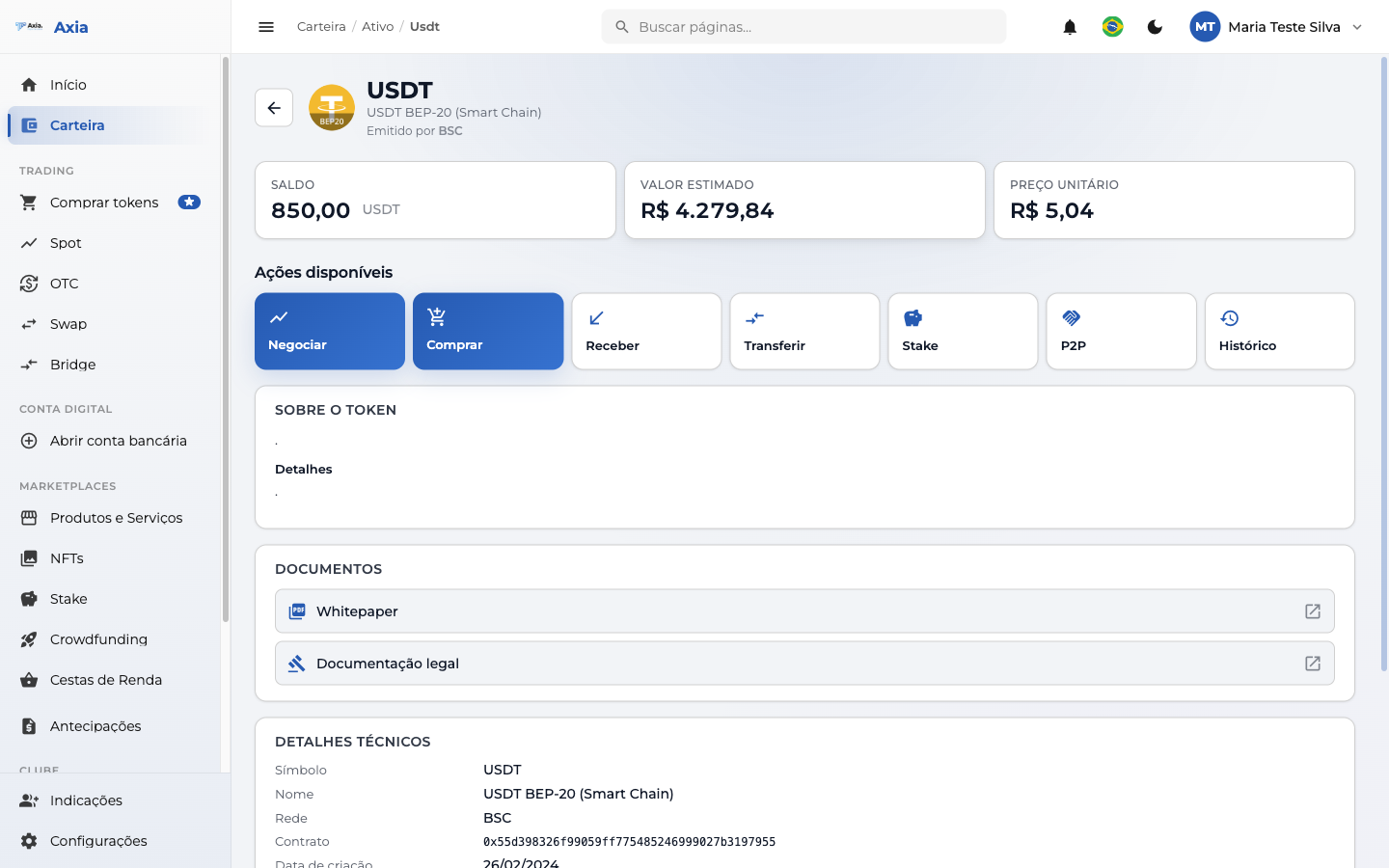
When you click an asset in the wallet's Tokens tab, you open the detail page for that token — a panel with balance, value, and all the actions available for it.
Asset summary
At the top, three indicators:
| Indicator | What it shows |
|---|---|
| Balance | How much of the token you hold |
| Estimated value | Equivalent in reais (R$) |
| Unit price | The token's current quote |
Available actions
The Available actions bar gathers everything you can do with that asset:
- Trade — opens the token's trading (Spot).
- Buy — direct purchase of the token.
- Receive — shows the address/QR for deposits.
- Transfer — sends the token to another user or external wallet.
- Stake — puts the token to earn yield (when eligible).
- P2P — proposes a direct swap with another user (see P2P).
- History — transactions for that asset.
Token information
Further down, the page shows:
- About the token — description and details.
- Documents — Whitepaper and legal documentation.
- Technical details — symbol, name, network (e.g., BSC), contract address, and creation date.