
P2P (user-to-user exchange)
P2P lets you exchange currencies directly with another user securely: you propose the exchange, the other person responds, and the platform executes it using an escrow mechanism (the amount stays locked until there's a response).
You reach P2P through the P2P action on the token detail.
Exchange
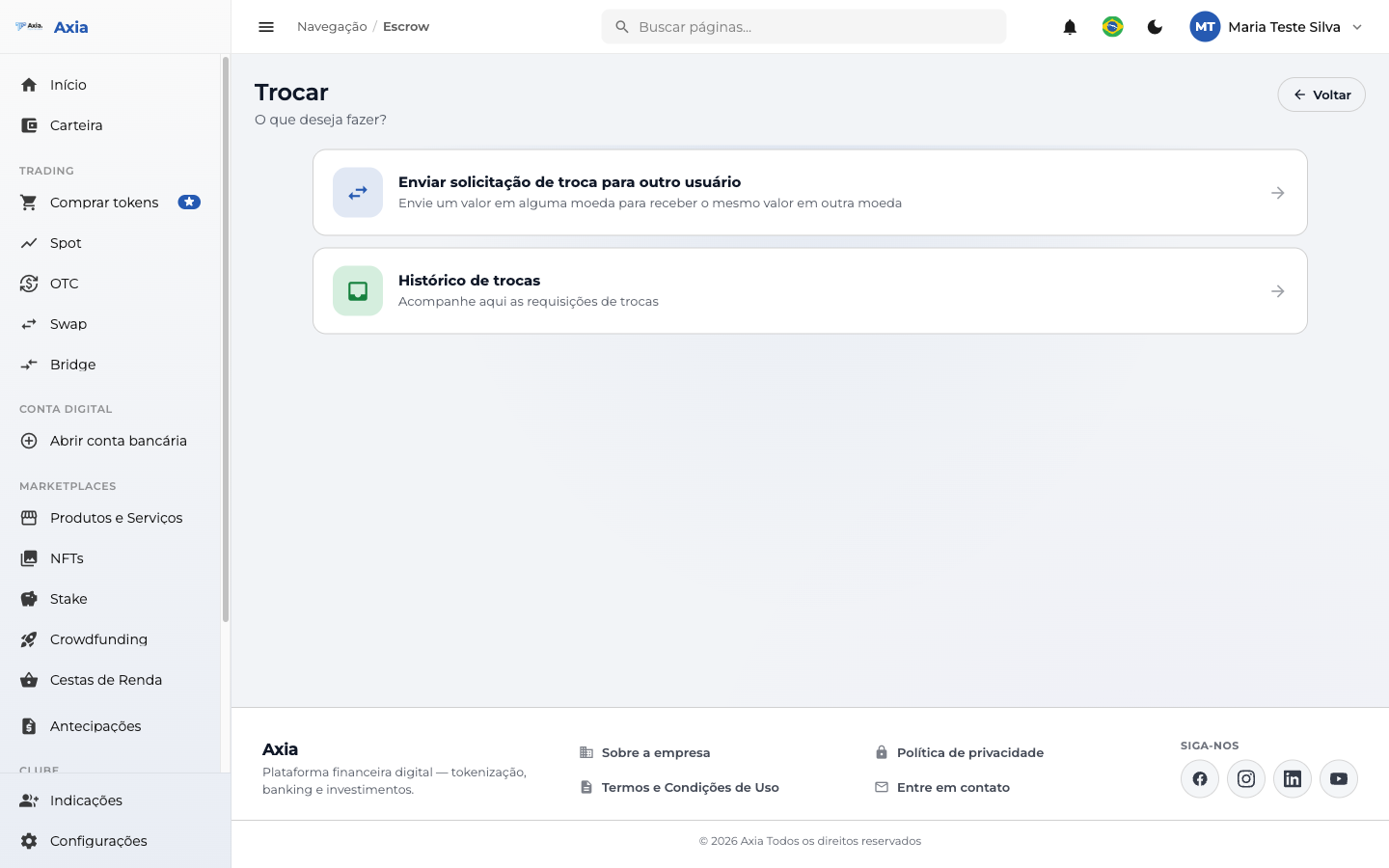
- Send an exchange request to another user — propose a new exchange.
- Exchange history — track the requests you've sent and received.
Send a request
Sending is guided in three steps — Request → Review → Done — and the screen itself explains how the secure exchange works:
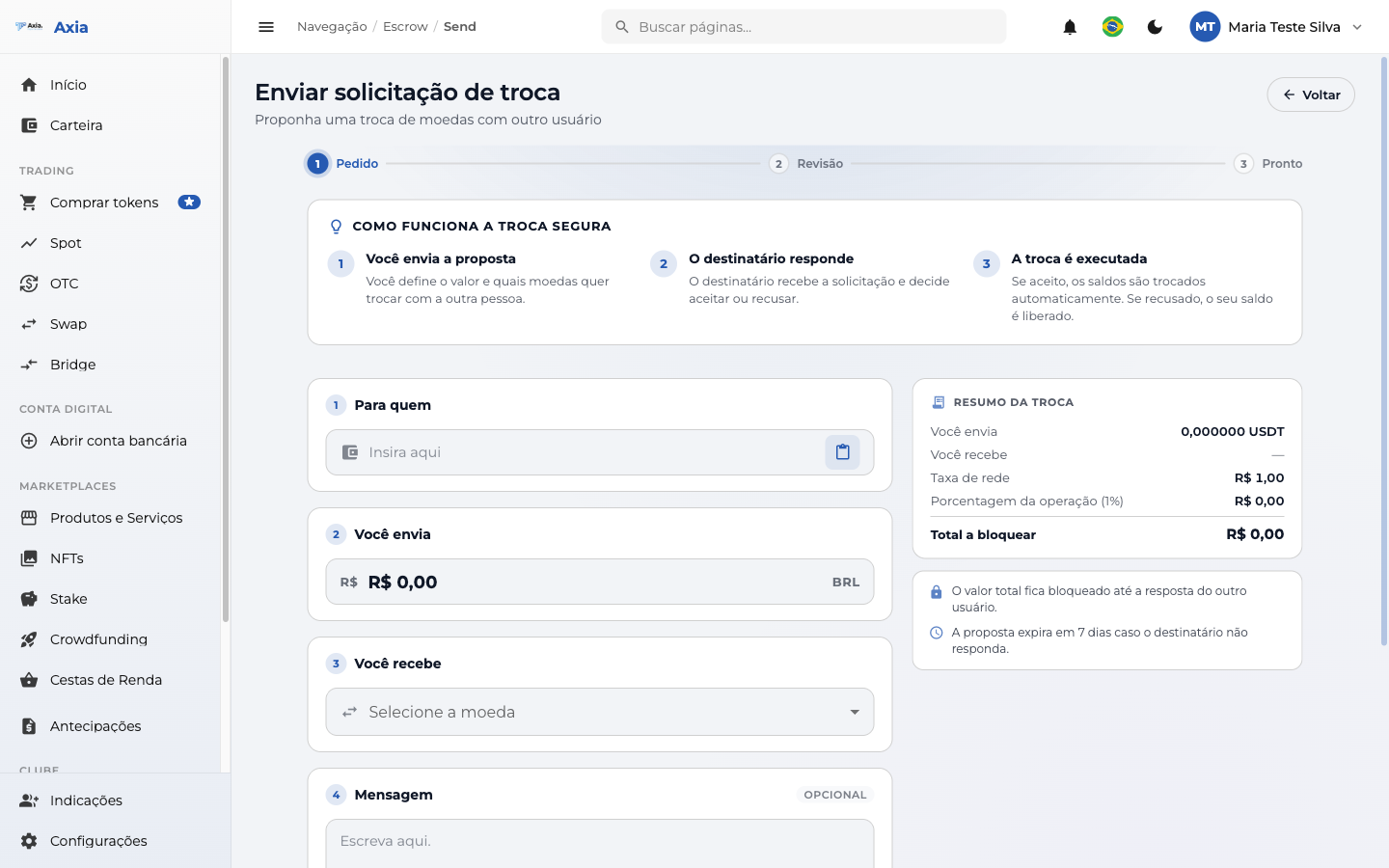
- You send the proposal — set the amount and which currencies you want to exchange with the other person.
- The recipient responds — they receive the request and decide whether to accept or decline.
- The exchange is executed — if accepted, the balances are swapped automatically; if declined, your balance is released.
In the form you provide:
| Field | Description |
|---|---|
| To whom | User who will receive the proposal |
| You send | Amount and currency you offer |
| You receive | Currency you want in return |
| Message | Optional text for the recipient |
The Exchange summary shows the amounts, the network fee, the operation percentage, and the total to lock. Click Continue.
Review
Before sending, check the source user, the destination user, and the total to lock:
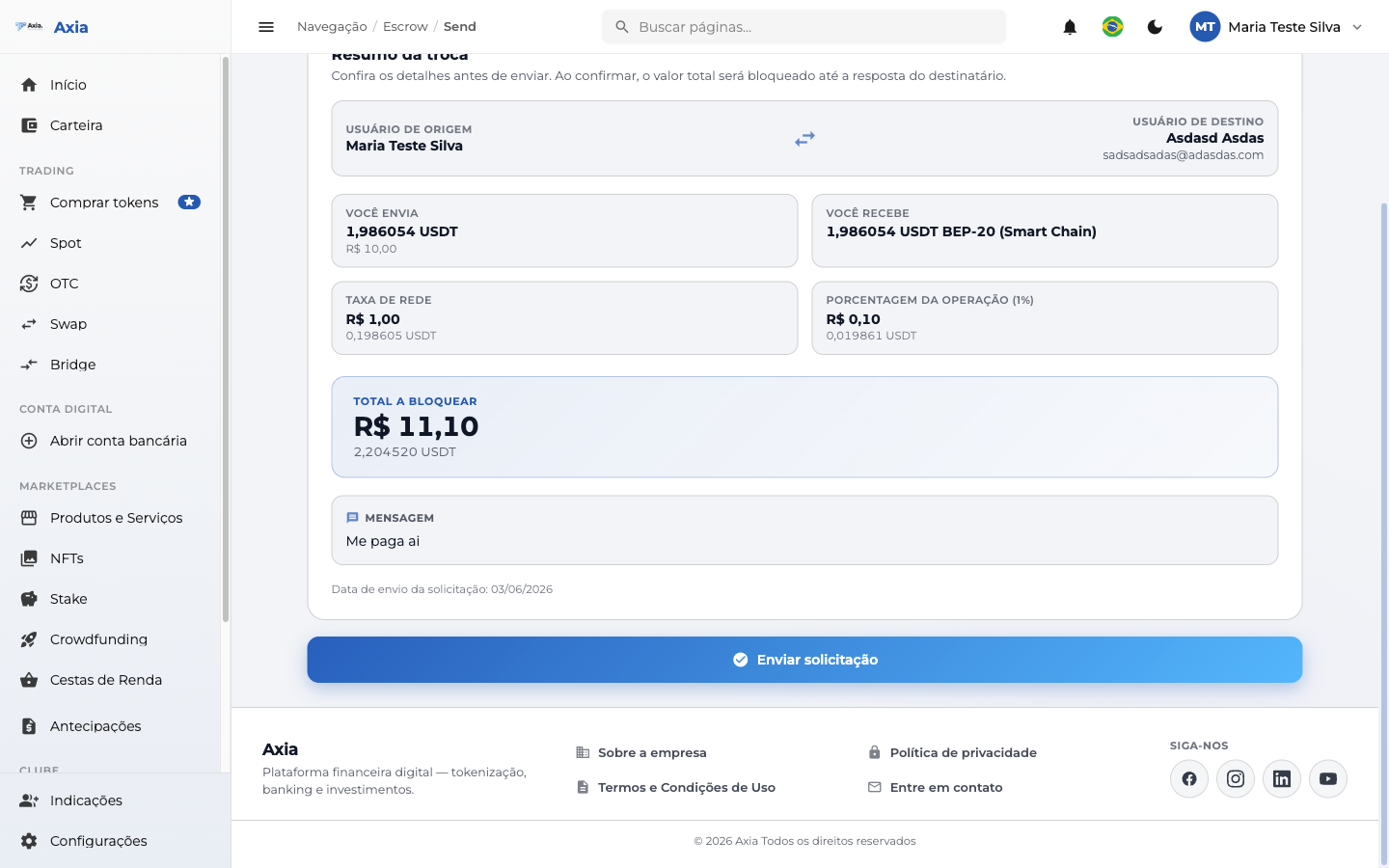
If everything looks right, click Send request.
Done
The request is recorded and the amount stays locked until the recipient responds:
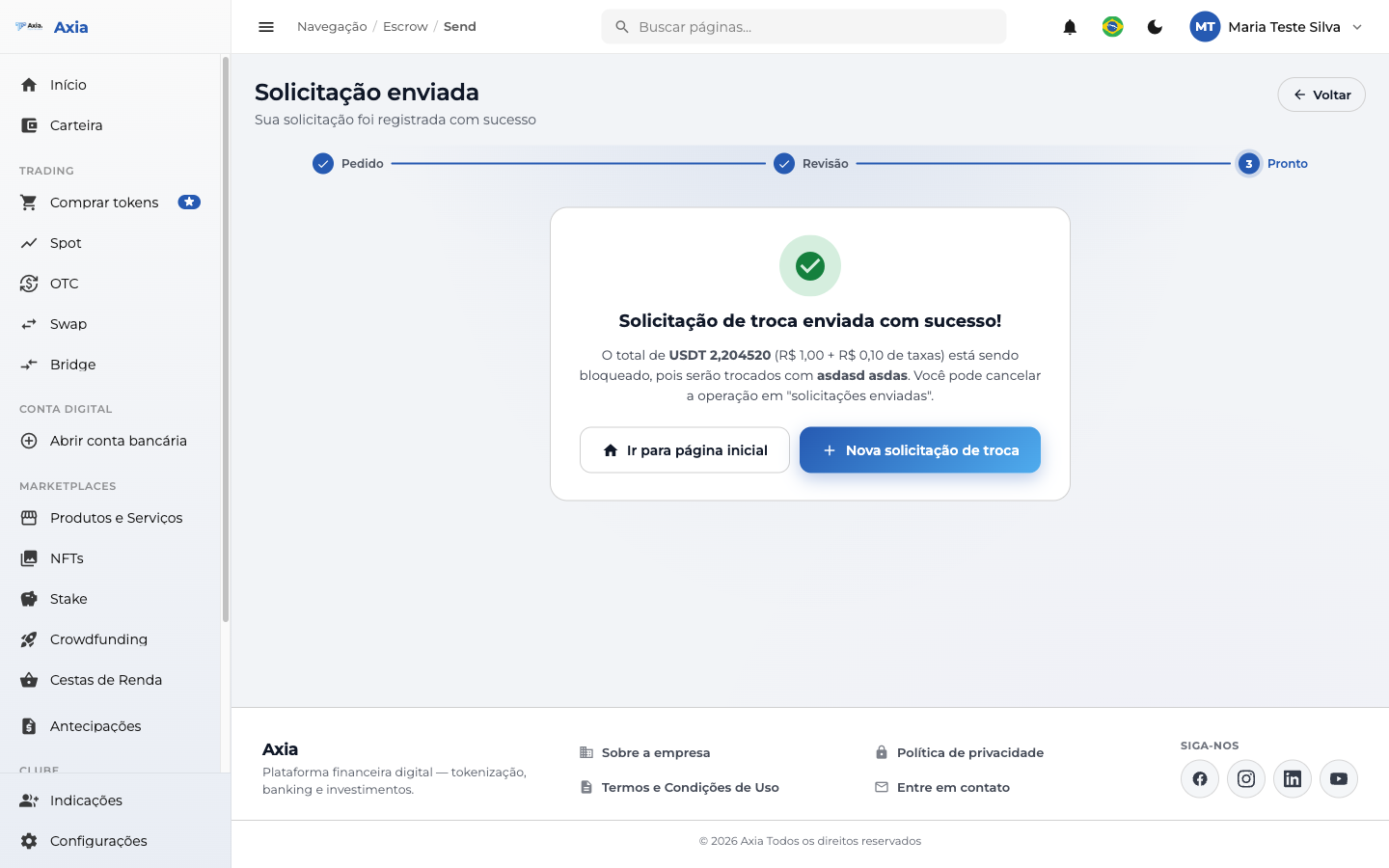
You can cancel the operation while it's still pending, under sent requests.
How the lock works
The amount you send stays locked until the other user responds. The proposal expires in 7 days if there's no response — and the balance returns to you.