
Stake
Stake puts your tokens to work: you allocate an amount to a staking plan and earn rewards.
Choose the token
The screen lists the tokens that are eligible for staking (marked as stakeable), with search by name or symbol.
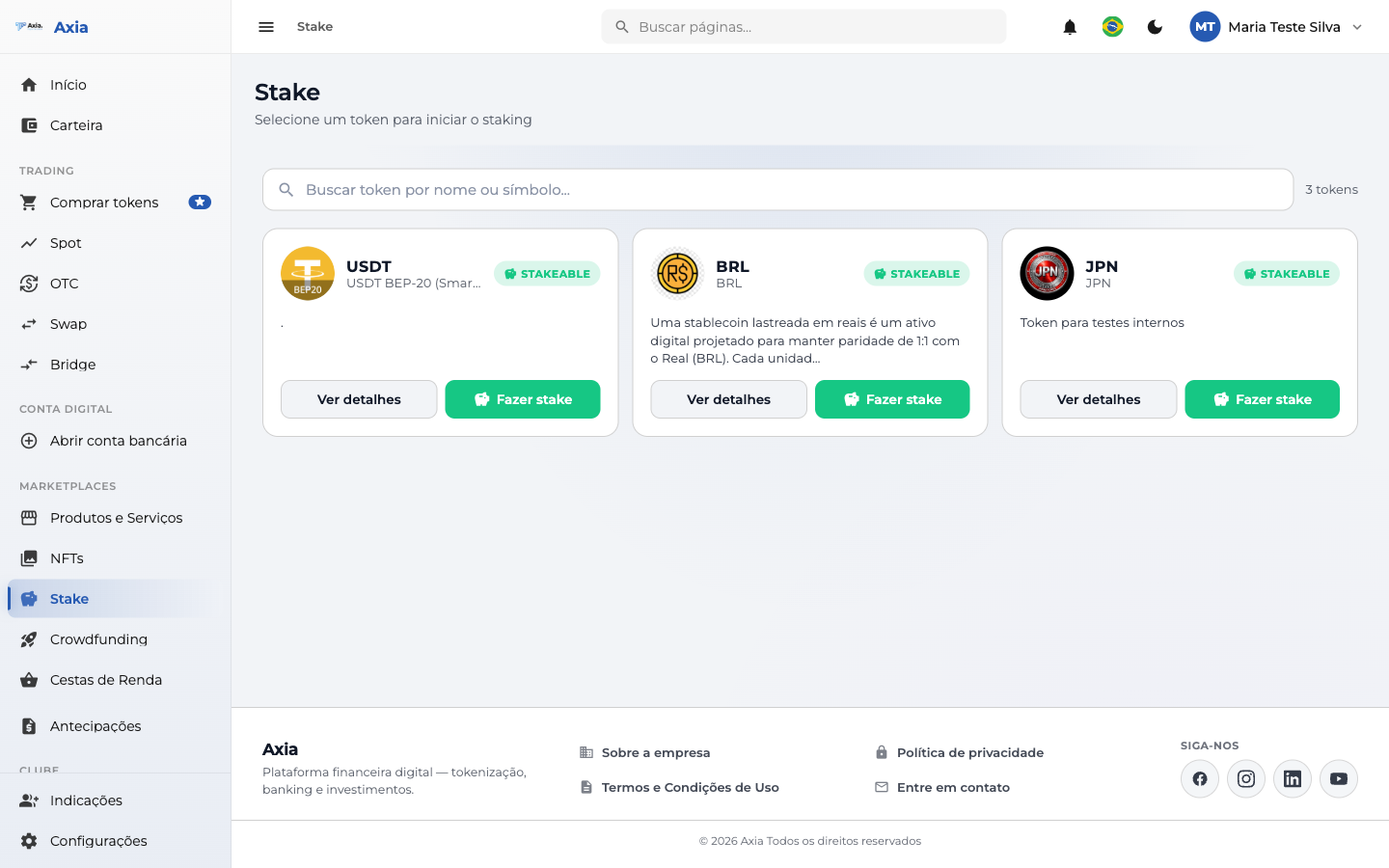
Each token has View details and Stake.
Stake
When you click Stake, you choose the plan and the amount:
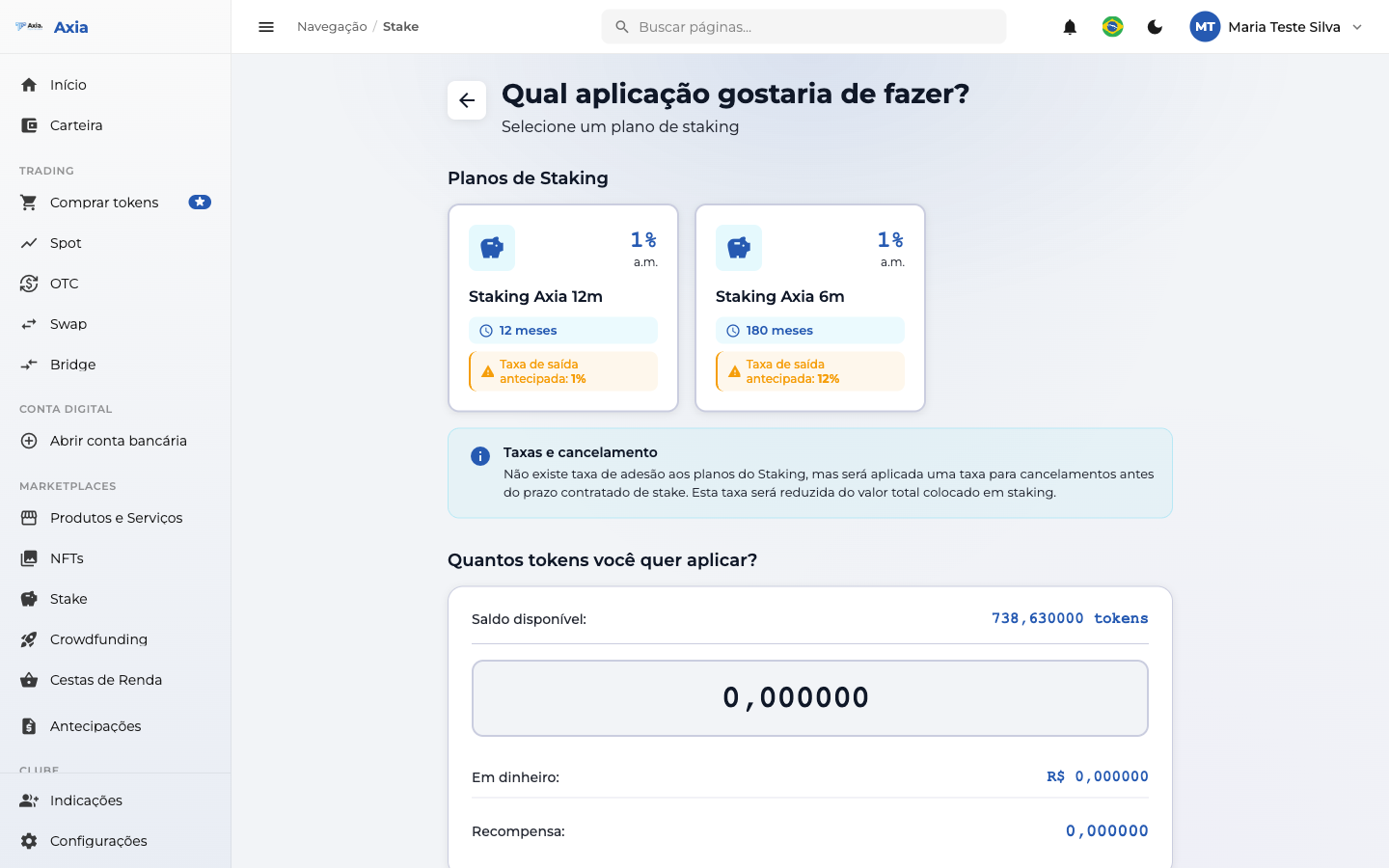
- Staking Plans — select one of the plans available for the token (e.g., 6 months or 12 months, with the indicated yield).
- How many tokens do you want to allocate? — enter the amount (respecting the available balance). The screen shows the value in cash and the estimated reward.
- Click Apply to staking to confirm.
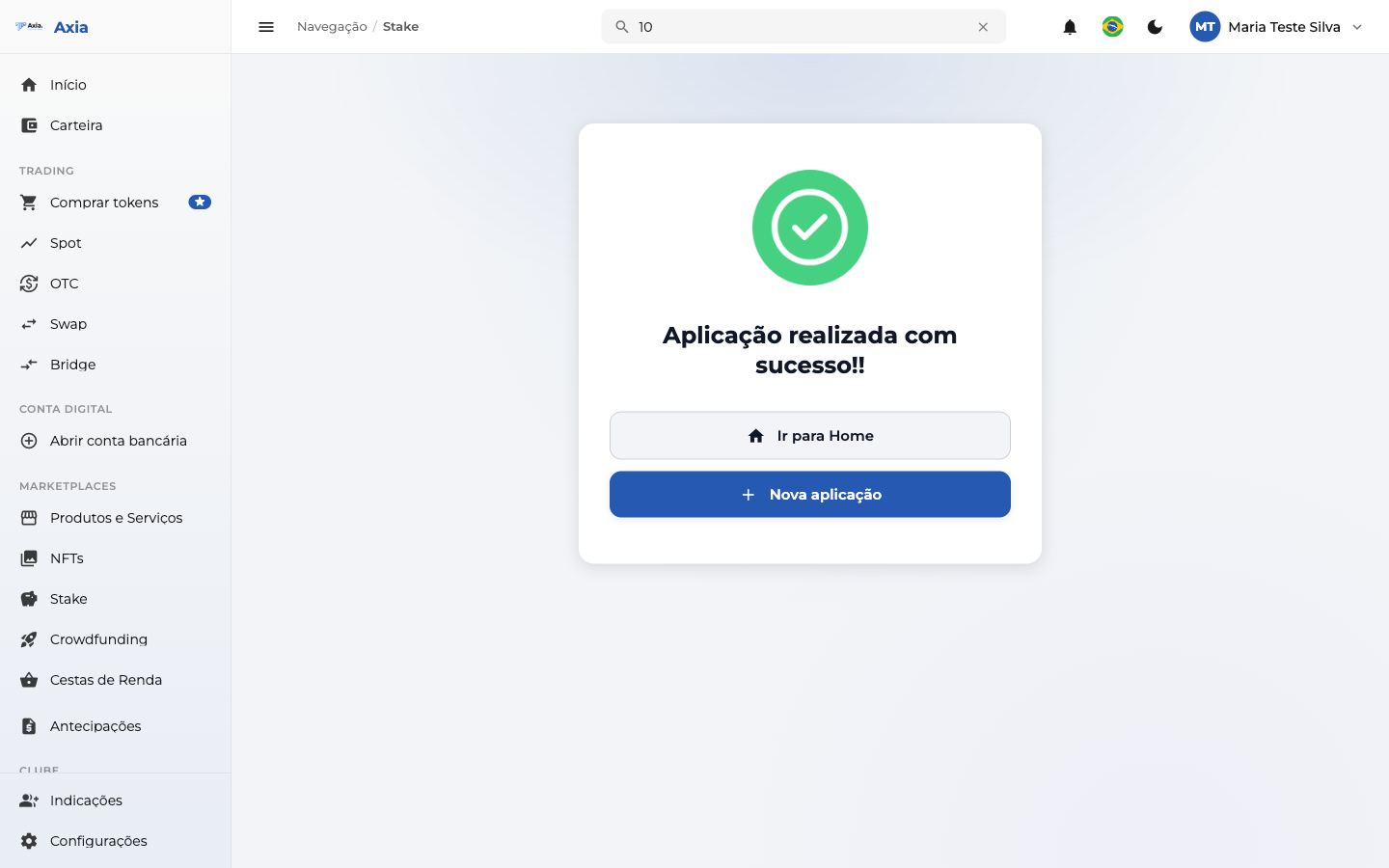
Once completed, the confirmation appears:
Fees and cancellation
There is no enrollment fee for staking plans. There is a cancellation fee for cancellations before the contracted term, deducted from the staked amount. You must select a plan to complete the allocation.