
Deposit crypto
Receiving crypto in your wallet is simple: you choose the token and the platform generates the address and the QR Code for you to receive it.
Step by step
1. Open the deposit
On the Home (Quick access) or in the Wallet, click Deposit crypto. This opens the window to choose the asset:
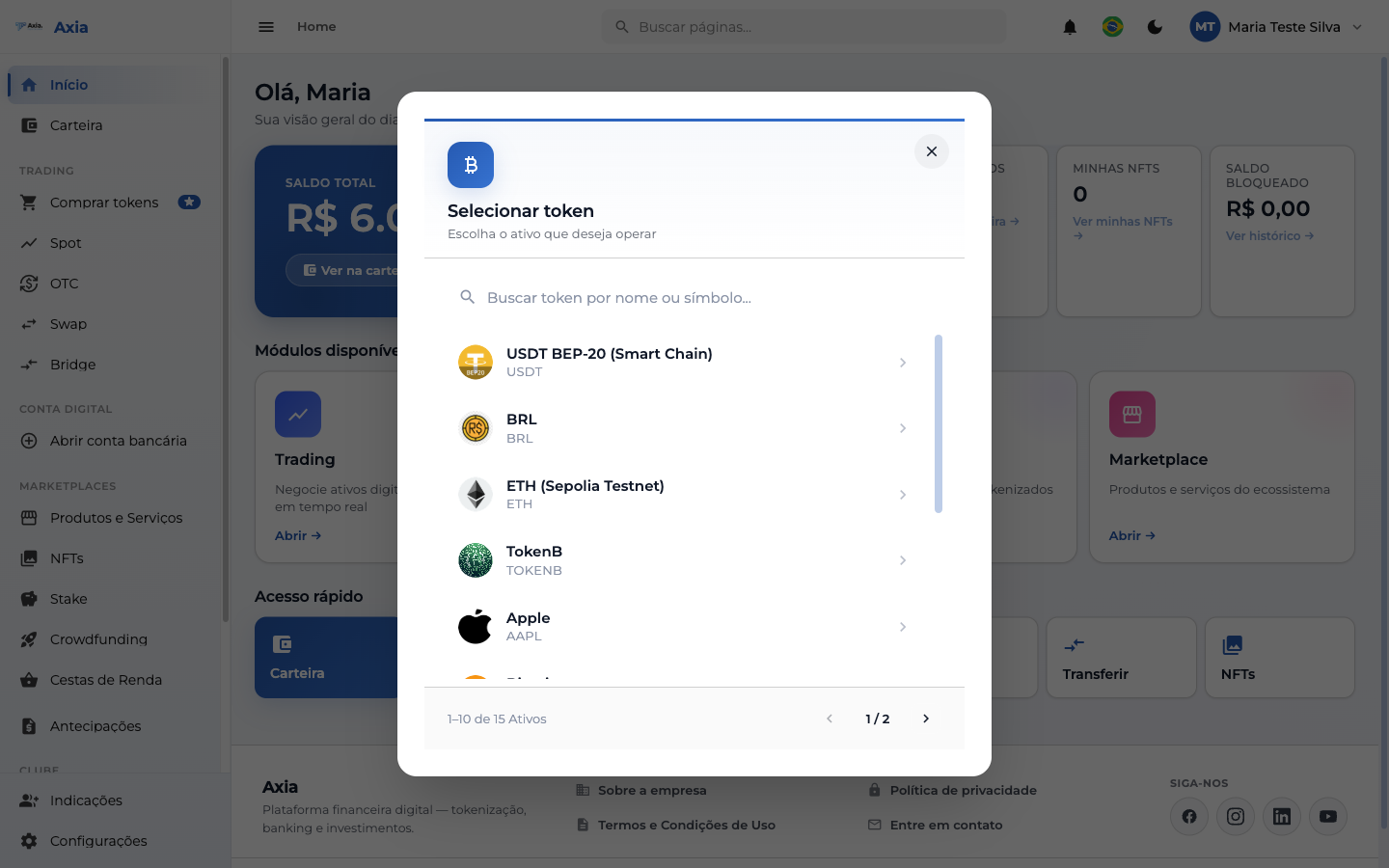
- Use Search token by name or symbol to filter.
- Click the asset you want to receive (e.g., USDT).
2. Receive at the address/QR
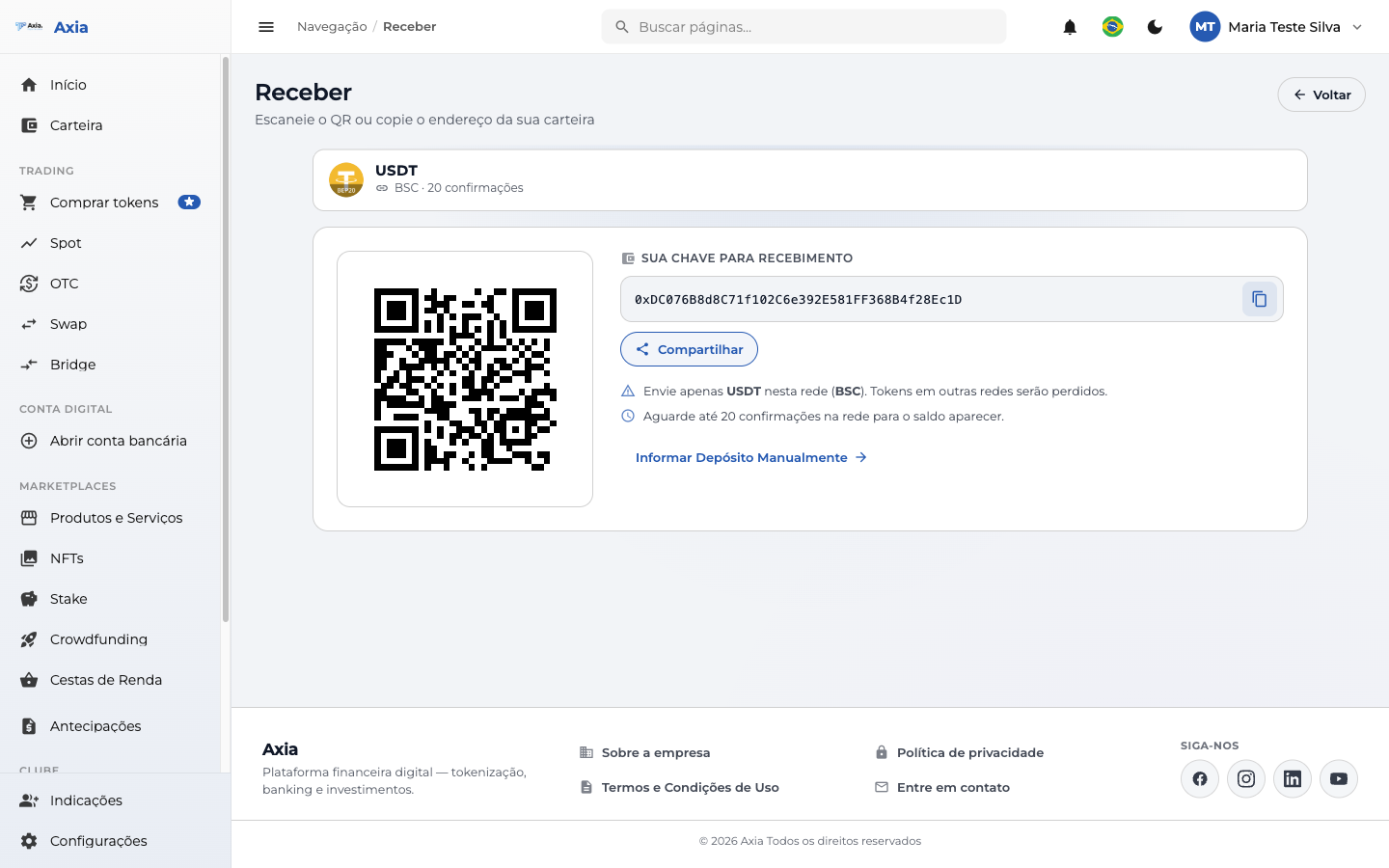
The platform shows your wallet address and the QR Code for that asset and network:
| Feature | What it does |
|---|---|
| QR Code | Scan it in the source app to fill in the address |
| Your key for receiving | Wallet address — use the copy button |
| Share | Sends the address through other apps |
| Report Deposit Manually | Records a deposit you have already made |
Mind the network
Send only the indicated asset on the network shown (e.g., USDT on the BSC network). Tokens sent on another network may be lost. Wait for the indicated number of confirmations for the balance to appear.
TIP
The address may take a few seconds to be generated the first time — wait for the QR Code to appear before sharing.