
OTC (Institutional Desk)
The OTC Desk is designed for larger operations: instead of using the order book, you request a locked quote and have a few seconds to accept it.
1. Set up the operation
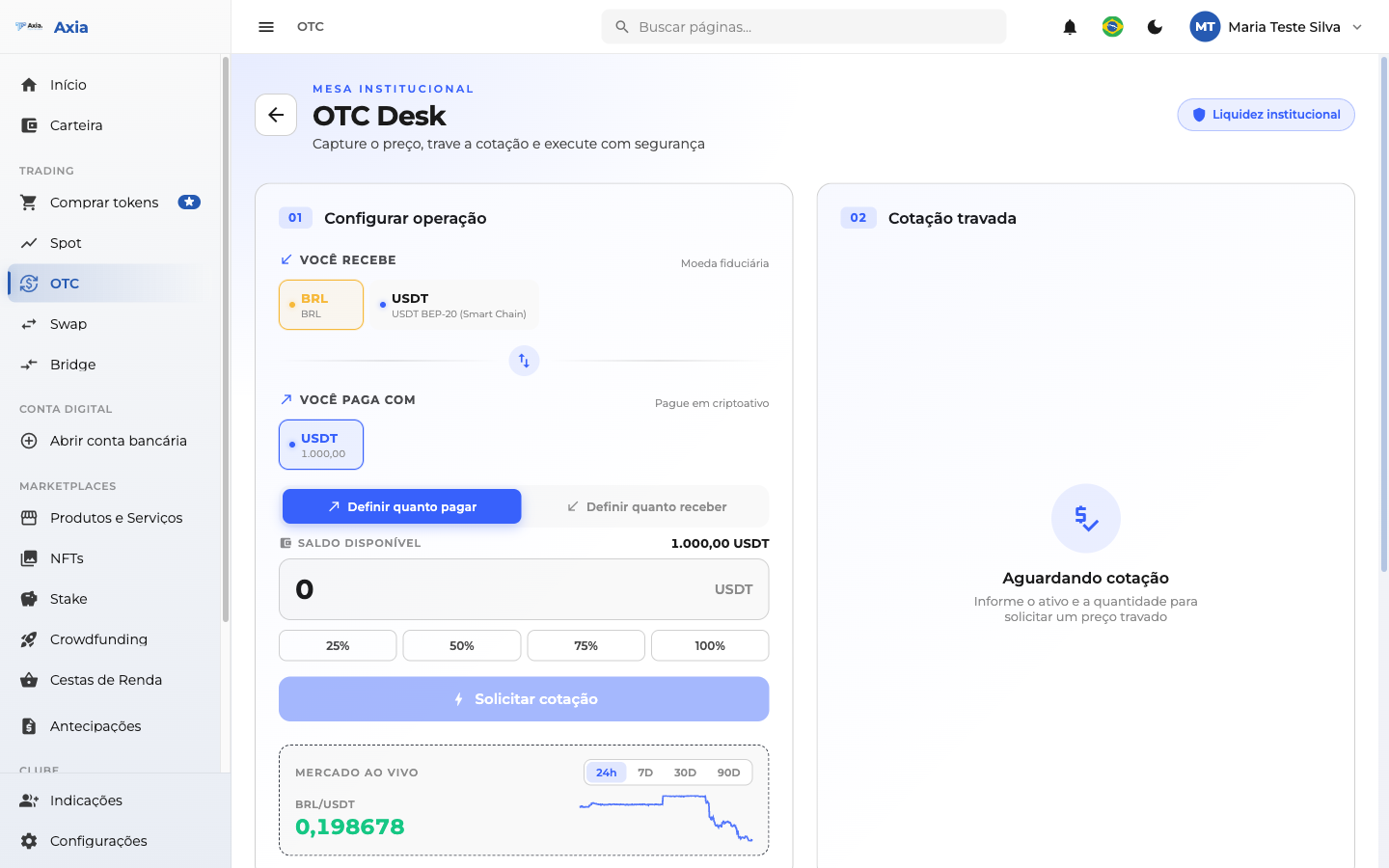
- Under You receive, choose the asset you want to receive.
- Under You pay with, choose the asset you will use to pay.
- Set how much to pay or how much to receive (percentage shortcuts are available).
2. Request the quote
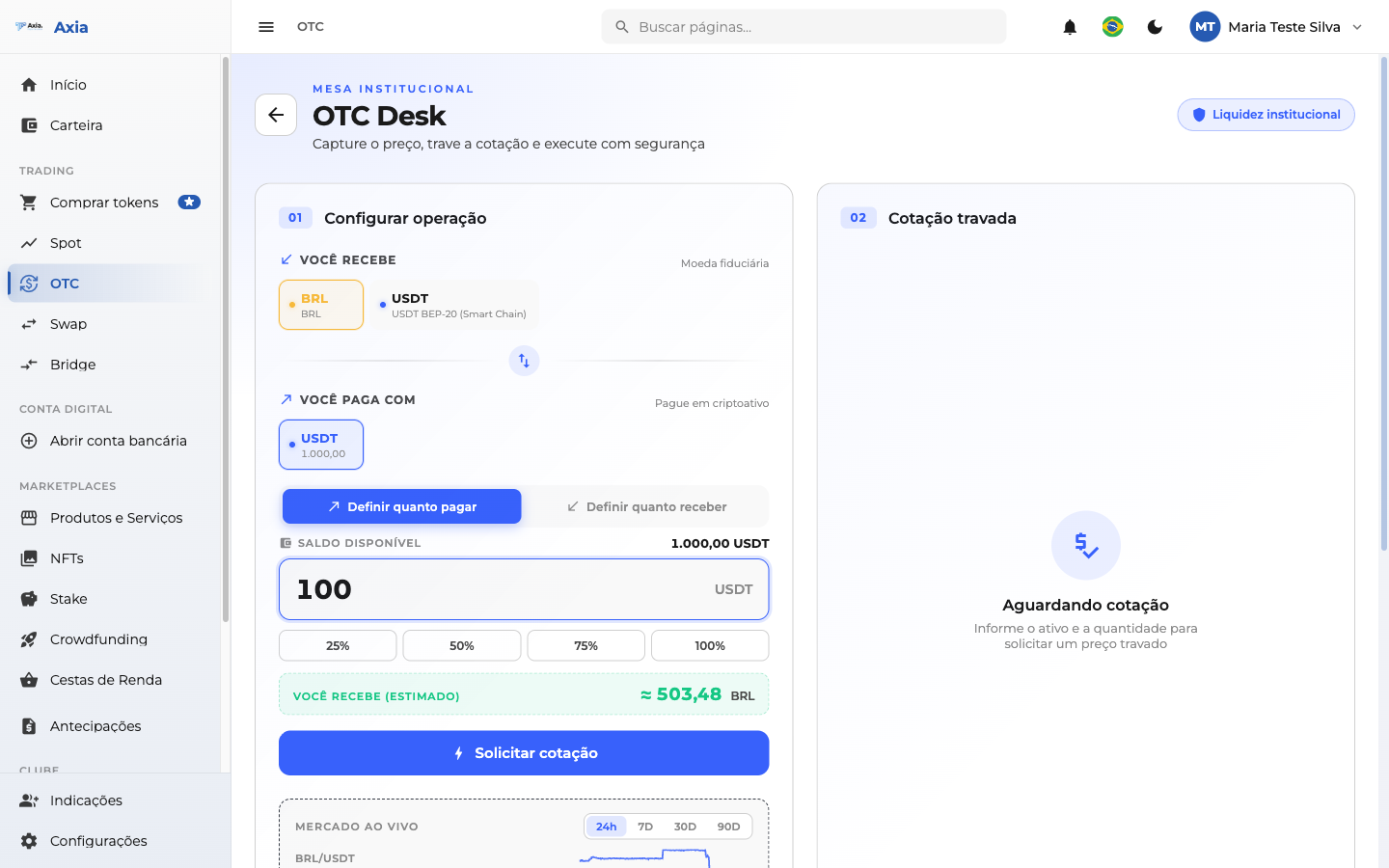
With the amounts set, click Request quote.
3. Locked quote
The platform returns a locked quote, valid for a few seconds (countdown):
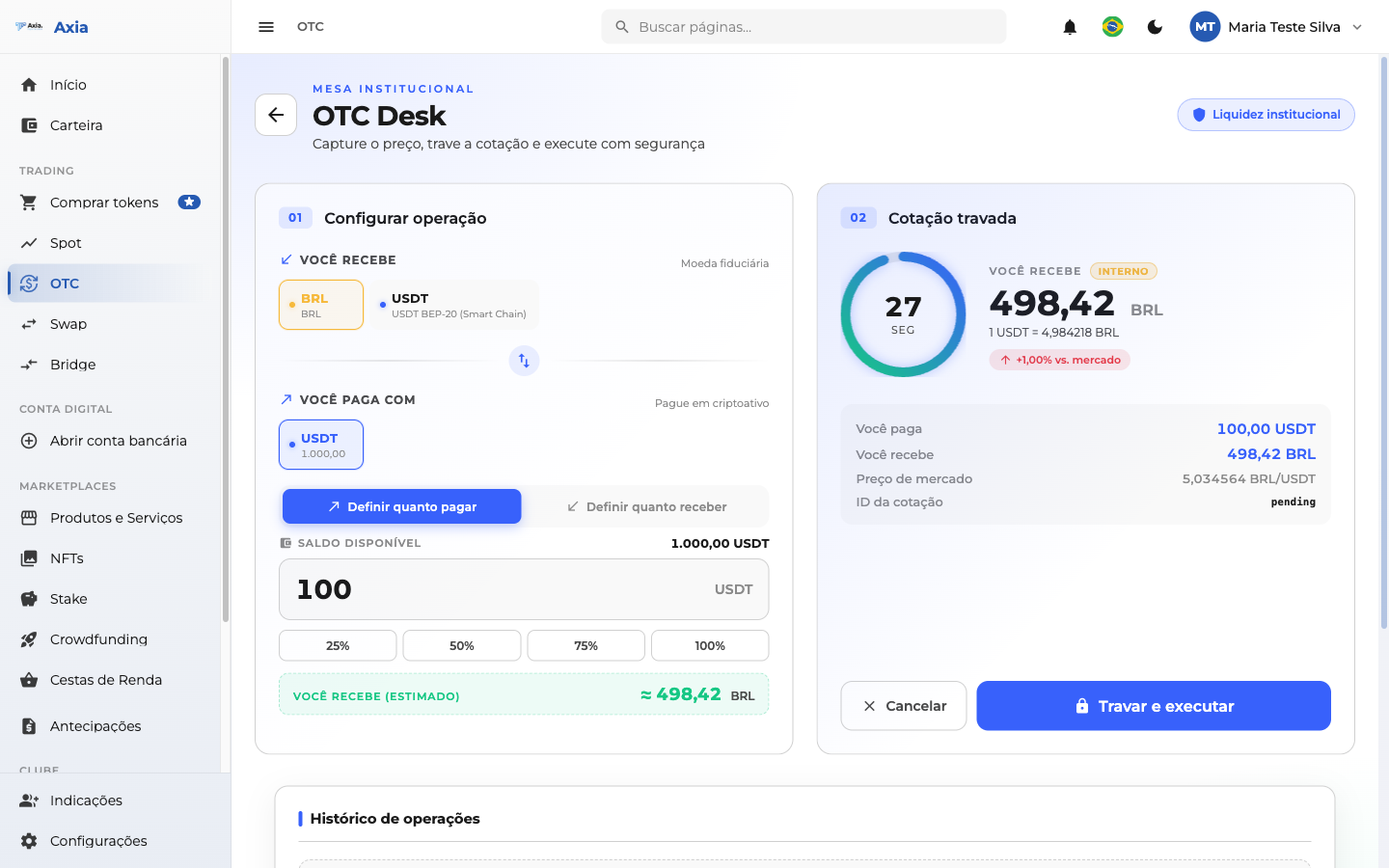
- The panel shows how much you receive, the fee applied, and the time remaining to accept.
- Click Lock and execute to confirm the operation while the quote is still valid.
- If the time runs out, simply request a new quote.
4. Tracking and completion
When you execute, the platform shows the operation tracking in real time — "Processing trade, moving your balance…" — while it settles the deal:
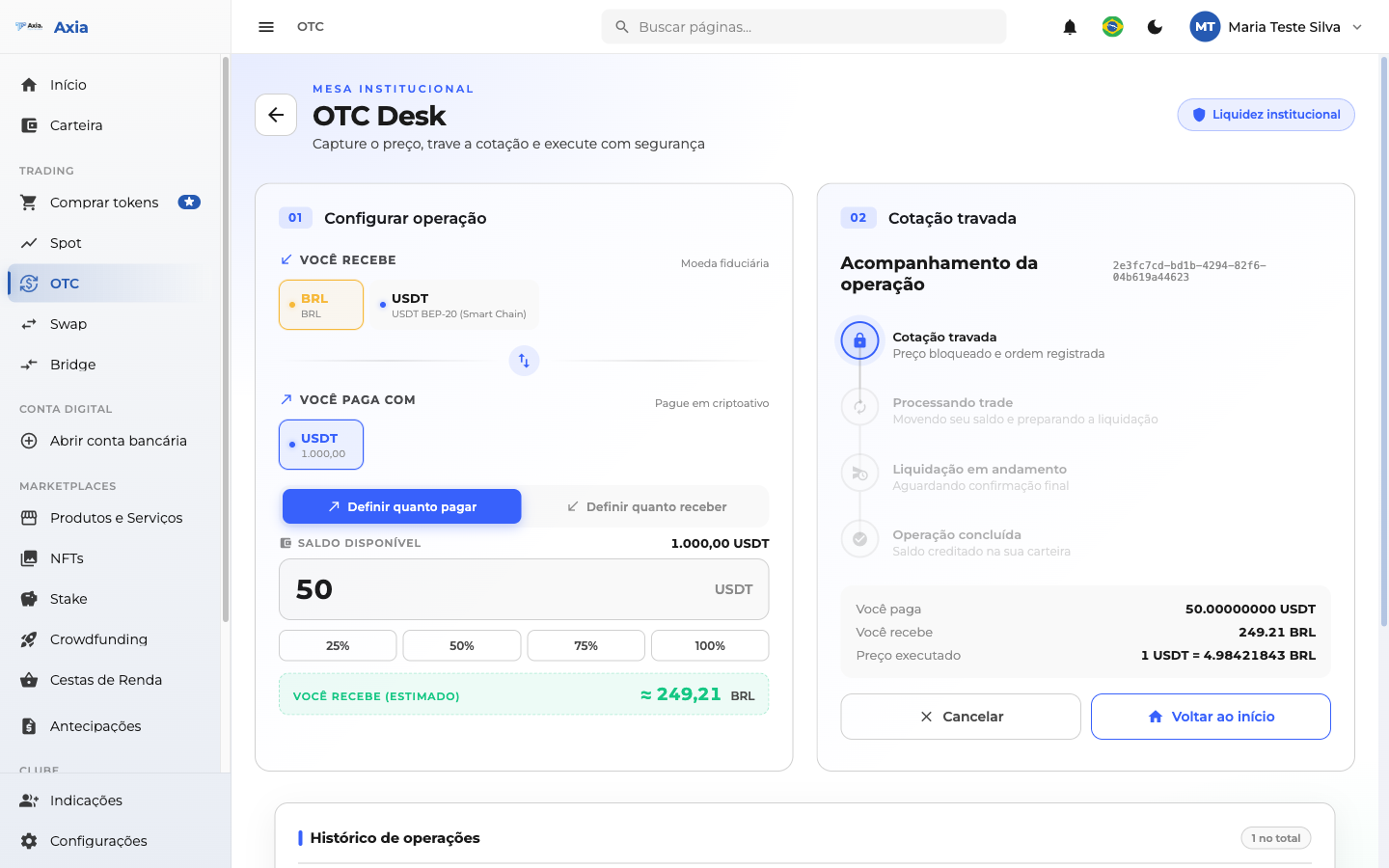
Next, the Operation completed confirmation appears:
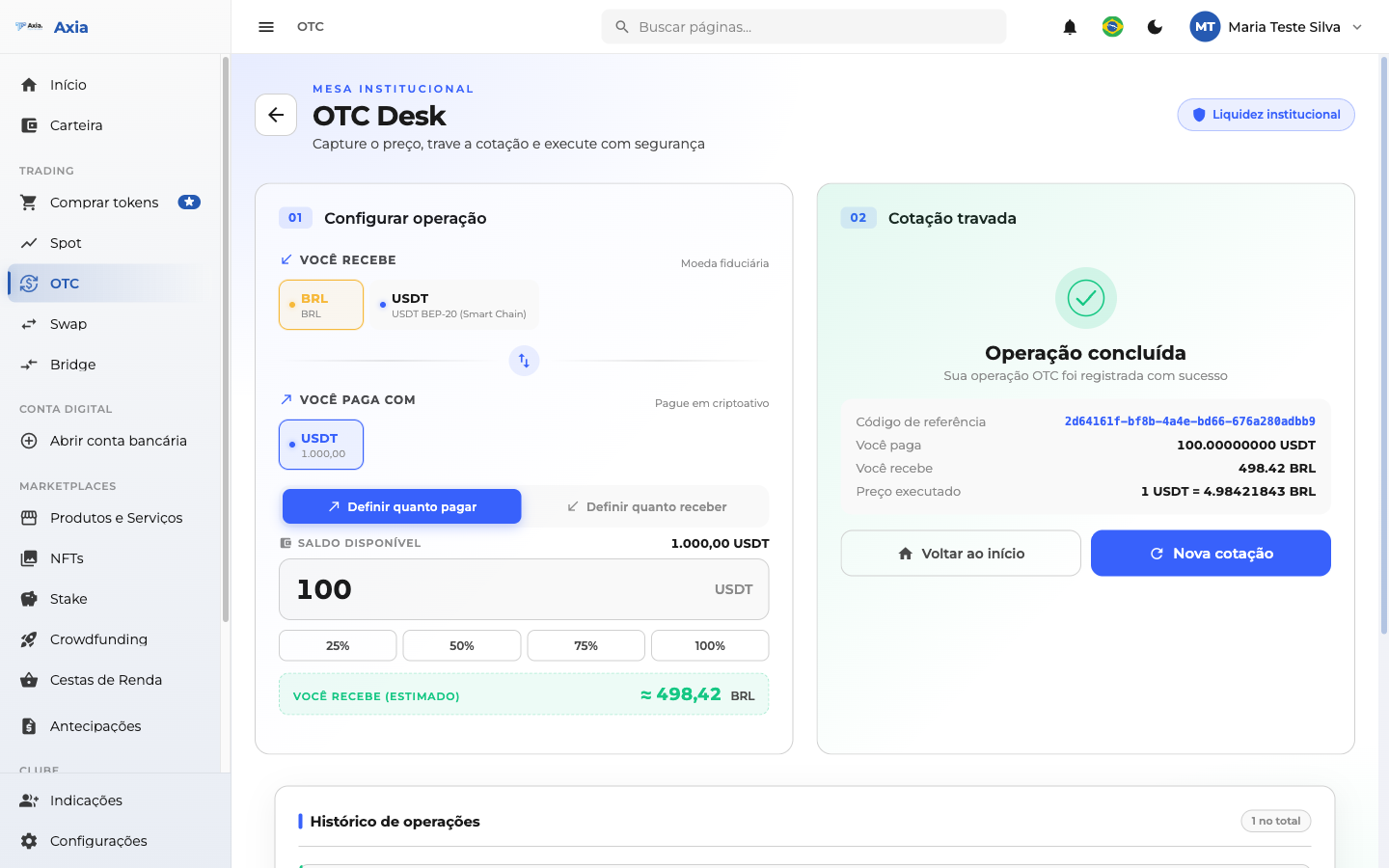
From there you can Back to start or begin a New quote.
TIP
Since the quote has a short validity, have the amounts ready before requesting. Use OTC when you want a locked price for a larger volume, without depending on the order book.
The operation history appears just below, so you can keep track of your deals on the desk.