
Settings (My profile)
In Settings you manage everything about your account: personal data, security, preferences, contracts and limits.
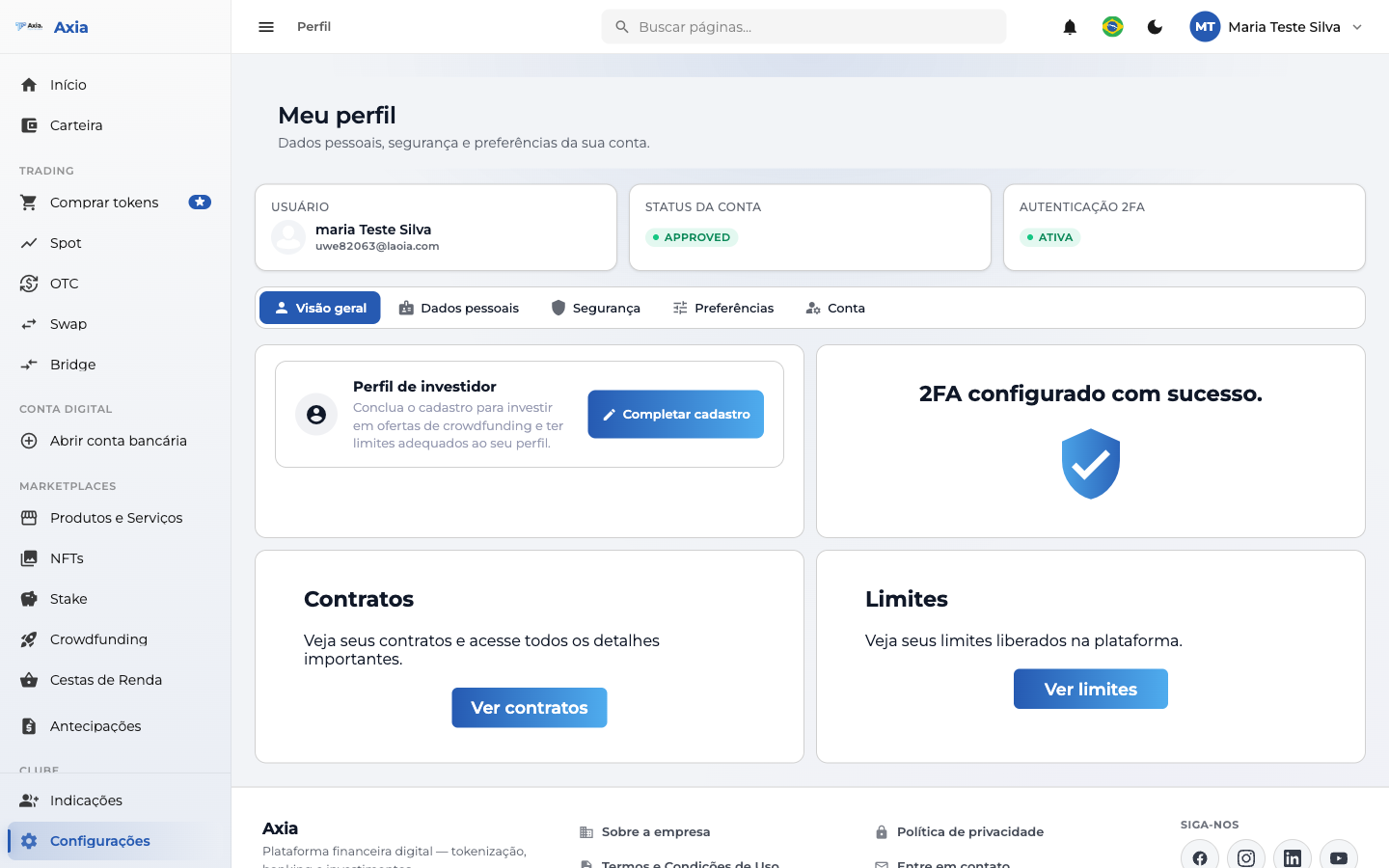
At the top, three cards summarize your account:
- User — your name and email.
- Account status — for example, Approved.
- 2FA authentication — Active or Inactive.
Profile tabs
| Tab | What you do |
|---|---|
| Overview | Shortcuts to investor profile, 2FA, contracts and limits |
| Personal data | Review and update your data |
| Security | Set up 2FA, change your password and protect access |
| Preferences | Language, theme and notification settings |
| Account | Account options |
Overview cards
- Investor profile — Complete registration to invest in crowdfunding and have limits appropriate to your profile.
- Two-factor authentication (2FA) — set up/validate 2FA. When active, "2FA set up successfully" is shown.
- Contracts — View contracts and access all the details.
- Limits — View limits available on the platform.
Security
Keep 2FA active — it protects your access and is required to confirm sensitive operations. You set up 2FA on the Security tab.