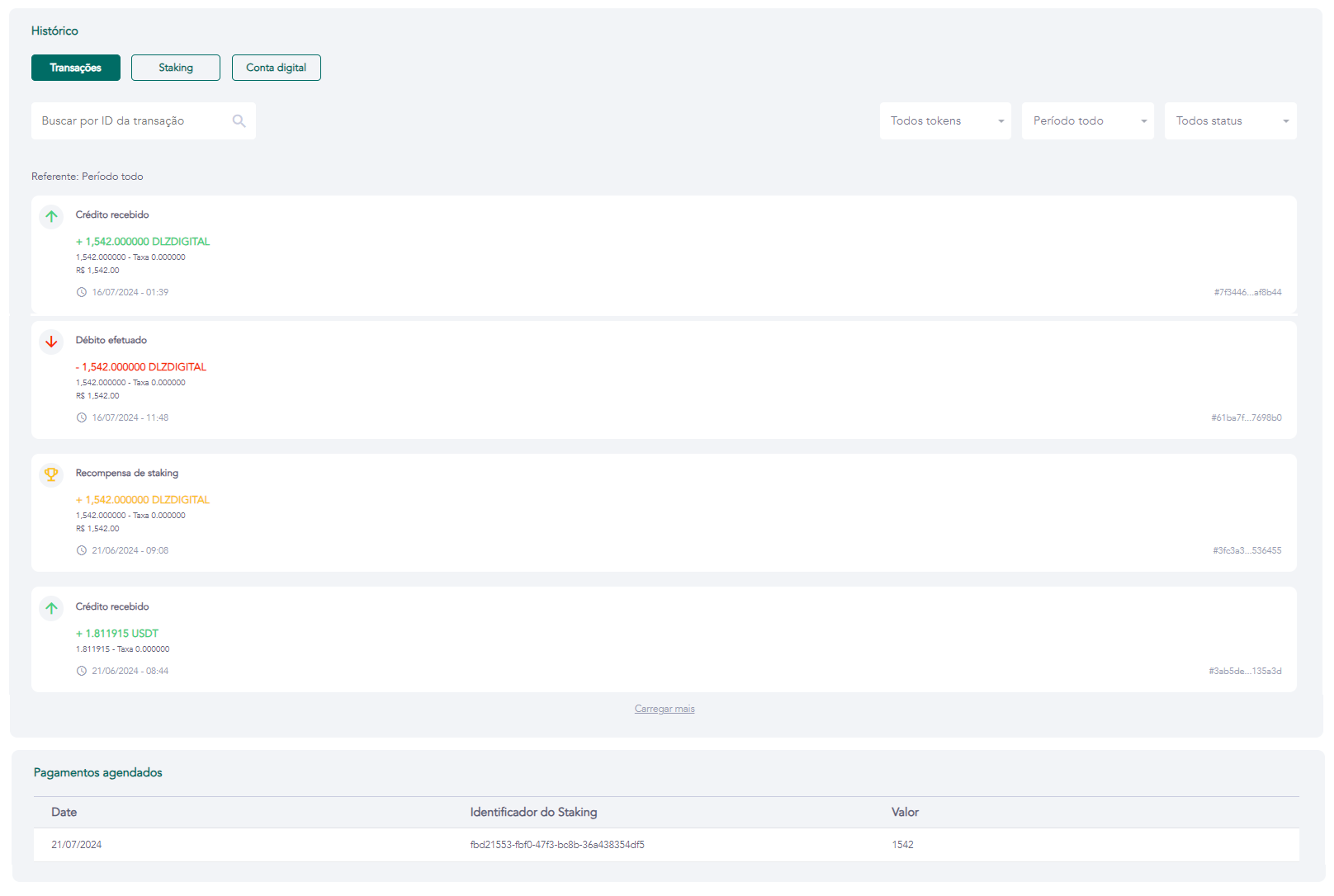
History — Transactions
Access requirements
- Permission (module):
viewUser - Menu container: GENERAL → Users group → User list → eye icon → History tab → Transactions sub-tab
What it is / when to use
The Transactions sub-tab displays the complete history of the user's crypto movements: sent and received transfers, payments, token purchases, and NFT sends. It is the primary tool for balance investigation and operation tracing — use it to confirm whether a deposit was received, trace a specific transfer by ID, or review the history for a given period.
Available filters
| Filter | Options |
|---|---|
| Period | Last 30 days, 60 days, 90 days, All time |
| Status | All, Received, Sent |
| Search | By transaction ID, blockchain hash, or key ID |
Fields displayed per transaction type
Incoming transactions
| Field | Description |
|---|---|
| Key ID | Identifier of the user/wallet that performed the transfer |
| Transaction ID | Unique operation identifier in the system |
| Date and time | Transaction confirmation timestamp |
| Total transferred | Quantity of assets received |
| Fiat value | Equivalent in fiat currency at the time of the operation |
Outgoing transactions
| Field | Description |
|---|---|
| Recipient's key ID | Identifier of the recipient |
| Transaction ID | Unique operation identifier in the system |
| Date and time | Transaction confirmation timestamp |
| Total transferred | Quantity of assets sent |
| Fiat value | Equivalent in fiat currency at the time of the operation |
| Transaction fee | Fee charged by the blockchain network |
Related screens