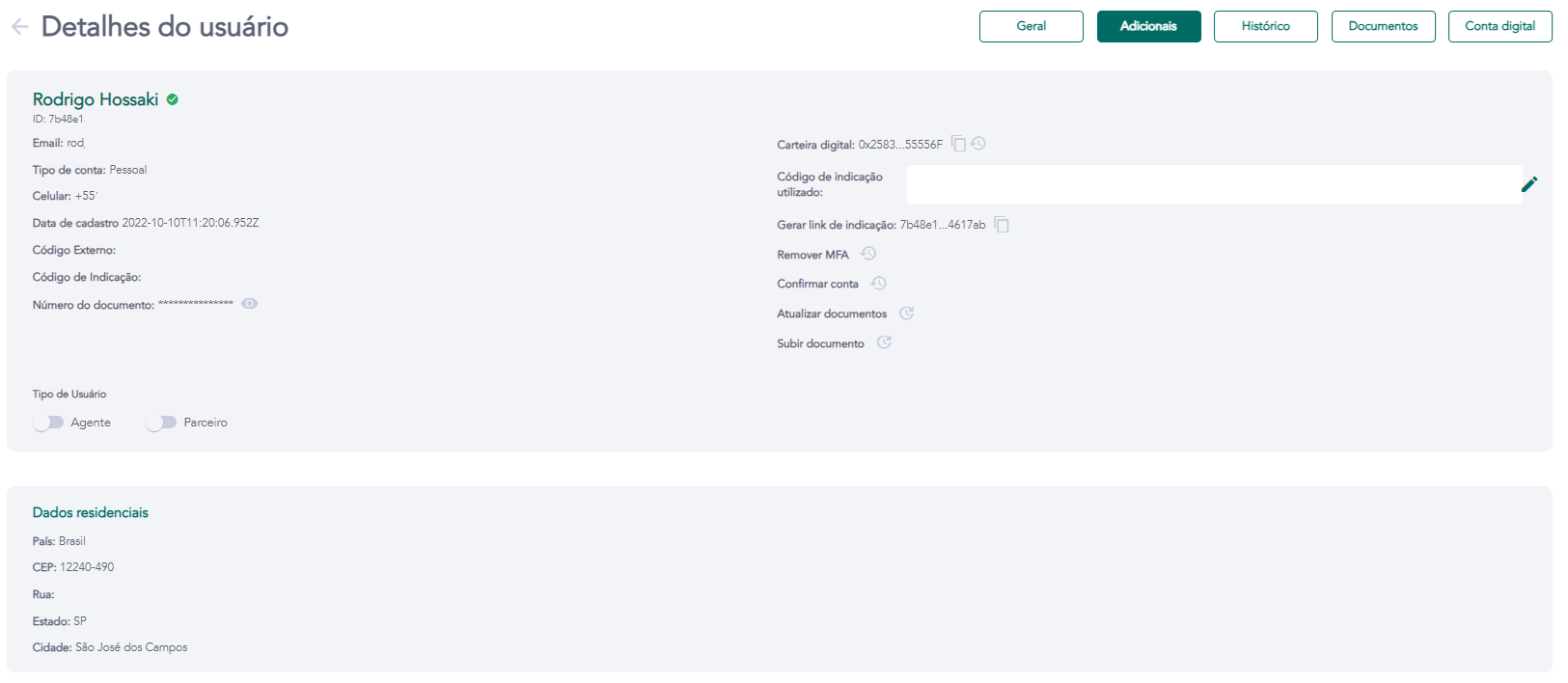
Details - Additional
Access requirements
- Permission (module):
viewUser - Menu container: GENERAL → Users group → User list → eye icon → Additional tab
What it is / when to use
The Additional tab displays supplementary registration data provided by the user during the sign-up process — primarily residential and address information. Use this tab to verify and cross-reference KYC data against submitted documents, identify address inconsistencies, or assist in support requests that depend on residency information.
Displayed fields
| Field | Description |
|---|---|
| Address | Street, number, and complement provided at registration |
| Neighborhood | Residential neighborhood |
| City / State | Municipality and state/province |
| ZIP / Postal code | Postal code |
| Country | Country of residence |
| Additional information | Any extra fields collected by the tenant during onboarding |
The data shown is read-only. To correct an incorrect address, use the Edit profile (data) action in the Actions card on the General tab.
Related screens