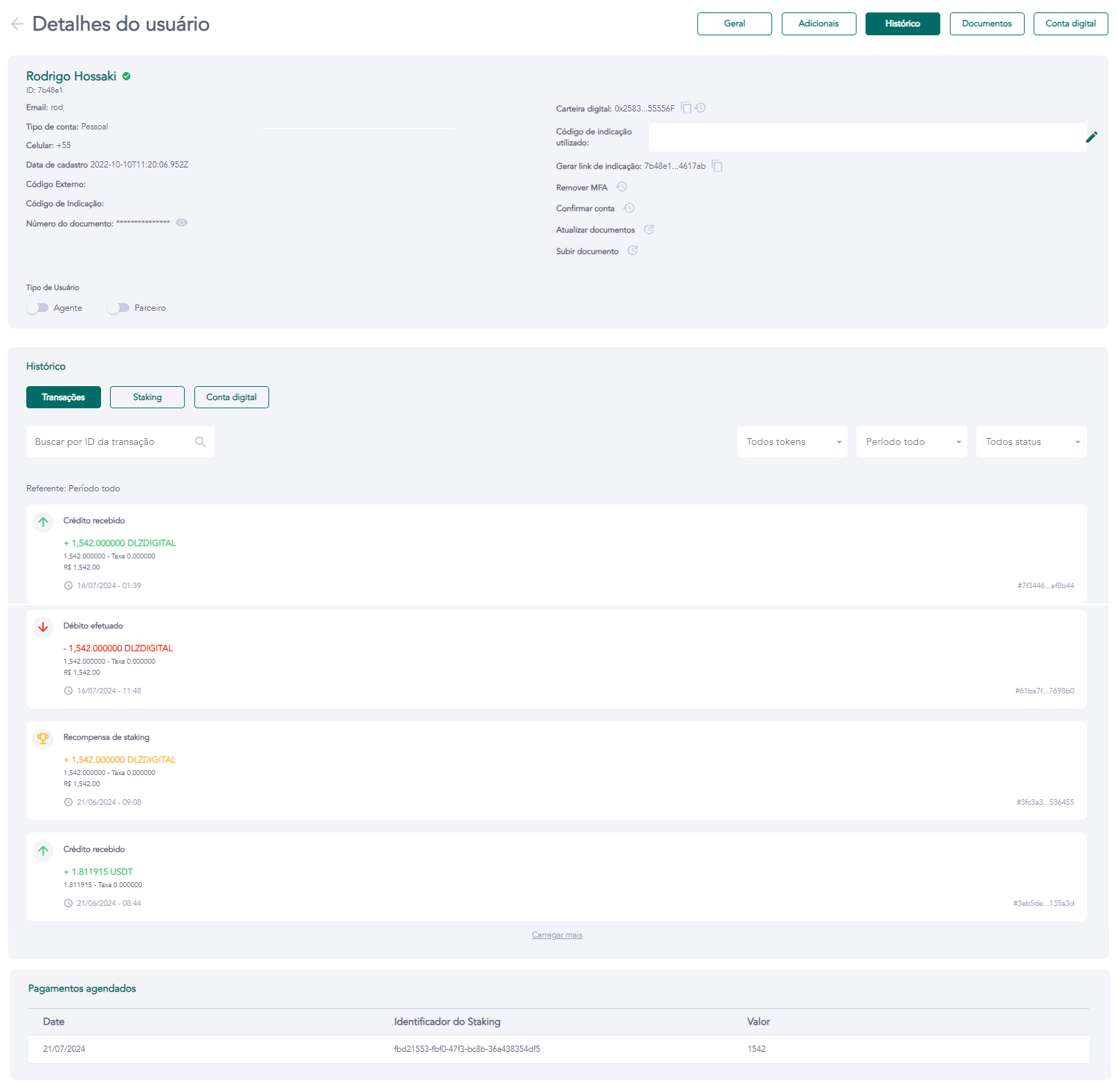
User details — History
Access requirements
- Permission (module):
viewUser - Menu container: GENERAL → Users group → User list → eye icon → History tab
What it is / when to use
The History tab consolidates the chronological record of all the user's movements and financial operations. It is the starting point for transaction investigation, balance auditing, and dispute support. Use it to trace specific transfers, verify staking payments, consult digital account statements, or confirm the status of a completed operation.
Available sub-tabs
| Sub-tab | What it shows | Condition to appear |
|---|---|---|
| Transactions | All crypto movements: sent/received transfers, payments, token purchases, NFT sends | Always |
| Staking | Active and closed staking applications, returns, and scheduled payments | Only with STAKING_PERMISSION enabled |
| Digital Account | Bank statement: PIX, wire transfers, withdrawals, bill payments | Only with digital banking enabled (DIGITAL_BANKING) |
Navigation
Click on the desired sub-tab to access its details. Each sub-tab has its own period filters and search.
Related screens